
Participant
December 3, 2016
Answered

Adobe Creative Cloud wont load

  • December 3, 2016
  • 1 reply
  • 4148 views

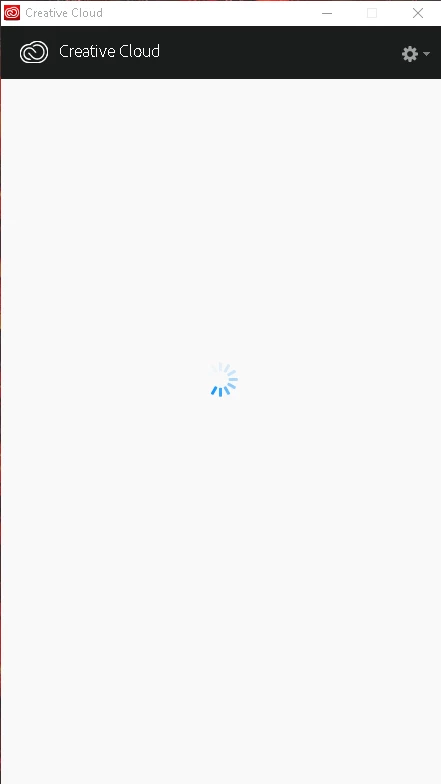
I just recently downloaded Creative Cloud and i cant seem to get it to load. All it does it just sit here and the wheel turns.

I have windows 10 64 bit and I haven't been able to find any discussion about this. Please help! Thanks
This topic has been closed for replies.
Correct answer kglad

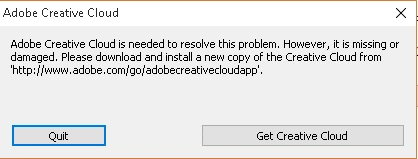
I did everything you said step by step and now i get this message after i installed it

I didnt expect it to be this hard to download and install it. I've been trying all week and i have an assignment due tomorrow that I won't get turned in because I couldnt get this to work. :/


using a browser that allows popups and cookies,  contact adobe support during pst business hours by clicking here and, when available, click 'still need help', http://helpx.adobe.com/x-productkb/global/service-ccm.html

1 reply

kglad
Community Expert
Community Expert
December 3, 2016

uninstall everything cc, https://helpx.adobe.com/creative-cloud/help/uninstall-remove-app.html

then uninstall the cc desktop app, https://helpx.adobe.com/creative-cloud/help/uninstall-creative-cloud-desktop-app.html

clean your computer of cc files per http://www.adobe.com/support/contact/cscleanertool.html

restart your computer (don't skip this)

reinstall the cc desktop app (and if win os, right click installer>click 'run as admin') from here, https://creative.adobe.com/products/creative-cloud

use the desktop app to install your cc programs/trials

if that fails, follow solution 5 here:

Adobe Creative Cloud desktop app doesn't open or shows a spinning progress wheel

Participant
December 9, 2016

i tried that, but it still doesnt work. Still getting the same result i had before

Govardhan.V
Participating Frequently
December 10, 2016

f you havent tried below steps , try it once.

Follow below steps :

Uninstall Adobe Creative Cloud .

Creative Cloud Help | Uninstall the Creative Cloud desktop app

Disable Firewall Temporarily.

Step 1 :

Open C:drive and navigate to C:\Program Files (x86)\ " Common Files" \Adobe.

Open Adobe folder and delete folders named Adobe Application Manager and OOBE.

Step 2:

Navigate to C:\Program Files (x86)\Adobe.

Open Adobe folder and if present delete Adobe Creative Cloud folder. [**important]

Unable to delete??? rename it to Adobe Creative Cloud-old.

Step 3 :

Press Windows button (located between Ctrl and Alt buttons) along with R button together at a time , you will get a run command window.

Type in below command and hit 'Enter' key.

appdata

Then navigate to Local>Adobe.

Open Adobe folder and delete folders named AAMUpdater and OOBE.

Step 4 :

Make sure Adobe Creative Cloud is not listed under Control Panel > Program and Features. list.

Then download and install Adobe Creative Cloud application and check.

https://ccmdls.adobe.com/AdobeProducts/KCCC/1/win32/CreativeCloudSet-Up.exe

Also make sure , Automatic Proxy settings detect is ON>