
Participating Frequently
August 11, 2015
Answered

Adobe edge applications are not on CC and are unable to download

  • August 11, 2015
  • 4 replies
  • 1300 views

Hey there,

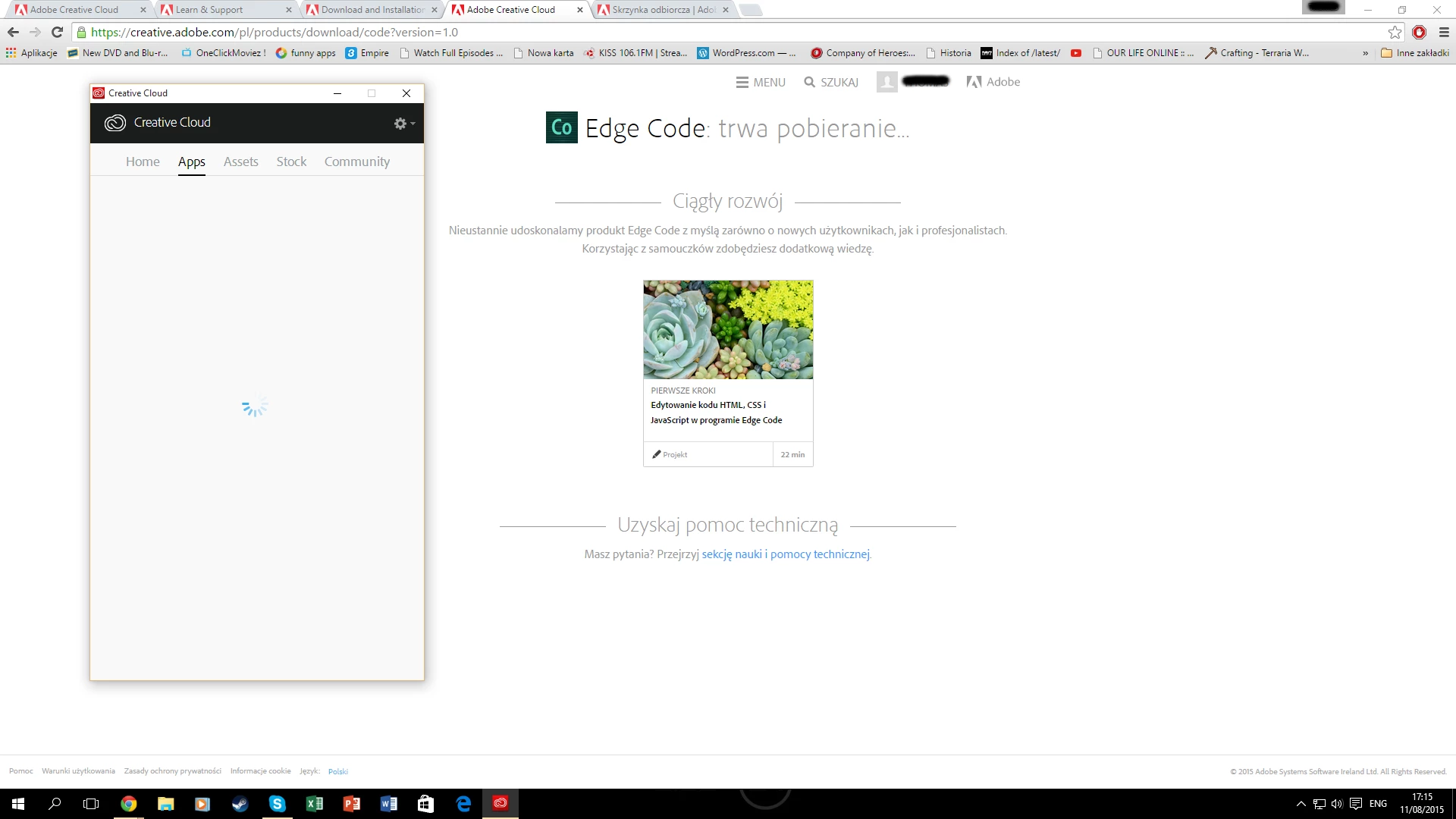
I reinstalled creative cloud today on my new Windows 10 and every single app installed normally except I couldn't find Adobe Edge Reflow or Edge Code on the app list so I went onto the adobe website signed in and tried to manually download the apps 2 missing apps but it said it started to download but it just did this in CC (Photo below). I waited for around an hour but nothing happened. after this all my other apps just disappeared. Of course after I restarted my computer I could see all the apps again but I still wasn't able to see Adobe Edge Reflow or Edge Code and when I tried to download it from the site then the same thing happened. How can I fix this and get the two applications that I need? (the rest of the applications like photoshop and ill... do work normally) (I do have a VIP pass and Adobe CC Teams).
This topic has been closed for replies.
Correct answer 4445411514454

No, I did not find it in there. all the applications that are there are shown in the photo at the bottom as I posted earlier (even when I put all apps then its the same). How is it possible to be missing two crucial applications (Adobe Edge Reflow or Edge Code)?


I  had the same problem and I fixed it by install adobe Creative Cloud  on another computer and in explore enter $temp$ and get the file once the application start download it and copied it before the application delete it to another place and then install it on my computer.

4 replies

bakuur
Participant
July 6, 2016

hello all, has anyone found a way to solve this?

I only have one windows machine .. and would like to start working on edge asap

I have the latest version of CC

Participant
September 8, 2015

I have the same problem

Participating Frequently
September 9, 2015

Any thought on how to fix this problem? Or how to download it somehow?

Atul_Saini
Community Manager
Community Manager
September 9, 2015

Please select "All Apps"  from "filter and versions"  section and check if you could find it in the refreshed list.

Sheena Kaul
Community Manager
Community Manager
August 11, 2015
Atul_Saini
Community Manager
Community Manager
August 11, 2015
Participating Frequently
August 11, 2015

Thank you for your quick response. I have tried all of the options provided there but they do not work. I combined a few screenshots of the app so that I can show you the apps that I can see (photo below). I cannot see a few Adobe Edge apps like Code and reflow, but before the upgrade to windows 10 I was able to see them, install them and I use them, but now I can't? Maybe there's a problem with Windows 10 and CC compatibility? Please Help.

Atul_Saini
Community Manager
Community Manager
August 11, 2015

Please share the version of Creative Cloud which is installed on your machine. Meanwhile, please try to sign out from Creative Cloud, sign in and check if you could find it there.