


- Home
- Download & Install
- Discussions
- Adobe Extendscript Toolkit CC download for macOS 1...
- Adobe Extendscript Toolkit CC download for macOS 1...

Copy link to clipboard
Copied
Hi,
I'm interested in learning about editing/writing my own scripts for After Effects CC 2018, but the I don't seem to have the Adobe Extendscript Toolkit available to download under my Creative Cloud App. Is there a reason for this, and if so are there any alternatives I could use?
Thanks!


 1 Correct answer


Hi Guyh39507624,
As you have mentioned you would like to download Adobe Extendscript Toolkit CC, you may do that using your Creative Cloud desktop app.
Please launch your CC desktop app and go to settings wheel in the top right corner > Click 'Preferences' > Click 'Creative Cloud' > now click the check box for 'Show older apps'
Now go back to apps list and you should be able to see the Adobe Extendscript Toolkit CC listed under it, click 'install'
Let us know if this helps.

 26
Replies
26
26
Replies
26

Copy link to clipboard
Copied
Hi Guyh39507624,
As you have mentioned you would like to download Adobe Extendscript Toolkit CC, you may do that using your Creative Cloud desktop app.
Please launch your CC desktop app and go to settings wheel in the top right corner > Click 'Preferences' > Click 'Creative Cloud' > now click the check box for 'Show older apps'
Now go back to apps list and you should be able to see the Adobe Extendscript Toolkit CC listed under it, click 'install'
Let us know if this helps.

Copy link to clipboard
Copied
Hi there,
in 2018 app there no show older apps, how can I download Extendscript Toolkit in this case?
thanks

Copy link to clipboard
Copied
Kamel3d, this feature is only available for full Creative Cloud members. Do you have an active Creative Cloud membership?

Copy link to clipboard
Copied
Hi Jeff, is there a new Toolkit version for macOS Catalina? Only 64 bit apps work, and the older one is 32. Is this product dead in the water? Not big priority for Adobe?
Thanks

Copy link to clipboard
Copied
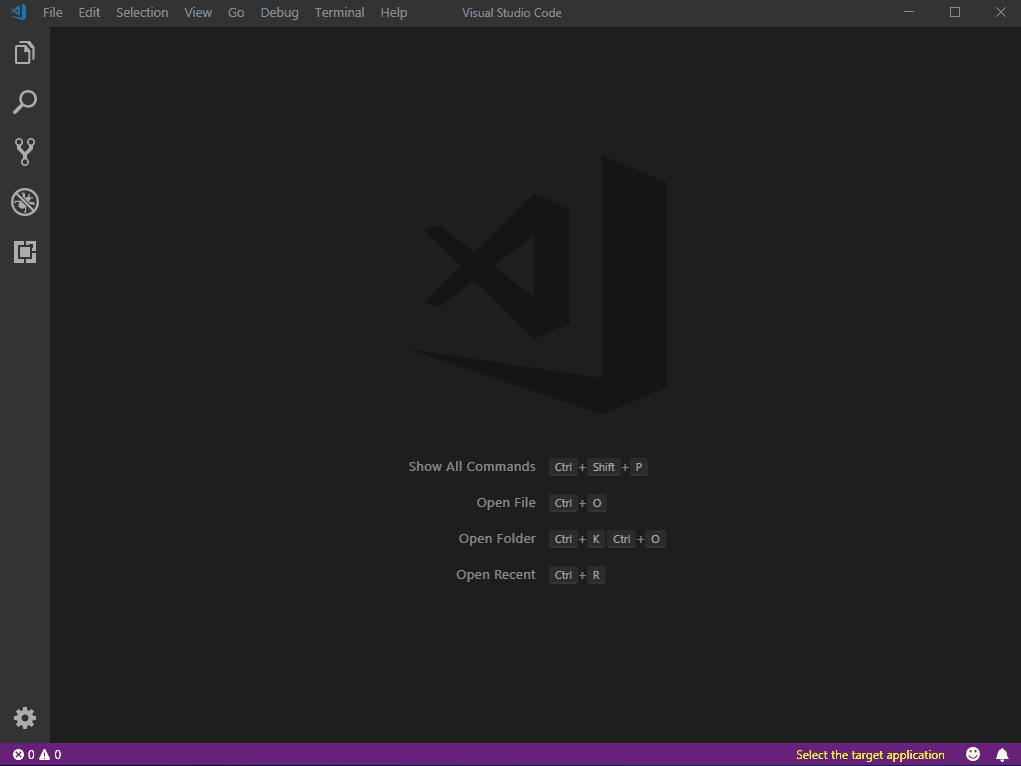
VS Code has extensions now that let you run and debug extendscript
Copy link to clipboard
Copied
This worked, thanks so much!
Copy link to clipboard
Copied
You're Welcome! 

Copy link to clipboard
Copied
Where can you find the "Show older apps" feature in the latest release of the Creative Cloud desktop app? I'm trying to find Adobe Extendscript Toolkit CC

Copy link to clipboard
Copied
Click the Settings wheels in the desktop app (top, near the right side); click Apps in the left pane; scroll down to reveal "Settings Show older apps" button. However, I just tried it and ExtendScript is not listed. Prior versions of ESTK are not compatible with Mac OS 10.15.x Catalina.

Copy link to clipboard
Copied
I am only responding to freshen this correct answer which works up to 10.14.x but not necessarily 10.15x. Every tutorial, Adobe and other assumes you have the toolkit installed and open. Thanks to Bani_Verma.
"CC desktop app and go to settings wheel in the top right corner > Click 'Preferences' > Click 'Creative Cloud' > now click the check box for 'Show older apps'
Now go back to apps list and you should be able to see the Adobe Extendscript Toolkit CC listed under it, click 'install'"
Now the toolkit is in it's own folder in your applications, not nested with other Adobe apps.

Copy link to clipboard
Copied
Any idea when it will be available with Catalina ? i really need this tool..
Is very hard to develop without that.

Copy link to clipboard
Copied
All Adobe support does is copy-paste the standard responds "creative app", well, it's not there. Stop copy-pasting, and actually look at the creative cloud yourself... I just want ESTK for CC, and the download link is down for weeks now, an hour on a support agent result in nothing, extremely incompetent... sorry... https://www.adobe.com/products/extendscript-toolkit.htmlESTK

Copy link to clipboard
Copied
I could be wrong but from all the dead links, lack of info and what Ive read It doesnt sound like they are actively supporting it anymore. You can try these links for older versions and there is an alternitive VS code plug in. I havent used it so I dont know much about it although it sounds like a promising alternitive.
Older versions:
https://prodesigntools.com/adobe-cc-2019-direct-download-links.html
VS code plug in:
other info:
https://medium.com/adobetech/the-future-of-extendscript-development-a-vscode-plugin-2d8d0172a357
https://medium.com/adobetech/the-future-of-extendscript-development-a-vscode-plugin-2d8d0172a357
https://images.creativecow.net/u/317666/etk_64_mac.jpg
Copy link to clipboard
Copied
Thx! Great link! I can now download Extenscript CC from...
https://prodesigntools.com/adobe-cc-2019-direct-download-links.html
But Adobe should make it available...
If they don't support it anymore, fine, but make all the versions available on the ExtendScript archive, where all the older versions can be downloaded. Only the latest version is not available at the moment...
There is also an ExtendScript plug in for Brackets...
It's made by someone from Adobe, but not official. This was the only IDE that made extension builder work for me...
http://davidderaedt.github.io/CC-Extension-Builder-for-Brackets/

Copy link to clipboard
Copied
Hi:)
I did all exactly as you explained. I turn on old app but I cannot to see anywhere Adobe Extendscript Toolkit. I have full adobe cloud subscription.
Thank you
Jacek

Copy link to clipboard
Copied
Are you on Catalina, fullpose?
Copy link to clipboard
Copied
Copy link to clipboard
Copied
This shows the incompetence of the adobe chat "support".. It might look hilarious, but it's so frustrating when you need support, and get this bot like conversation...

Copy link to clipboard
Copied
I think it has to be a human. I don't think a bot could be so badly trained as to say "iOS" when they should say "macOS". This is understandable in end users, but apalling for tech support. By the way, the magic word to jump out of robotville is "AGENT".

Copy link to clipboard
Copied
Sorry, this does not work for me. The extendscript toolkit app does not appear in the Creative Cloud app at all.
I have MacOs Catalina 10.15.7
I'm researching the web from adobe-help center to Github and the answers I get back is weird stuff like switch on "show older apps" and "there's no way to run it on MacOs Catalina" - but whatever I do the app does not appear in the CC-app.
I'm in urgent need of scripting in After Effects, could you help me out?
Copy link to clipboard
Copied
update: I managed to download "extendscript toolkit" ESTK 3.5 from an Adobe site somewhere but now MacOs Catalina does not recognize the disc image what I take as a sign that it is a 32bit-thing and the whole ESTK-concept is not adapted to the 64bit-design of Catalina, correct? If so, what is then the Adobe concept for heavy AE-users who are working on modern macbooks?

Copy link to clipboard
Copied
Same problem here. Come on Adobe!
Copy link to clipboard
Copied
The obvious problem that I see is that the initial posting of this thread is from December 2017, whereas my own discovery of the issue happens in February 2021 - a little bit more than 3 years for not solving the issue on Adobe's side.
Is there a protocol to escalate the problem somehow to some Adobe decision-makers to improve the product here? It is a bit weird to see such a great product as AE getting neglected.
Copy link to clipboard
Copied
Adobe "solved" the problem by discontining the product. Did you try the alternative? I hear it's not ideal for everything, but better than nothing. https://medium.com/adobetech/estk-and-macos-10-15-catalina-cbcc30300918

-
- 1
- 2

Find more inspiration, events, and resources on the new Adobe Community
Explore Now
 AdChoices