
Participant
January 2, 2017
Question

Adobe Muse 2017 installation error

  • January 2, 2017
  • 4 replies
  • 1029 views

Hi

I'm using Windows 8.1 Pro

I"m trying to install Adobe Muse 2017 from creative cloud but I'm having this problem

ERROR : Windows updates from Microsoft required to install this product are not

               available on this computer. Please install the required updates and try again
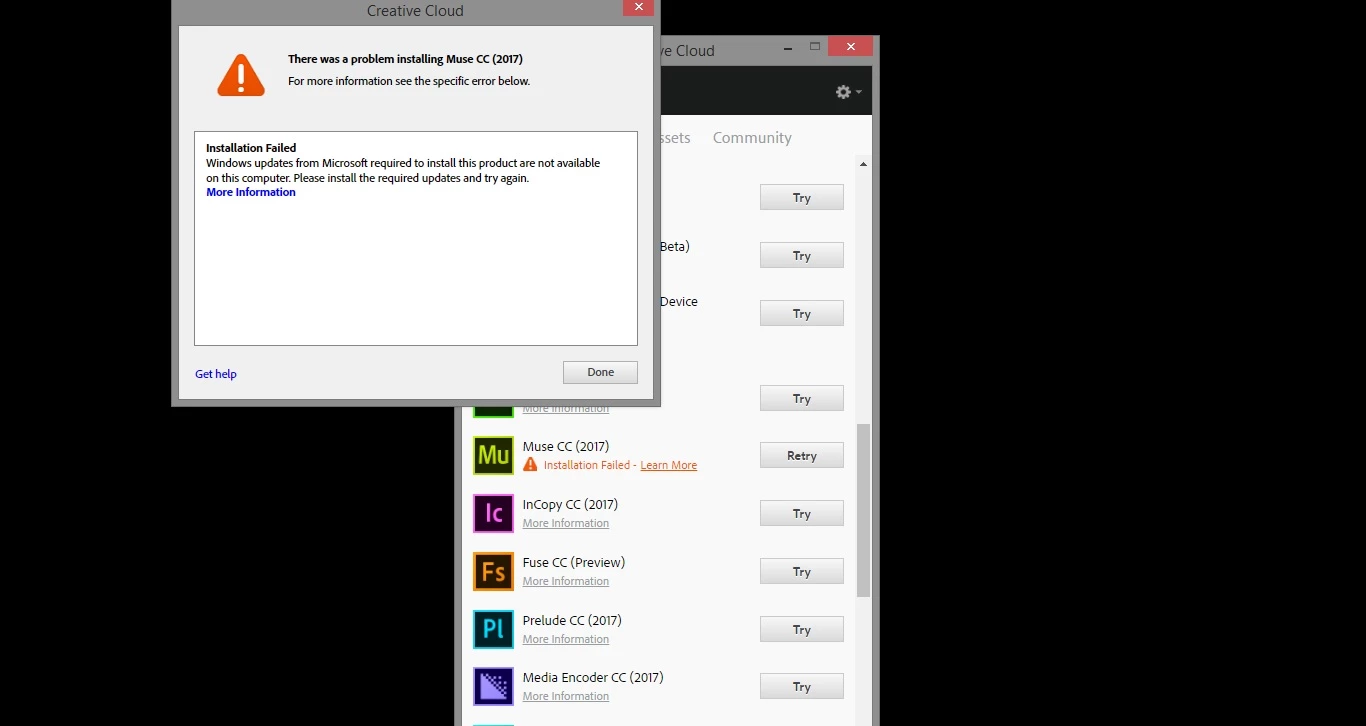
now probably you think I have to update my windows but Windows is up to date.

I tried to update one more time but windows did not find any update

is I visited error page of adobe Visual C++ Runtime 2015 Update

it says "visual C++ Runtime 2015 - Requared Update"

actually I installed this too  Download Visual C++ Redistributable for Visual Studio 2015 from Official Microsoft Download Center

I tried to install this as well Windows 10 SDK - Windows app development  but I got error

I have installed Photoshop and Premier Pro and they work fine

I dont know what to do

Please help me

    This topic has been closed for replies.

    4 replies

    jbm007
    Community Expert
    Community Expert
    January 11, 2017

    Did you R-click the "setup.exe" file and select "run as administrator" ?

    You need elevated user rights to properly install those programs.

    When you are done you need to reboot your machine before trying to install Muse again.

    Participant
    January 6, 2017

    Not Solved !

    Atul_Saini
    Community Manager
    Community Manager
    January 11, 2017

    Hi anzorm73649036,

    Sorry for the delay in response, it seems that you have tried all the basic troubleshooting steps, I would request you to contact our Contact Customer Care​.

    Please let us know in case you are unable to contact support or try the steps mentioned on this link:- Contact Support FAQ: Unable to reach support through the "Contact US" link​.  

    Thanks.

    Participant
    January 3, 2017

    Not Answered !!!!!

    ankushr40215001
    Inspiring
    January 3, 2017

    Moving this thread to Downloading, Installing, Setting Up forum for an expert solution.

    Participant
    January 2, 2017

    Not Answered !