
Participant
March 11, 2016
Answered

After Effect Update Failed

  • March 11, 2016
  • 2 replies
  • 941 views

Hi


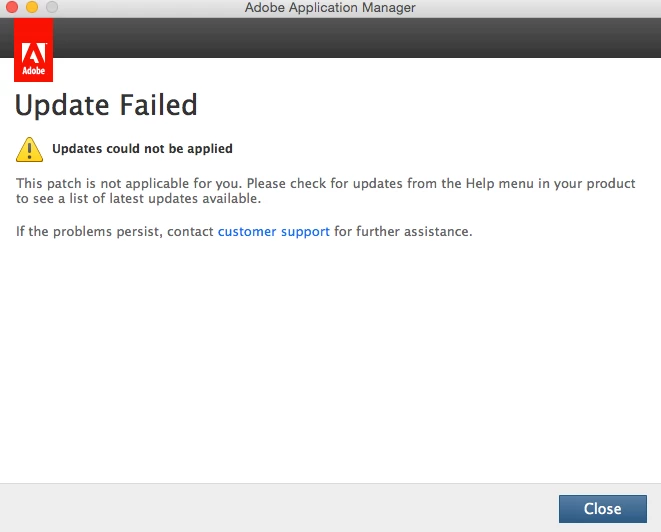
In the past days I have been trying to install After Effect CC 12.0.1 on my Macbook OS X Yosemite, V 10.10.5. However, whenever I try to install it it keeps telling me update failed.

I really need to download this version of after effect for academic purposes. What should I do to download it?

thanks in advance
This topic has been closed for replies.
Correct answer Govardhan.V

You may download After Effects 12 update manually from below link :

http://prodesigntools.com/adobe-cc-updates-direct-links-mac.html

latest version update for AE 12 series is 12.2.1

2 replies

Govardhan.V
Participating Frequently
March 11, 2016

Did you manually downloaded Update Installer file or did you tried updating from Help menu > Updates. ??

Participant
March 11, 2016

I downloaded it manually from Adobe - After Effects : For Macintosh because i tried to download it from the creative cloud menu under previous versions but after effect is not listed.

Kanikas
Legend
March 21, 2016
Tanusree
Participating Frequently
March 11, 2016

Hi hanoofa64671870,

Please  close all adobe processes as mentioned here https://support.apple.com/en-in/HT201464

Turn off Time Machine as well as any antivirus.

Please follow the steps mentioned here https://helpx.adobe.com/creative-cloud/kb/download-update-errors.html

https://helpx.adobe.com/creative-suite/kb/error-u44m1p7-installing-updates-ccm.html

https://helpx.adobe.com/photoshop/kb/photoshop-cs6-updates-dont-install.html

If this doesn't work then please enable the root user and then try to install the updates .

How to enable root user is Mac? https://support.apple.com/en-in/HT204012

Hope this helps!