
Participant
November 23, 2017
Answered

An operating system that Photoshop no longer supports ?

  • November 23, 2017
  • 3 replies
  • 6207 views

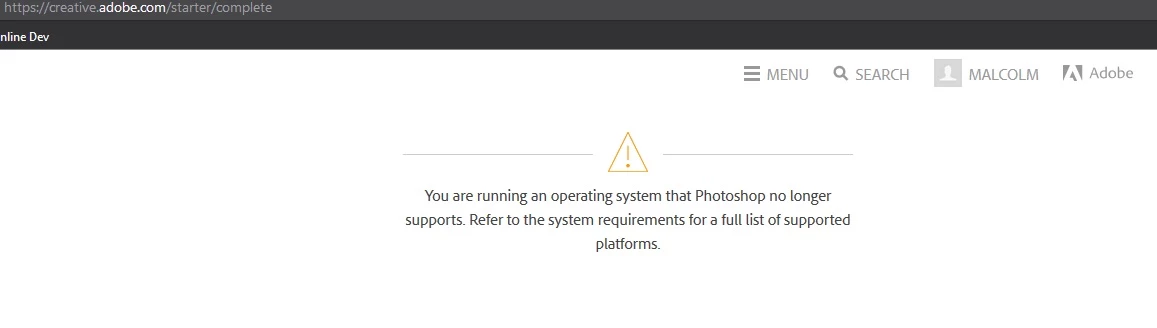
I've just purchased a subscription to adobe CC (monthly payments) , and I got redirected to a page to start downloading the apps, but I cant : I don't understand why I'm getting the following message :

You are running an operating system that Photoshop no longer supports. Refer to the system requirements for a full list of supported platforms.

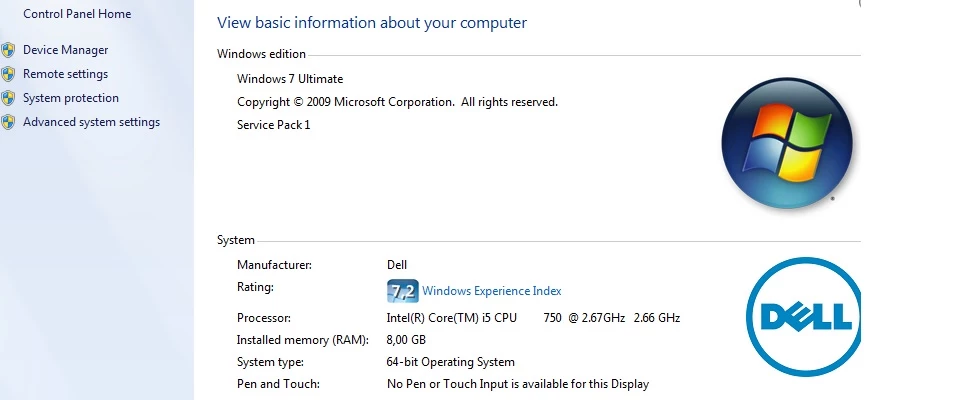
I'm on Windows 7 , got 8 GB Ram, plenty of Free Disk Space to install anything, and I've successfully ran Photoshop and Illustrator in the past on the same PC. Not sure what to do ?
This topic has been closed for replies.
Correct answer Govardhan.V

Download Creative Cloud setup from below link and then install the same. :

https://ccmdls.adobe.com/AdobeProducts/KCCC/1/win32/CreativeCloudSet-Up.exe

once installed login with Adobe ID and Password . click on Apps tab and install Photoshop cc

3 replies

Govardhan.V
Govardhan.VCorrect answer
Participating Frequently
November 30, 2017

Download Creative Cloud setup from below link and then install the same. :

https://ccmdls.adobe.com/AdobeProducts/KCCC/1/win32/CreativeCloudSet-Up.exe

once installed login with Adobe ID and Password . click on Apps tab and install Photoshop cc

Participant
November 30, 2017

Yes that was the way to go. It was just confusing to see that message show up the very first time. My feeling went went from "Great, I just purchased some good apps to get creative" feeling pleased and excited , and then immediately BAM ! Hit the wall. Problem! But luckly it was a false alarm.

All apps working so far, PS, AI, IND... Thanks for the help Bruchovn. However there seem to be another problem which is related to the website, there's some redirects issues when I try to login to the forums, but that's another issue and I'm sure Adobe Staff is aware of it.

kglad
Community Expert
Community Expert
November 30, 2017

to other readers, you shouldn't use the link in message 3.  use the link in message 1 because it's more likely to offer the latest cc desktop app.

David__B
Adobe Employee
Adobe Employee
November 29, 2017

Hi Malcdesign,

In addition to Kglad's suggestion you might also want right click and get properties on the shortcut you're using to launch Photoshop and go to the compatibility tab and ensure its not set to run in any kind of compatibility mode.

- Dave

kglad
Community Expert
Community Expert
November 23, 2017

you should be able to install the latest version, Photoshop system requirements

install the cc desktop app from here, https://creative.adobe.com/products/creative-cloud  and use it to install your subscription programs and trials.