
johnatarc
Participant
August 8, 2019
Question

Another tatty dialogue box . . .

  • August 8, 2019
  • 2 replies
  • 291 views

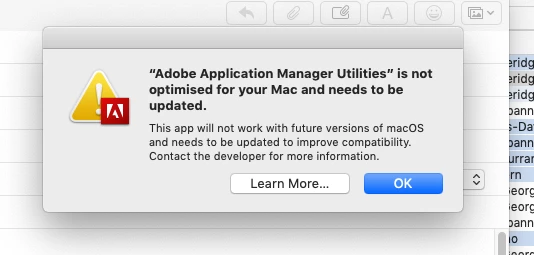
There I was minding my own business composing a mail to a client and woo hoo, up pops another tatty Adobe CC dialogue box presumptuously assuming that it needed my attention first . . . crashed the finder and corrupted my mail. I'm not expecting a 'solution' I'm just having a rant.

And I want to start a campaign to persuade Adobe to rename Indesign back to Pagemaker as it seems to be slowly reverting to the crock of s***e. Anyone remember QXP?
This topic has been closed for replies.

2 replies

Nancy OShea
Community Expert
Community Expert
August 8, 2019

News flash.  This warning message is  Apple's way of telling you that you have software on your machine that is not going to play nice with Catalina OS.   DO NOT upgrade to Catalina until you are fully committed to 64-bit apps.  And that includes add-ons as well as core applications.  See link below for more info.

https://appletoolbox.com/psa-macos-catalina-will-kill-your-32-bit-apps-heres-what-you-should-know/

Nancy O'Shea— Product User & Community Expert
Abambo
Community Expert
Community Expert
August 8, 2019

johnatarc  wrote

There I was minding my own business composing a mail to a client and woo hoo, up pops another tatty Adobe CC dialogue box presumptuously assuming that it needed my attention first . . . crashed the finder and corrupted my mail. I'm not expecting a 'solution' I'm just having a rant.

Crashing your finder and the dialogue box are (probably) unrelated.

The warning is a completely nonsense message from Apple, not Adobe, warning you that a (probably) good working program will not work on future versions of the OS. Happens with all 32 bits programs. You should complain with Apple on this.

ABAMBO | Hard- and Software Engineer | Photographer