Answered
app tab missing (mac)
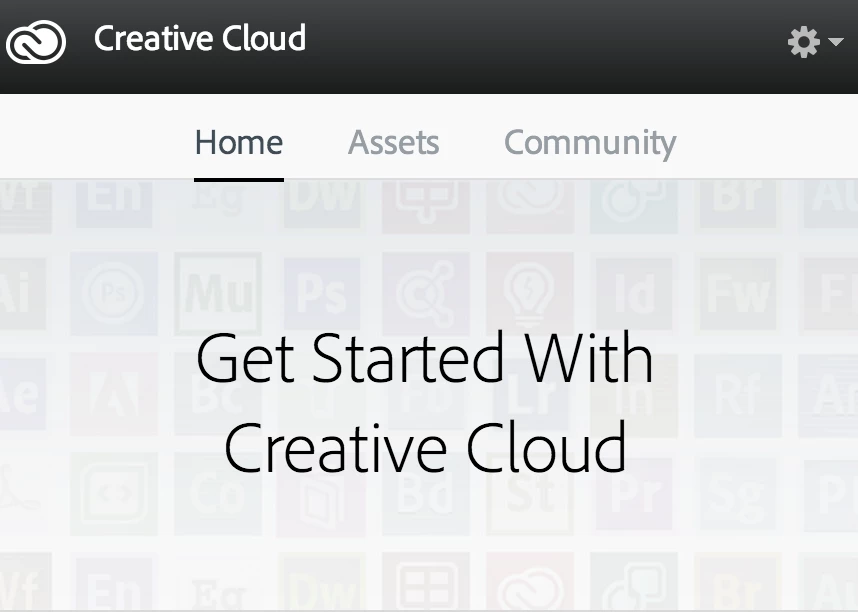
I'm using mac and
I'm trying to install After Effects but when I log in to creative cloud I can't find "apps" tab...
the tab itself is missing!

I'm using mac and
I'm trying to install After Effects but when I log in to creative cloud I can't find "apps" tab...
the tab itself is missing!
Still same ??
Better to perform clean re-installation to avoid these kinda issues.
Try below steps:
Quit Adobe Creative Cloud application .
Force quit all Adobe processes like Creative Cloud , CoreSync, Adobe crash demon,, AAMUpdater......etc from Activity Monitor.
1) Click on the Finder and look for the options listed next to Apple Icon located at the top left corner of the Desktop screen and click on "Go" menu button and select "Utilities" option.
(Applications>Utiliites)
Locate Adobe Creative Cloud and Adobe Application Manager folder under Utilities window and trash both folders.
2) Trash Adobe Creative Cloud from Applications well.
3)
1) Right click on Finder icon and select "Go-ToFolder " option.
2) You will get a text box, type-in below command and then hit 'Return' key.( Do not miss ~ symbol)
~/library
3)Then navigate to Application Support>Adobe.
Open Adobe folder and trash folders named AAMUpdater and OOBE.
4)
1) Right click on Finder icon and select "Go-To" Folder option.
2) You will get a text box, type-in below command and then hit 'Return' key.
/library
3)Then navigate to Application Support>Adobe.
Open Adobe folder and trash folders named AAMUpdater ,Adobe Application Manager and OOBE.
5)
Click on the below link and download & run Adobe Cleaner tool :
Select the option "Adobe Application Manager for Mac OS X 10.6" and then click on "Clean up Selected" .
6) Click on the below link and download Creative Cloud setup file and use the same to install the Creative Cloud Desktop application.
Already have an account? Login
Enter your E-mail address. We'll send you an e-mail with instructions to reset your password.
 AdChoices