
Participant
March 11, 2015
Answered

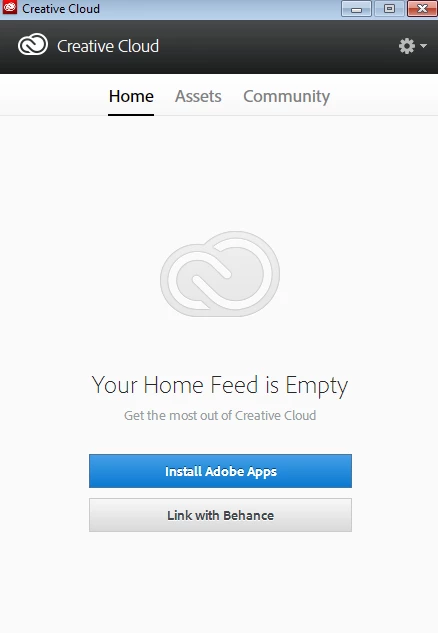
Apps panel does not appear, "Install Adobe Apps" not working

  • March 11, 2015
  • 3 replies
  • 498 views

Hi,

I would like to download Photoshop CC (first the trial version) but after downloading Creatice Cloud Desktop, the Apps panel does not appear at all. If I click on the "install adobe apps" tab nothing happens. I have tried everything that was written on the forum but nothing seems to work . I have also re-installed the programs several times.@
Sara

This topic has been closed for replies.
Correct answer Jeffrey_A_Wright

Sara can you please confirm that you have utilized the steps listed in Error "Failed to Install" Creative Cloud Desktop application to reinstall the Creative Cloud Desktop application?

3 replies

Participant
March 13, 2015

Ciao guys, in the end I tried everything in this post but nothing worked.

I managed to solve the problem through this: creative cloud is blank window why? renaming that opm.db file but in the "Program Files (x86)" folder (I prevously used the "program files" one.

Thanks

Sara

Sheena Kaul
Legend
March 12, 2015

Hi Sara,

Please refer to the thread below where this issue has been addressed:

CC for desktop lost the apps panel. How to fix that?

Regards,

Sheena

Jeffrey_A_Wright
Jeffrey_A_WrightCorrect answer
Legend
March 11, 2015

Sara can you please confirm that you have utilized the steps listed in Error "Failed to Install" Creative Cloud Desktop application to reinstall the Creative Cloud Desktop application?

Participant
March 12, 2015

Yes, both solutions 1&2 several times.

I have never tried solution 3.

S

Jeffrey_A_Wright
Legend
March 12, 2015

S if the suggestions by Sheena do not resolve the current error then please complete solution 3 as referenced in message #1.  If you have any questions regarding the process you are welcome to update this discussion.