
Back to Adobe CC Desktop App hell
[running Windows 10 1809]
Hi,
This morning, the CC Desktop launched by itself and entered the endless spinning wheel state. No way to stop it. After an hour, I killed the process. Then I tried to
relaunch. No way. I tried a repair from the Windows Control Panel and I got this :
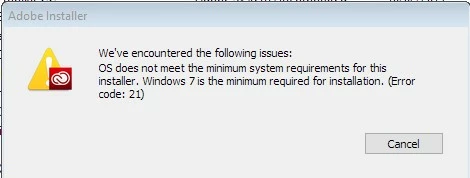
which is ridiculous, obviously. So I tried the AdobeCreativeCloudCleanerTool to uninstall CC Desktop. It succeeded. I then downloaded and reinstalled Adobe CC Desktop. The installation succeeded (apparently). But now I'm stuck in an endless loop. When I try to launch CC Desktop, I get the following message after a very long time :
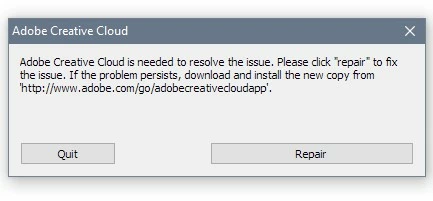
If I click on Repair, a new installation process begins, the existing CC Desktop is wiped out and I get again the same message when I relaunch CC Desktop. So, this time I clicked on Quit and tried the download link provided in the message. It's a broken link. So, I used the previously downloaded package (from Adobe's site) and installed again.
And now I'm back to step #1.
When will Adobe ever decide to hire capable developers for the CC Desktop App team ? This tool is a failure from the very beginning. Until now, I could always find a way to reinstall and have it running properly but this time, I'm stuck. Following the recommendations found here Adobe Creative Cloud, needed to resolve this problem, is missing or damaged didn't help in anyway. Using other tricks that had helped previously didn't help either.
Very frankly, is it that difficult to write an installation program that works ?
 AdChoices