
Exit
  • Global community
    • Language:
      • Deutsch
      • English
      • Español
      • Français
      • Português
  • 日本語コミュニティ
  • 한국 커뮤니티
0

Can't use my Adobe Photography plan anymore on my iMac

New Here ,
Oct 09, 2019 Oct 09, 2019

A couple of weeks ago my  Adobe Photography plan is not running the apps anymore on my iMac, no problem on my MacBook Pro.

It looks like the authentication of my account fails and I can't use PS and LR anymore.

I have followed all the trouble shooting I found in the support webpages but without success.

Tryed to cancel the certificates but no way.

I have also tryed to remove the Adobe User OS Info but the systems replies saying that the keychain is corrupted and fails to remove it.

When I try to run PS or LR I receive the message Screen Shot 2019-09-23 alle 18.10.28.png
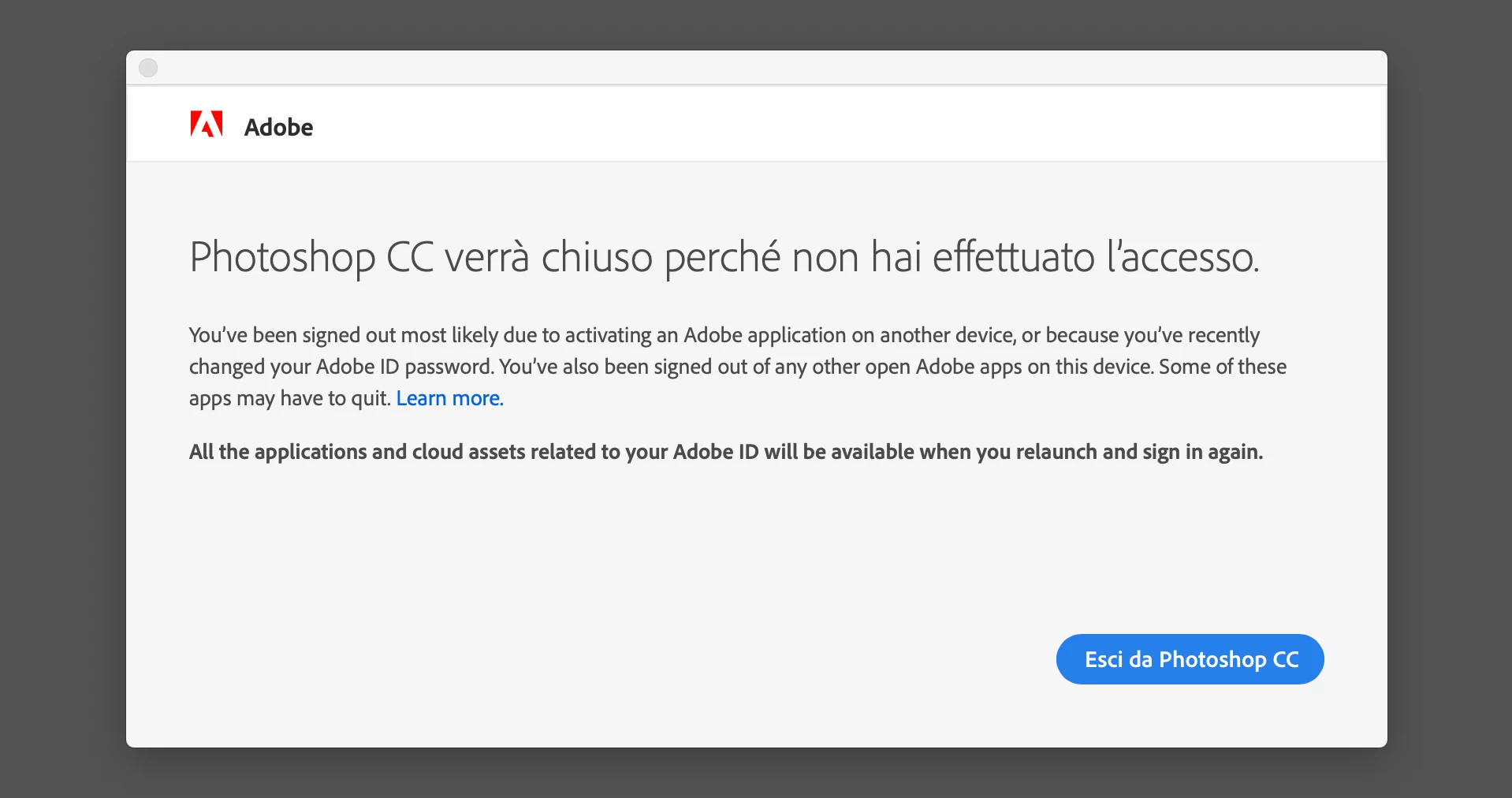
 Same with LR

I have tried to unistall LR/PS and also Adobe creative cloud apps but no way.

I have open a ticket to the customer support explaining in details all the facts and after few days contacted the customer service by phone to have assistance.

During the support by remote the Adobe operator tryed, along almost 2 hrs, almost what I already did...unistalling the apps, the adobe creative cloud apps, etc.

He didn't try to check the macos keychain and did a turnaround creating a new user profile in my imac.

With this turnaround everything is working but...I use my principal and unique profile to use my iMac and I don't absolutely want to reinstall all my apps in a new user profile. The gentleman at the end of his interventatio told me that is a problem that apple had to solve, I contact apple and they told me that is an Adobe problem.

I am really disappointed after several years that I am using Adobe apps to be stucked in this situation.

I am ready to migrate to alternative softwares and quit my subscription to Adobe softwares.

Hope that someone here could help me before I will take this drastic decision, 13/10/2019 is the date for the montly payment and I have already removed the Paypal automatic payment.

225
Translate
Report
Community guidelines
Be kind and respectful, give credit to the original source of content, and search for duplicates before posting. Learn more
community guidelines
LEGEND ,
Oct 09, 2019 Oct 09, 2019

Open the Creative Cloud desktop app, Sign Out then Singe back in. I suggest a computer restart in between.

Translate
Report
Community guidelines
Be kind and respectful, give credit to the original source of content, and search for duplicates before posting. Learn more
community guidelines
New Here ,
Oct 09, 2019 Oct 09, 2019
This procedure have been tried several times but doesn't solve the problem
Translate
Report
Community guidelines
Be kind and respectful, give credit to the original source of content, and search for duplicates before posting. Learn more
community guidelines
Community Expert ,
Oct 09, 2019 Oct 09, 2019

Photography Plan is a 12 month commitment.  Cancelling early will incur a 50% early termination fee.  Your problems are no doubt computer profile related.  So try installing on a different computer.  


Nancy O'Shea— Product User, Community Expert & Moderator
Translate
Report
Community guidelines
Be kind and respectful, give credit to the original source of content, and search for duplicates before posting. Learn more
community guidelines
New Here ,
Oct 09, 2019 Oct 09, 2019
LATEST

It have explained that accessing with other user profile, or on my macbook pro, there are no problems. I would like to make it work on the profile where I worked for more than 3 years and suddenly start to create me this problem. I have no problem to pay the cancellation fee.

Translate
Report
Community guidelines
Be kind and respectful, give credit to the original source of content, and search for duplicates before posting. Learn more
community guidelines