
Cannot install Elements 13 on Windows 10 (Adobe Application Manager has stopped working)
I'm trying to install the latest version of Adobe Photoshop Elements 13 (64-bit) from Download Photoshop Elements 13, 12, 11, 10, 9, 8, and 7page. In the middle of installation, I get the Adobe Application manager has stopped working error that kills the installer. I get the Adobe Photoshop Elements 13 appear in the Add or Remove Programs screen, but I do not really have it installed.
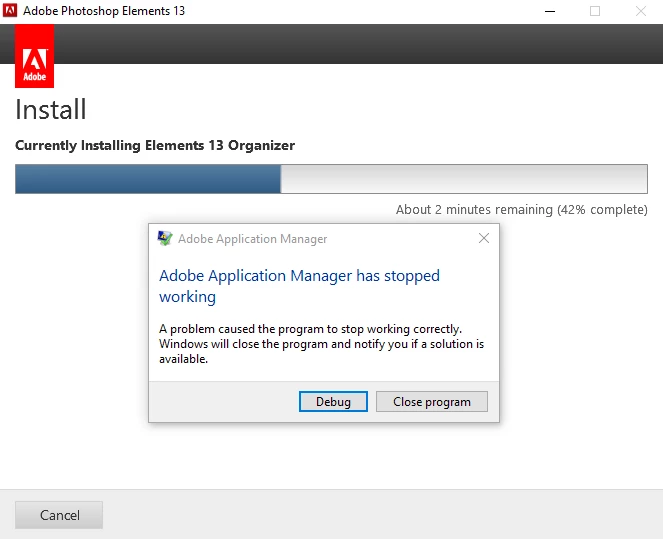
I tried installing it as a licensed version (by entering the serial key), as well as a trial, to the default folder (C:\Program Files) as well as the custom folder (D:\Program Files). Nothing works. The application manager error keeps popping up somewhere in the middle of the setup process. Reboot did not help either. is there anything else I can try? Why is the application manager even in play? I do not have any CC apps installed (the only Adobe product I have installed is the Reader). Thank you.
 AdChoices