
Exit
  • Global community
    • Language:
      • Deutsch
      • English
      • Español
      • Français
      • Português
  • 日本語コミュニティ
  • 한국 커뮤니티
0

Cant download Creative cloud or illustrator, Error 205

New Here ,
Nov 24, 2022 Nov 24, 2022

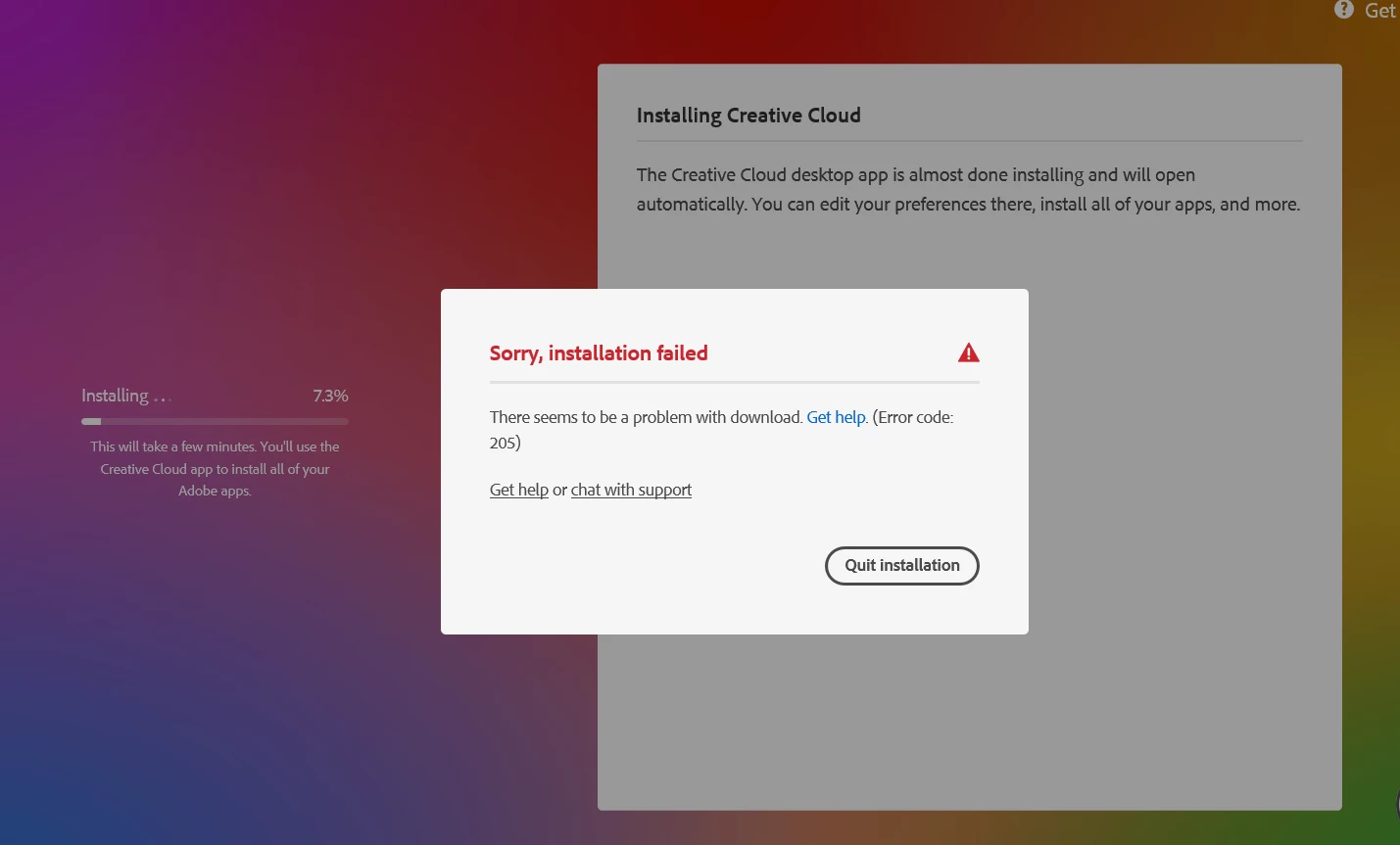
I cant download any of the software above, it downloads to about 7% and then error code 205 pops up. I have seen other post about this issue, i have tried the following;

log out

restart 

log in

do cmd for /F "tokens=1,* delims= " %G in ('cmdkey /list ^| findstr /c:"Adobe App "') do cmdkey /delete %H

run as administator 
LISELOTTE27285815ngvu_0-1669276758458.png


TOPICS
Creative Cloud , Installation
1.4K
Translate
Report
Community guidelines
Be kind and respectful, give credit to the original source of content, and search for duplicates before posting. Learn more
community guidelines
Community Beginner ,
Nov 24, 2022 Nov 24, 2022

Hello,
Please try one of these solutions :
- Disable your Antivirus temporarily and try installing again.
- Sometimes firewalls can block software from accessing the internet, so try configuring your firewall and give the CC App internet access.
- You can try using another internet connection source, that might help as well.
Best of luck.

Translate
Report
Community guidelines
Be kind and respectful, give credit to the original source of content, and search for duplicates before posting. Learn more
community guidelines
Community Expert ,
Nov 24, 2022 Nov 24, 2022

first, if you have a non-current os, your default browser must support tls 1.2, https://helpx.adobe.com/x-productkb/multi/eol-tls-support.html


to test your default browser's tls you can use , https://clienttest.ssllabs.com:8443/ssltest/viewMyClient.html


otherwise, https://helpx.adobe.com/creative-cloud/kb/troubleshoot-download-install-logs.html#error205


if that fails to solve the problem, confirm that you can connect to the secure adobe servers by reading, http://helpx.adobe.com/x-productkb/policy-pricing/activation-network-issues.html


do you see both logos after clicking "link"?


if you can and still see a connection error try these steps, https://helpx.adobe.com/download-install/kb/common-network-connectivity-issues.html


if those all fail, white list the adobe network endpoints, https://helpx.adobe.com/enterprise/kb/network-endpoints.html


Translate
Report
Community guidelines
Be kind and respectful, give credit to the original source of content, and search for duplicates before posting. Learn more
community guidelines
Community Beginner ,
Nov 24, 2022 Nov 24, 2022
LATEST
quote

I cant download any of the software above, it downloads to about 7% and then error code 205 pops up. I have seen other post about this issue, i have tried the following;

log out

restart 

log in

do cmd for /F "tokens=1,* delims= " %G in ('cmdkey /list ^| findstr /c:"Adobe App "') do cmdkey /delete %H

run as administator 

LISELOTTE27285815ngvu_0-1669276758458.png


By @LISELOTTE27285815ngvu

Hello, @LISELOTTE27285815ngvu 

For information on how to resolve Error 205 please see Error downloading Creative Cloud applications - http://helpx.adobe.com/creative-cloud/kb/error-downloading-cc-apps.html/KantimeHealth.net

Translate
Report
Community guidelines
Be kind and respectful, give credit to the original source of content, and search for duplicates before posting. Learn more
community guidelines