gnurotic
Inspiring
January 28, 2019
Answered

CC app show Photoshop as not installed

  • January 28, 2019
  • 2 replies
  • 1799 views

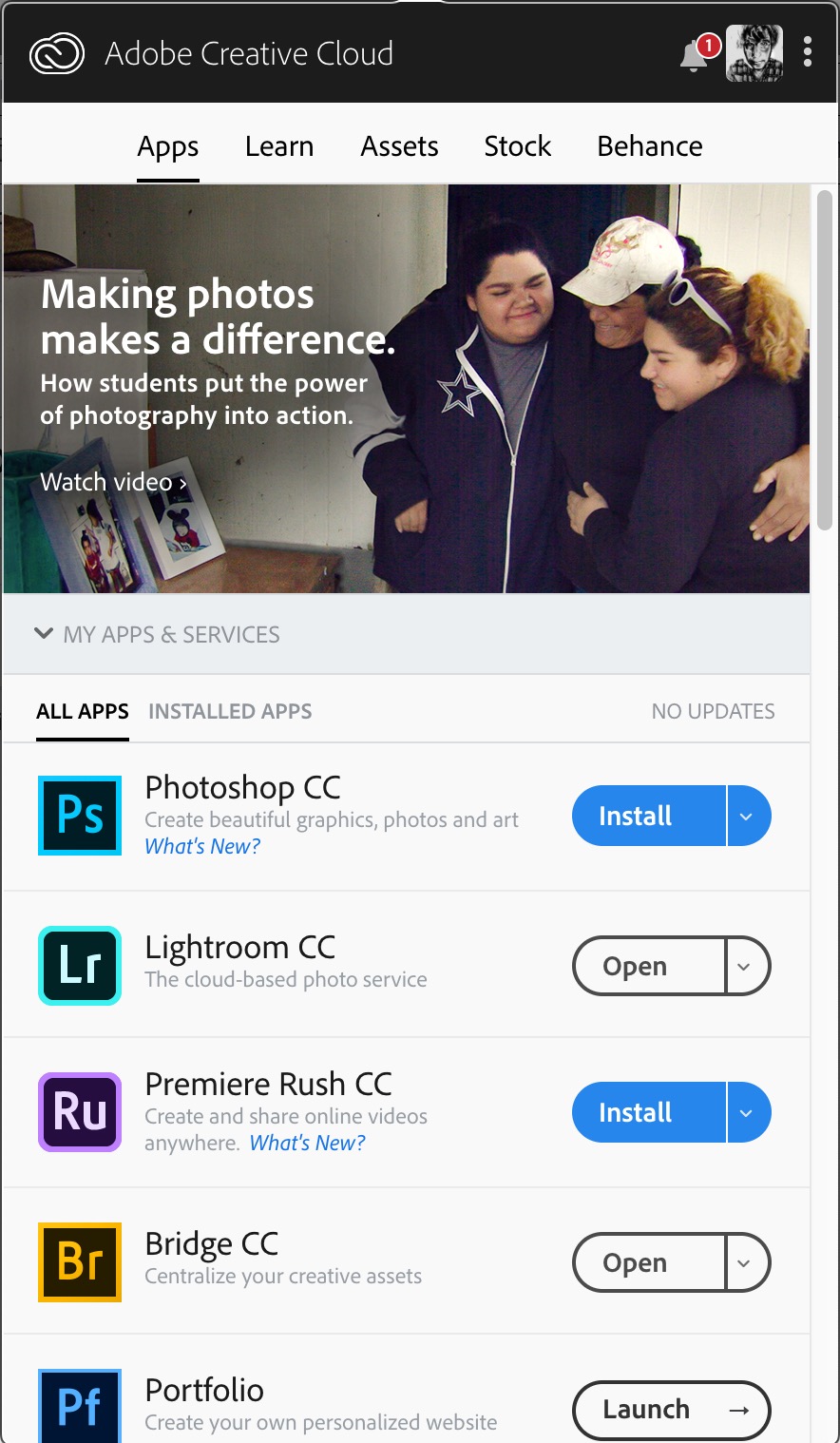
In that little CC applet which sits in my menu bar it shows Photoshop CC as needing to be installed (not updated).

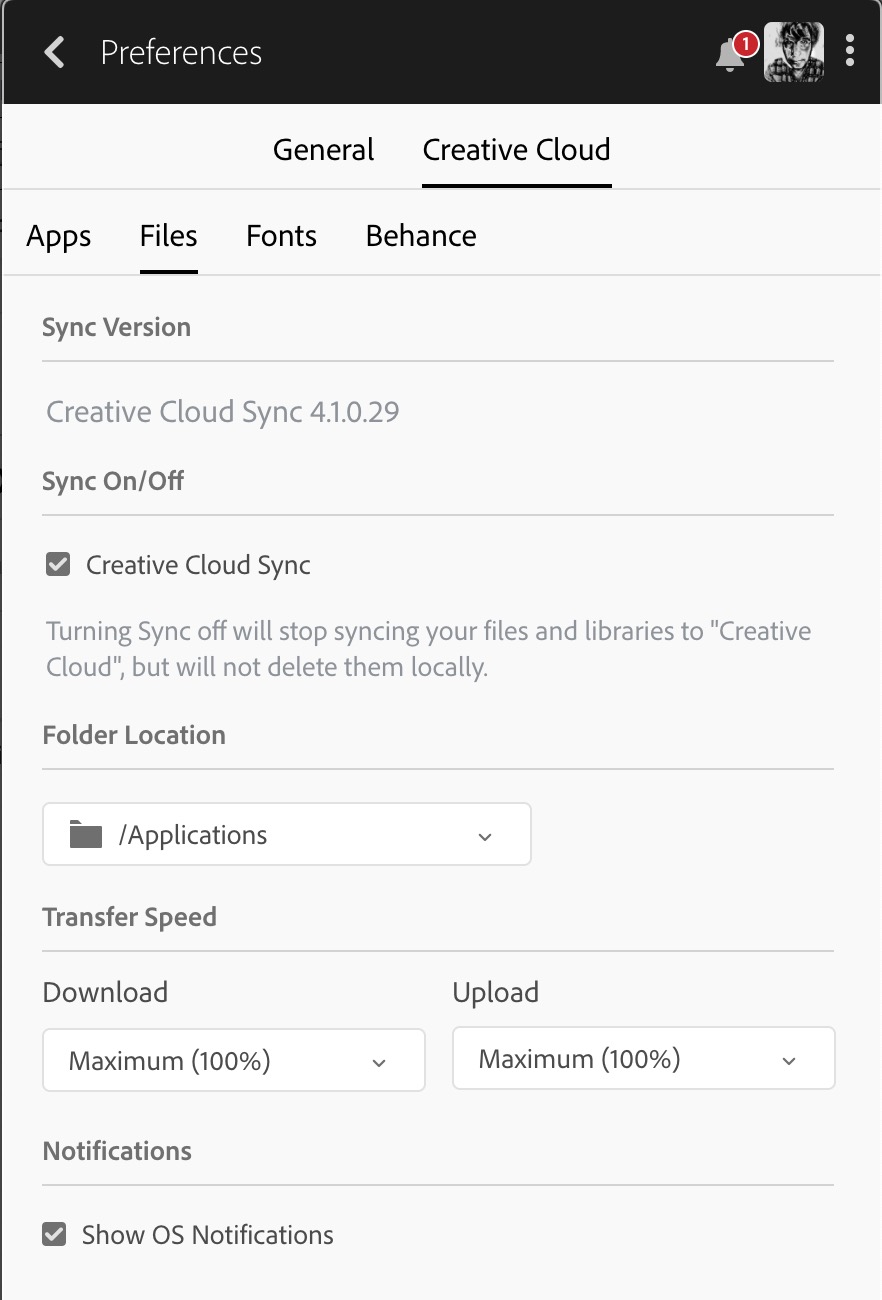
It IS installed and is installed in the location specified in the CC preferences.  Why does it show as needing to be installed when it is installed?

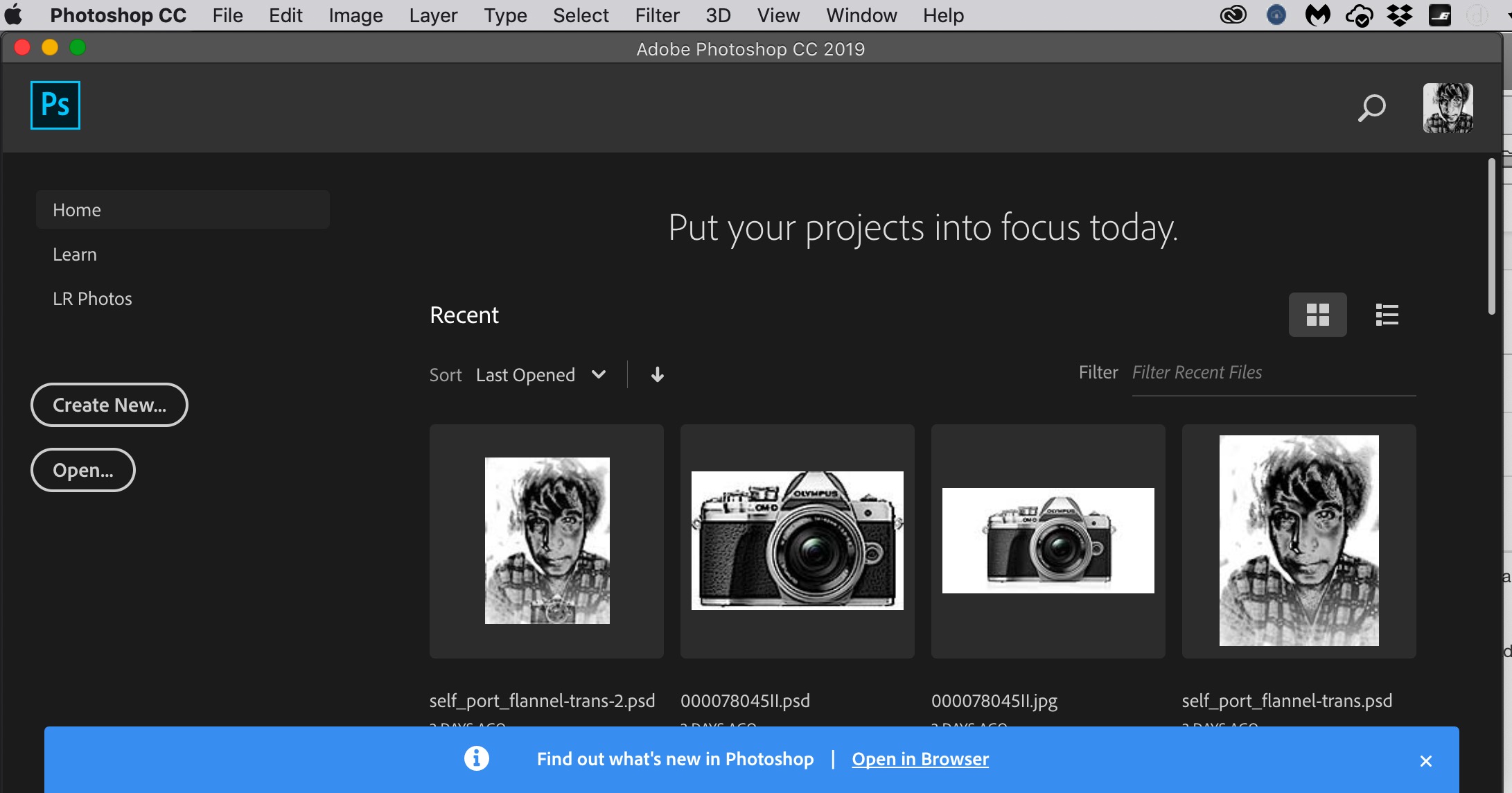
Photoshop CC opens and seems to work properly, except for one detail:  It does not open to my default workspace.  Instead it opens with a screen that says "Put your projects in focus today".  To get my default workspace I have to go into the Window Menu and select it.  Why is Photoshop opening to this screen?  This only started happening recently.

This topic has been closed for replies.
Correct answer David__B

Hi Gnurotic,

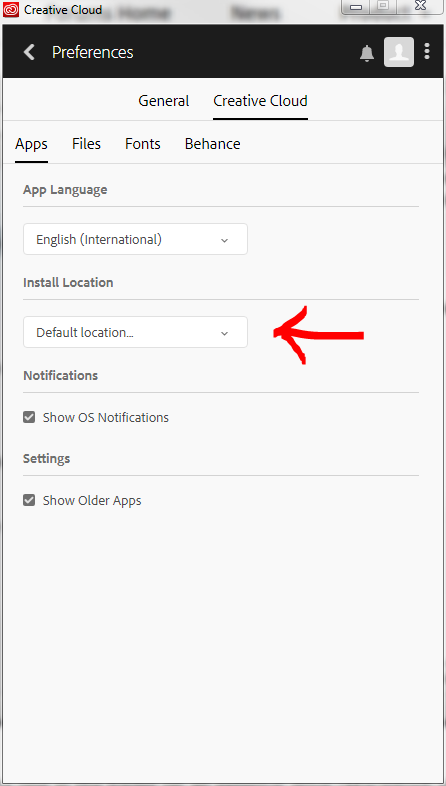
In your earlier screen shot you posted the preferences for the Creative Cloud Files folder location rather than the product installation directory. You'd want to check the Creative Cloud > Apps section like in Abambo's screen shot. It should say Default and install to the Applications folder. In relation to the same installation twice I wondered if it might be because they are actually two different versions, CC2017 and CC2019. If that is not the case you might just want to try uninstalling both and then renistalling. To uninstall you should just need to follow the steps here:Uninstall or remove Creative Cloud apps

Hope that helps,

- Dave

2 replies

David__B
Adobe Employee
David__BCorrect answer
Adobe Employee
February 4, 2019

Hi Gnurotic,

In your earlier screen shot you posted the preferences for the Creative Cloud Files folder location rather than the product installation directory. You'd want to check the Creative Cloud > Apps section like in Abambo's screen shot. It should say Default and install to the Applications folder. In relation to the same installation twice I wondered if it might be because they are actually two different versions, CC2017 and CC2019. If that is not the case you might just want to try uninstalling both and then renistalling. To uninstall you should just need to follow the steps here:Uninstall or remove Creative Cloud apps

Hope that helps,

- Dave

Abambo
Community Expert
Community Expert
January 28, 2019

what happens when you hit install?

ABAMBO | Hard- and Software Engineer | Photographer
gnurotic
gnuroticAuthor
Inspiring
January 28, 2019

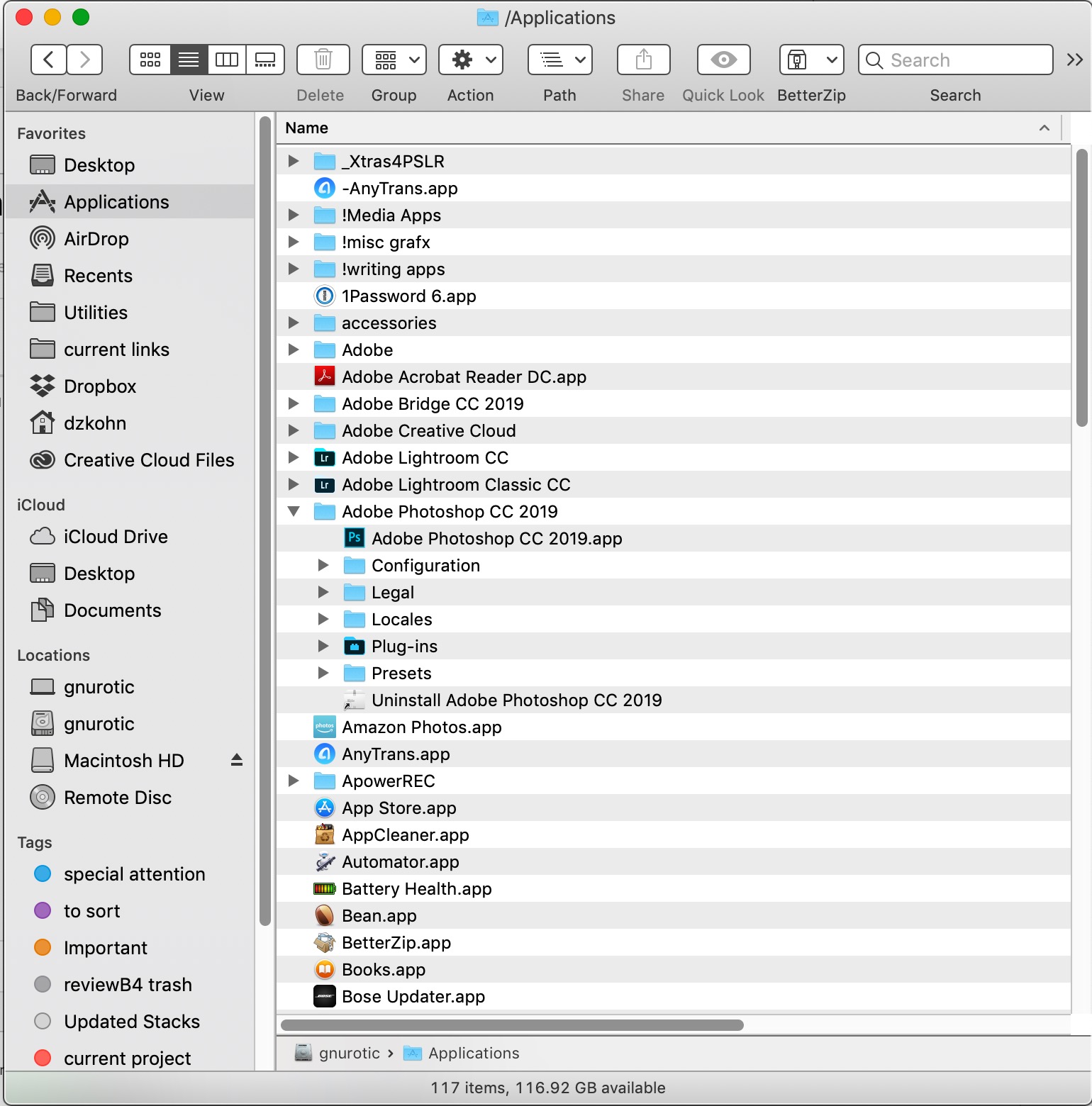
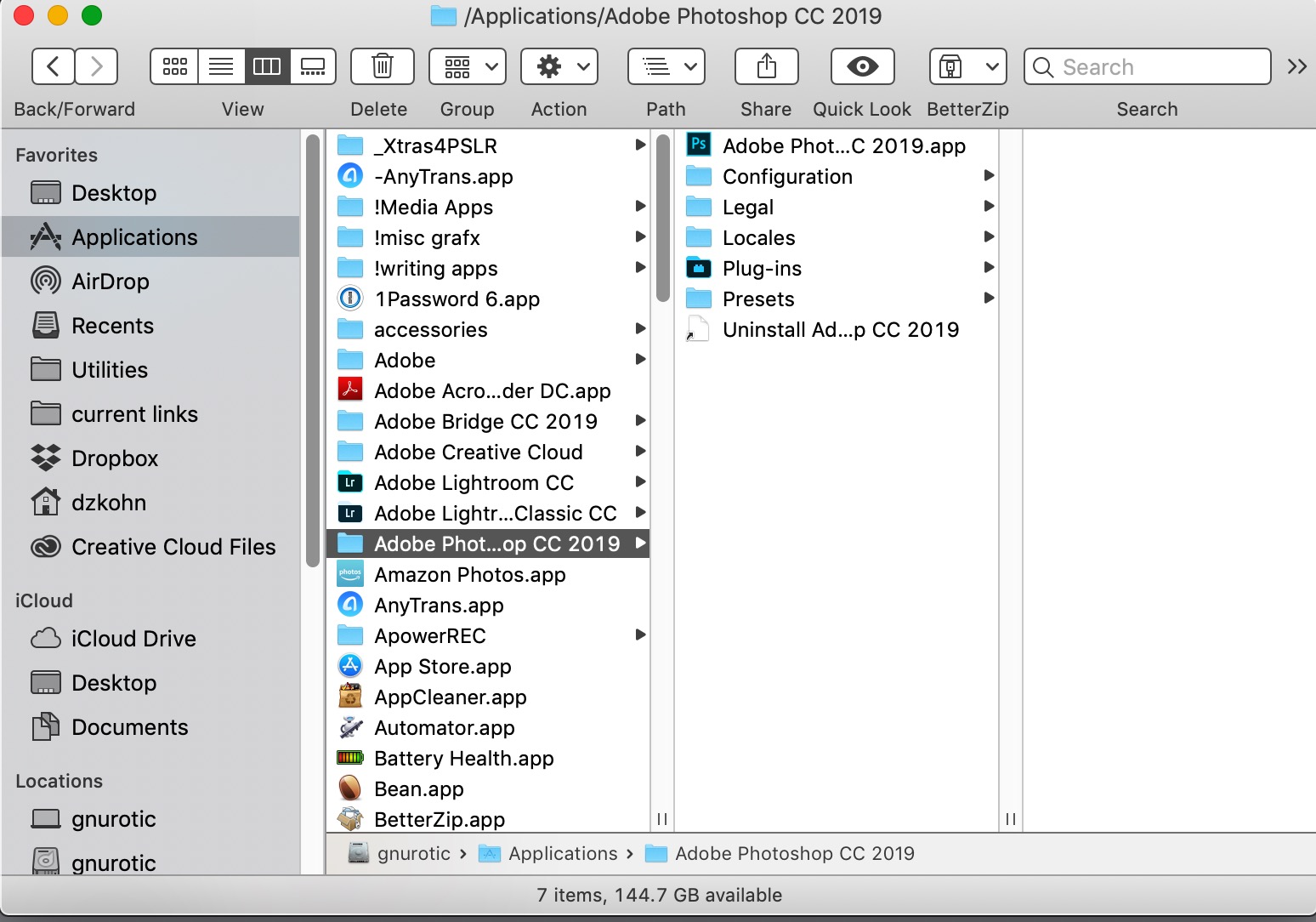
It installs another copy to a different location.  see screen shots below:

The one I've been using in my applications folder on my internal hard drive (gnurotic)
And now an extra one in the folder on an external drive (Macintosh HD) where I keep my photos.
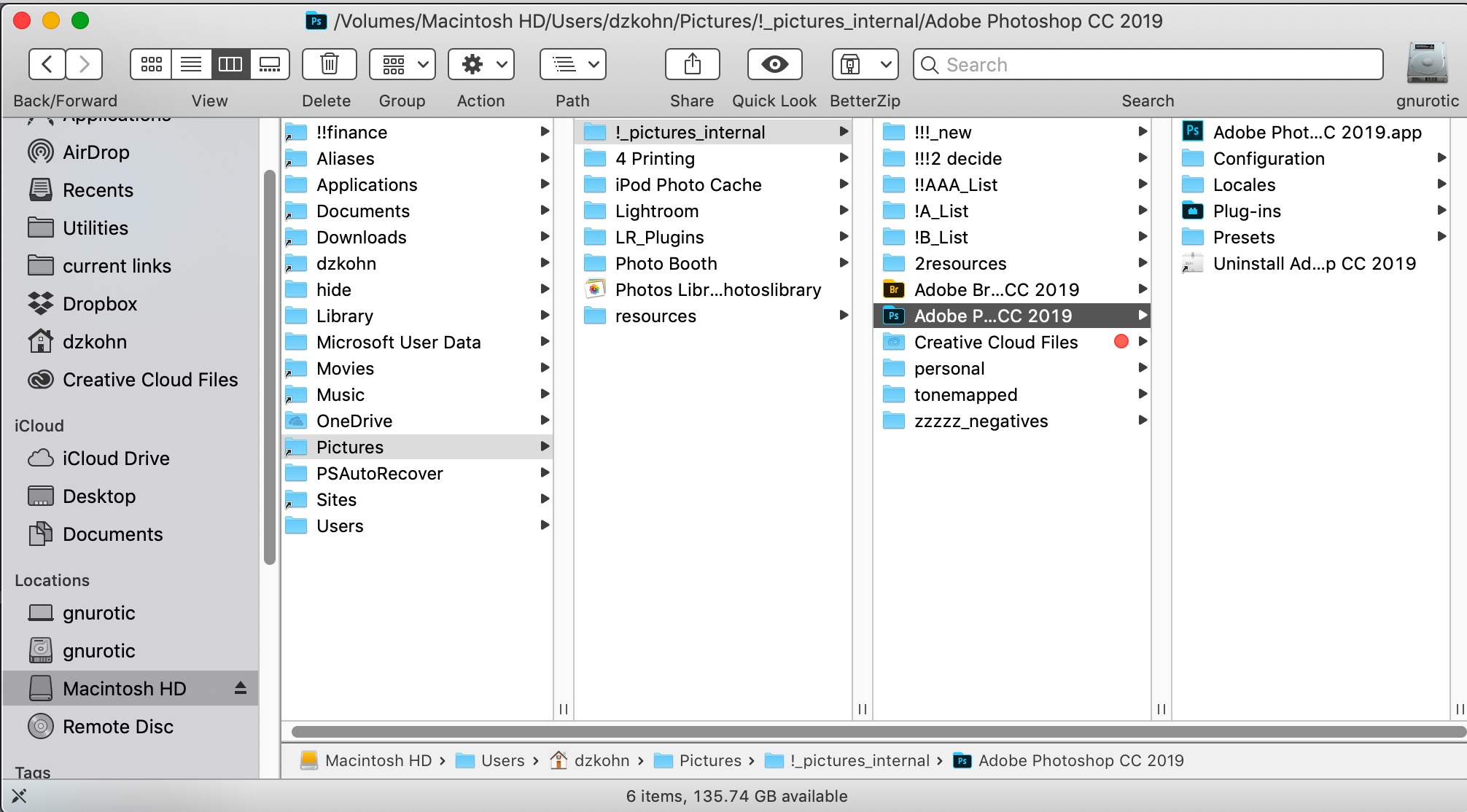
In my original message I included a screen shot which verifies that my applications folder on the internal hard drive is the install location specified in the CC preferences, so why is the app being installed to this location on my external drive?

......Karma bides its time......
Abambo
Community Expert
Community Expert
January 29, 2019

With me, installation is "default" location, but that may be different as I'm on Windows:

Sorry, but with my limited MacOS knowledge I can't help further. I hope, one of the Mac gurus fills in.

ABAMBO | Hard- and Software Engineer | Photographer