
Participating Frequently
April 17, 2017
Answered

CC Install crash: launch path not accessible

  • April 17, 2017
  • 1 reply
  • 3836 views

When trying to install CC or Lightroom 6.10, I'm getting this error from the installer: "launch path not accessible" from NSInvalidArgumentException. 

Others have had this problem but I don't see any viable solution for me. 

I've tried uninstalling old unused Adobe applications.  I've tried updating all my Apple software and macOS.  Lightroom now won't open, so I'm going to hope that falling back to a Time Machine backup will make it functional again.

$ /Volumes/Creative\ Cloud\ Installer/Creative\ Cloud\ Installer.app/Contents/MacOS/Install ; exit;

Progress of PDM is 0

Progress of PDM is 100

Starting Installer...

2017-04-16 17:38:14.844 Install[9826:164170] Failed to connect (updateDialog) outlet from (AppController) to (NSWindow): missing setter or instance variable

objc[9826]: Class HTTPHeader is implemented in both /Volumes/Creative Cloud Installer/Creative Cloud Installer.app/Contents/MacOS/Install (0x1b2828) and /tmp/CCC78B42-D4A5-476B-8400-9C60F460949C/CCLBS/PDIM/AdobePIM.dylib (0x58b55d4). One of the two will be used. Which one is undefined.

objc[9826]: Class ProxyManager is implemented in both /Volumes/Creative Cloud Installer/Creative Cloud Installer.app/Contents/MacOS/Install (0x1b2858) and /tmp/CCC78B42-D4A5-476B-8400-9C60F460949C/CCLBS/PDIM/AdobePIM.dylib (0x58b5604). One of the two will be used. Which one is undefined.

2017-04-16 17:38:45.329 Install[9826:164574] *** Terminating app due to uncaught exception 'NSInvalidArgumentException', reason: 'launch path not accessible'

*** Call stack at first throw:

(

  0   CoreFoundation                      0x9437427b __raiseError + 187

  1   libobjc.A.dylib                     0xa0e346f2 objc_exception_throw + 273

  2   CoreFoundation                      0x94374195 +[NSException raise:format:] + 133

  3   Foundation                          0x95aab999 -[NSConcreteTask launchWithDictionary:] + 616

  4   Foundation                          0x95aab72c -[NSConcreteTask launch] + 33

  5   AdobePIM.dylib                      0x05687e83 pim_startWorkflow + 43331

  6   AdobePIM.dylib                      0x0576c8d0 pim_uninstallADCUsingADCCleanerTool + 129552

  7   AdobePIM.dylib                      0x0577113c pim_moveAAMFromOldLocationToAppUtilitiesIfRequired + 6492

  8   AdobePIM.dylib                      0x0567c436 pim_selfUpdateCheck + 11958

  9   AdobePIM.dylib                      0x0567d7a4 pim_startWorkflow + 612

  10  Install                             0x00041278 Install + 103032

  11  libsystem_pthread.dylib             0xa18b9073 _pthread_body + 184

  12  libsystem_pthread.dylib             0xa18b8fbb _pthread_body + 0

  13  libsystem_pthread.dylib             0xa18b8876 thread_start + 34

)

logout

Saving session...

...copying shared history...

...saving history...truncating history files...

...completed.
This topic has been closed for replies.
Correct answer Jeffrey_A_Wright

I did post the only errors shown from the installation log.  It's the crash report that shows Adobe's installer is crashing.  Others have had this issue and they claim that using an older (2016?) Creative Cloud installer allowed them to advance past the crash issue.  Where would I find last year's Creative Cloud installer application?

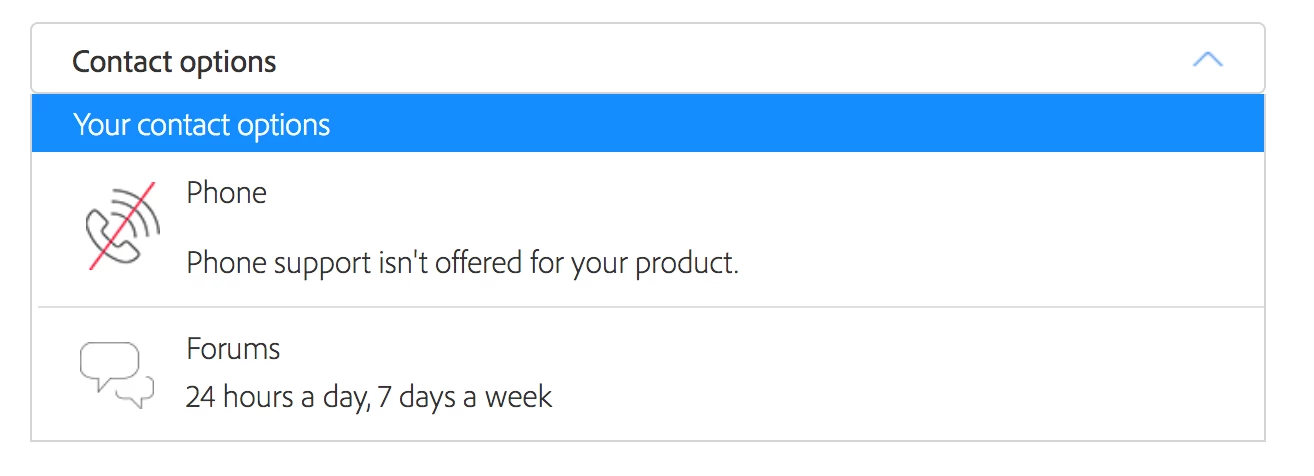
My only contact options are this forum.  Jeff, you're my only hope!


Rhadobe Hoagy the only errors I see in this discussion are the ones from your crash log.  For details on how to locate the installation log, located at /Library/Logs/Adobe/Installers, see Troubleshoot Adobe Creative Cloud install issues with log files .

Rhadobe Hoagy if you are not able to chat with a member of our support team at Contact Customer Care  then I would recommend utilizing an alternate web browser, smart phone, or tablet.  The installed security software, add-ons, extensions, or security settings are preventing you from being able to chat in the current web browser.

1 reply

Jeffrey_A_Wright
Legend
April 17, 2017

Rhadobe Hoagy were you successful with utilizing your Time Machine back up?  If not then I would recommend reviewing the installation log files to determine why it is failing to install.  Details on how to locate the installation logs can be found at Troubleshoot Adobe Creative Cloud install issues with log files​.

Me hereAuthor
Participating Frequently
April 17, 2017

I was able to restore Lightroom successfully from the Time Machine backup.  However I still cannot install a new version of Lightroom 6.x or Creative Cloud. 

I have reviewed the installation logs but they are mostly useless.  The only error I see anywhere is that consistently the installer is crashing with the error:  2017-04-16 17:38:45.329 Install[9826:164574] *** Terminating app due to uncaught exception 'NSInvalidArgumentException', reason: 'launch path not accessible'

I tried to have llvm stop execution at a objc_exception_throw exception, but it never does.  I was hoping to be able to decode the dictionary entries that are passed to NSConcreteTask launchWithDictionary, but I haven't been successful yet.  Decoding the dictionary entries might give me a clue about what invalid path is being sent to NSConcreteTask launchWithDictionary.

Any help you can offer would be greatly helpful.  From the Adobe side, perhaps you can tell me a little more about how pim_startWorkflow works.  What path is it assembling to be sent to NSConcreteTask launch?

Jeffrey_A_Wright
Jeffrey_A_WrightCorrect answer
Legend
April 17, 2017

I did post the only errors shown from the installation log.  It's the crash report that shows Adobe's installer is crashing.  Others have had this issue and they claim that using an older (2016?) Creative Cloud installer allowed them to advance past the crash issue.  Where would I find last year's Creative Cloud installer application?

My only contact options are this forum.  Jeff, you're my only hope!


Rhadobe Hoagy the only errors I see in this discussion are the ones from your crash log.  For details on how to locate the installation log, located at /Library/Logs/Adobe/Installers, see Troubleshoot Adobe Creative Cloud install issues with log files .

Rhadobe Hoagy if you are not able to chat with a member of our support team at Contact Customer Care  then I would recommend utilizing an alternate web browser, smart phone, or tablet.  The installed security software, add-ons, extensions, or security settings are preventing you from being able to chat in the current web browser.