
Participant
November 9, 2020
Answered

cloud installer doesnt work, adobe servers unreachable
  • November 9, 2020
  • 3 replies
  • 3297 views

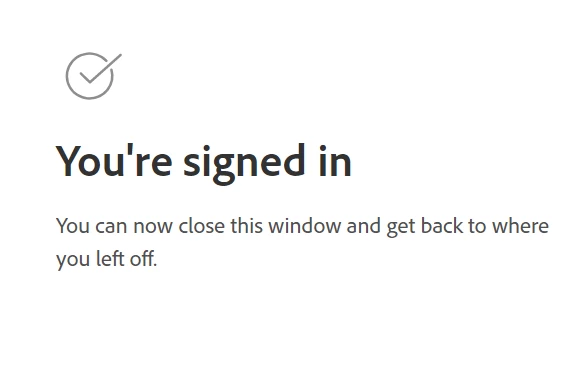
This is a post I am seeing again and again in multiple browser pages when I try to run cloud or lightroom classic installer.Then says adobe servers unreachable.

I have disabled all security in my pc....


This topic has been closed for replies.
Correct answer kglad

install the cc desktop app from here https://creativecloud.adobe.com/apps/all/desktop?action=install&source=apps&productId=creative-cloud and use it to install your adobe subscription and trial programs.


if you have trouble downloading, use the alternative download site at page bottom here, https://helpx.adobe.com/in/download-install/kb/creative-cloud-desktop-app-download.html

3 replies

Participant
November 12, 2020

Having a problem as well - said my creative cloud needed repair so I selected repair and took forever and my computer almost stopped responding... after a long time it said I need to reinstall it again at this link https://www.adobe.com/go/adobecreativecloudapp 
bue when I use it I get the 404 page error saying the page can't be found

Jeffrey_A_Wright
Community Manager
Community Manager
November 12, 2020

Tim, try the links that are posted in the public discussion you have responded to.

Participant
November 13, 2020

Thanks for the quick reply Jeff! 


I was able to finally download manually the installer and re-install it.  All is good again!

Just Shoot Me
Legend
November 11, 2020

Also some of the Adobe srvers were down, Off Line, today for a period of time.

kglad
Community Expert
kgladCommunity ExpertCorrect answer
Community Expert
November 10, 2020

install the cc desktop app from here https://creativecloud.adobe.com/apps/all/desktop?action=install&source=apps&productId=creative-cloud and use it to install your adobe subscription and trial programs.


if you have trouble downloading, use the alternative download site at page bottom here, https://helpx.adobe.com/in/download-install/kb/creative-cloud-desktop-app-download.html

Participant
November 10, 2020

Thanks alot kglad.Sorry if iwas misunderstood.The installer (smal file 4MB) is downloaded. Then when i run it it oppens multiple browser pages with the above statment (you are signed in) Then the installer shows the message

I have disabled ANY security and tried all the steps of resolving the error code 206.

I did the test also and seems to communicate with servers as should (pong mesage)

Is any alternative path to download the apps or something else?

Thanx in advance,

kglad
Community Expert
Community Expert
November 10, 2020

what's the name of the file you downloaded?