
Inspiring
July 26, 2019
Answered

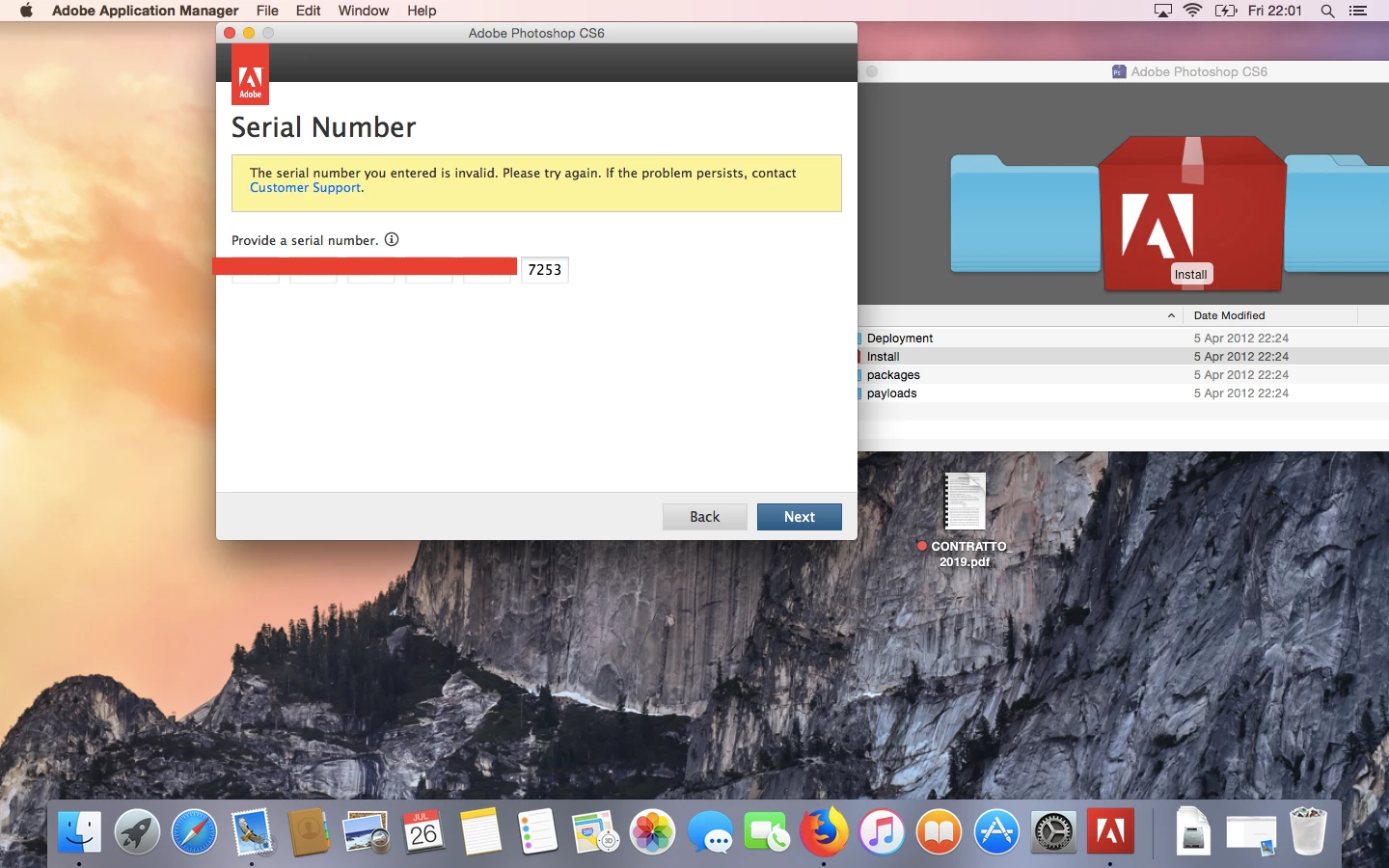
Correct serial number shows invalid

  • July 26, 2019
  • 3 replies
  • 872 views

Hi, I download PS CS6 approximately one month ago, the last 4 digits are 7253, I posted on april 14 under "downloading my own Photoshop", meaning from my order,  I should have posted I was successful. That post was related to an issue with Sierra which was solved.

Now I picked up my Yosemite from repair where I had PSCS 6 since 2012. The serial number shows invalid.

Here I transcribe an email from Customer Care from about 4 years ago, hoping to give you a reference. I lost the email so I can't post it but I printed it, I can scan it if you wish.

Adobe Case Update: 0219076276 Sushil K

Serial number                                         7253

Product name photoshop 13

macintosh

download link

this email is in response to support case 0219076276 submitted by dona

To respond to this update or review your case history, log in to the Adobe support portal online. Should you need further info, you can do so by opening the case and submitting your update.

This email was sent to my adobe email: don.....@yahoo.com but I cropped the date in the print, please write to the same email or send me a private message

Best

Dona
This topic has been closed for replies.
Correct answer John T Smith

Invalid Serial Number https://forums.adobe.com/thread/2359923

-and revoked volume number https://forums.adobe.com/thread/2477259

-Problems with software validation https://forums.adobe.com/thread/2273259

-Warning that software is not genuine http://www.adobe.com/genuine.html

For anyone else reading this

Never post private information on a public forum... including your actual email address or phone number

Scammers try to steal serial numbers and other private information by posing as Adobe employees... Never give your private information to someone who contacts you via PM (Private Message) or email until you are sure that person is an Adobe employee (see next)

When an employee asks for information (identified by a STAFF badge where my ACP badge shows) hover your mouse over their name and then click the Message option in the popup window to send a private email

Adobe does not use Skype... if someone asks you to talk to them via Skype to "help" you, immediately report their Adobe ID in https://forums.adobe.com/community/forumhelp/forum_comments/content so the person may be banned from the forums

3 replies

Akash Sharma
Legend
July 29, 2019
Nancy OShea
Community Expert
Community Expert
July 26, 2019

This is a product user-to-user forum.  We cannot help you with serial numbers.

  1. Contact Adobe Customer Care
  2. Click the chat bot icon and type Agent.
  3. Wait for a human to join the session.

Nancy O'Shea— Product User & Community Expert
John T Smith
Community Expert
John T SmithCommunity ExpertCorrect answer
Community Expert
July 26, 2019

Invalid Serial Number https://forums.adobe.com/thread/2359923

-and revoked volume number https://forums.adobe.com/thread/2477259

-Problems with software validation https://forums.adobe.com/thread/2273259

-Warning that software is not genuine http://www.adobe.com/genuine.html

For anyone else reading this

Never post private information on a public forum... including your actual email address or phone number

Scammers try to steal serial numbers and other private information by posing as Adobe employees... Never give your private information to someone who contacts you via PM (Private Message) or email until you are sure that person is an Adobe employee (see next)

When an employee asks for information (identified by a STAFF badge where my ACP badge shows) hover your mouse over their name and then click the Message option in the popup window to send a private email

Adobe does not use Skype... if someone asks you to talk to them via Skype to "help" you, immediately report their Adobe ID in https://forums.adobe.com/community/forumhelp/forum_comments/content so the person may be banned from the forums