Known Participant
July 4, 2015
Answered

Creative Cloud allowed just CS6?

  • July 4, 2015
  • 2 replies
  • 492 views

I just made a Stdent/Teacher creative cloud account, and after download CC 2015 version, it cames like trial. After some research I found that my plan just bought the CS6 version! Anytime when I bought I saw this, or someone told me!
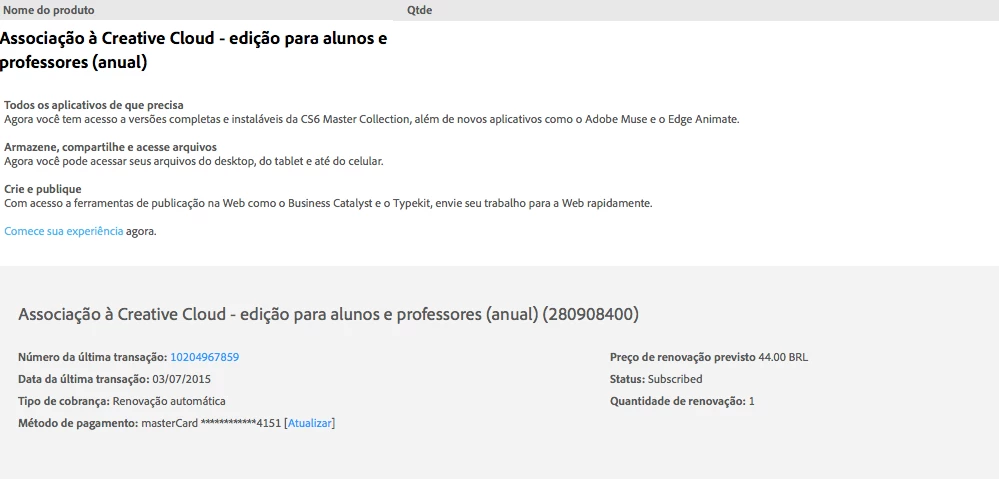
What I just realize, is that when I choose Buy the product I came to the same page that I bought my plan before! So I'm thinking in give it back the plan, and make a new one through the creative cloud app.

This topic has been closed for replies.
Correct answer Cari Jansen

OK, there is something else you could try that might work. Let us know if it doesn't, and we'll try and see if there are other steps to give you to try and fix the issue you are seeing.

  1. First launch the Creative Cloud desktop app.
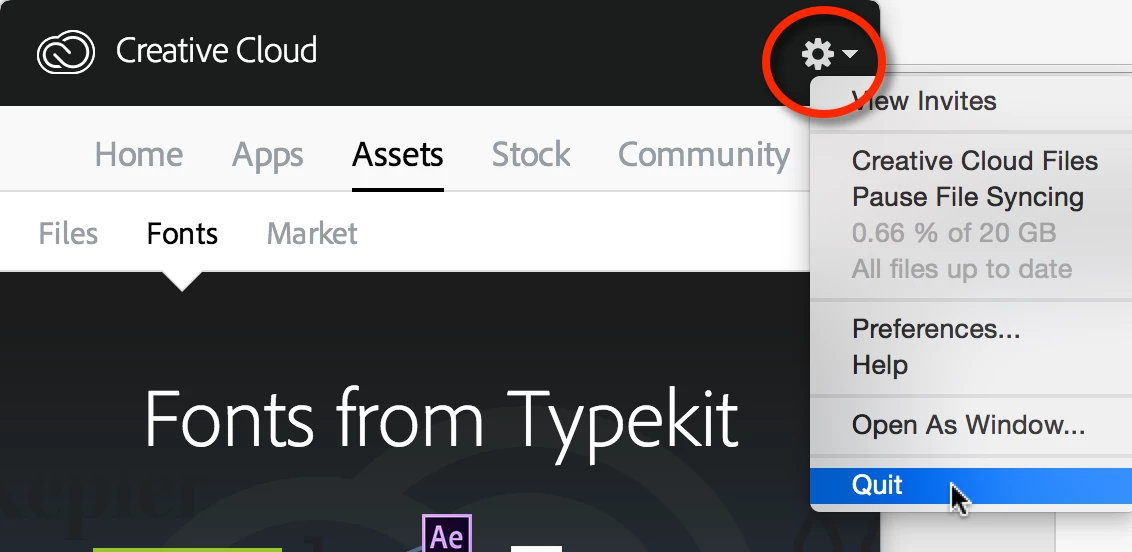
  2. From the gear-icon at the top right choose Quit.
  3. Next locate the OOBE folder on your computer:
    (Windows) C:\Users> [your username] > AppData > Local > Adobe > OOBE
    If the 'AppData' folder is not visible, then you must enable the 'Hidden Items' option from your Windows explorer (click the View tab), then select hidden Items).

    (Mac OS) Macintosh HD > User > [your username] > Library > Application Support > Adobe > OOBE folder
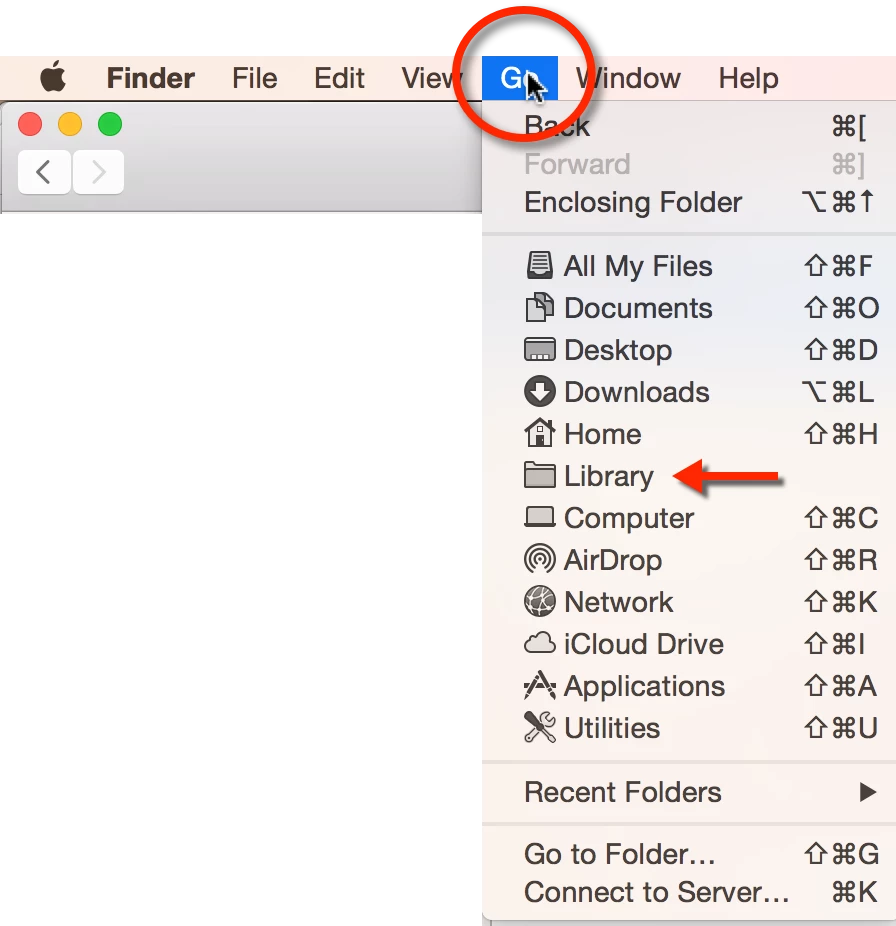
    To access this Library folder (also hidden by default) on Mac OS: In the Finder, press Option-key, then choose Library from the Go menu.
  4. When you've locate the OOBE folder, Rename it. E.g. OOBE.OLD
  5. Restart your computer, and on launch of the Creative Cloud desktop app. This should now ask you to re-enter the Adobe ID and password you've used to purchase your Annual Student/Teacher creative cloud membership.

I have my fingers crossed that after this you'll see an 'Open' button next to the installed software instead of a 'Trial' or 'Buy Me'.

Cari

2 replies

Cari JansenCorrect answer
Legend
July 5, 2015

OK, there is something else you could try that might work. Let us know if it doesn't, and we'll try and see if there are other steps to give you to try and fix the issue you are seeing.

  1. First launch the Creative Cloud desktop app.
  2. From the gear-icon at the top right choose Quit.
  3. Next locate the OOBE folder on your computer:
    (Windows) C:\Users> [your username] > AppData > Local > Adobe > OOBE
    If the 'AppData' folder is not visible, then you must enable the 'Hidden Items' option from your Windows explorer (click the View tab), then select hidden Items).

    (Mac OS) Macintosh HD > User > [your username] > Library > Application Support > Adobe > OOBE folder
    To access this Library folder (also hidden by default) on Mac OS: In the Finder, press Option-key, then choose Library from the Go menu.
  4. When you've locate the OOBE folder, Rename it. E.g. OOBE.OLD
  5. Restart your computer, and on launch of the Creative Cloud desktop app. This should now ask you to re-enter the Adobe ID and password you've used to purchase your Annual Student/Teacher creative cloud membership.

I have my fingers crossed that after this you'll see an 'Open' button next to the installed software instead of a 'Trial' or 'Buy Me'.

Cari

Known Participant
July 5, 2015

Your finger crosses, plus mine after restart my computer, make it works! THANK YOU SO MUCH!!!!!!

Legend
July 5, 2015

That's great news! Enjoy working with all the fun applications & services that are part of Creative Cloud

Govardhan.V
Participating Frequently
July 4, 2015

Try with steps mentioned in below link and check :

https://helpx.adobe.com/manage-account-membership/cc-reverts-to-trial.html

Let me know if you need further help /

Known Participant
July 5, 2015

It didn't work =/