
Exit
  • Global community
    • Language:
      • Deutsch
      • English
      • Español
      • Français
      • Português
  • 日本語コミュニティ
  • 한국 커뮤니티
0

Creative Cloud App Redesign?

Participant ,
Oct 05, 2019 Oct 05, 2019

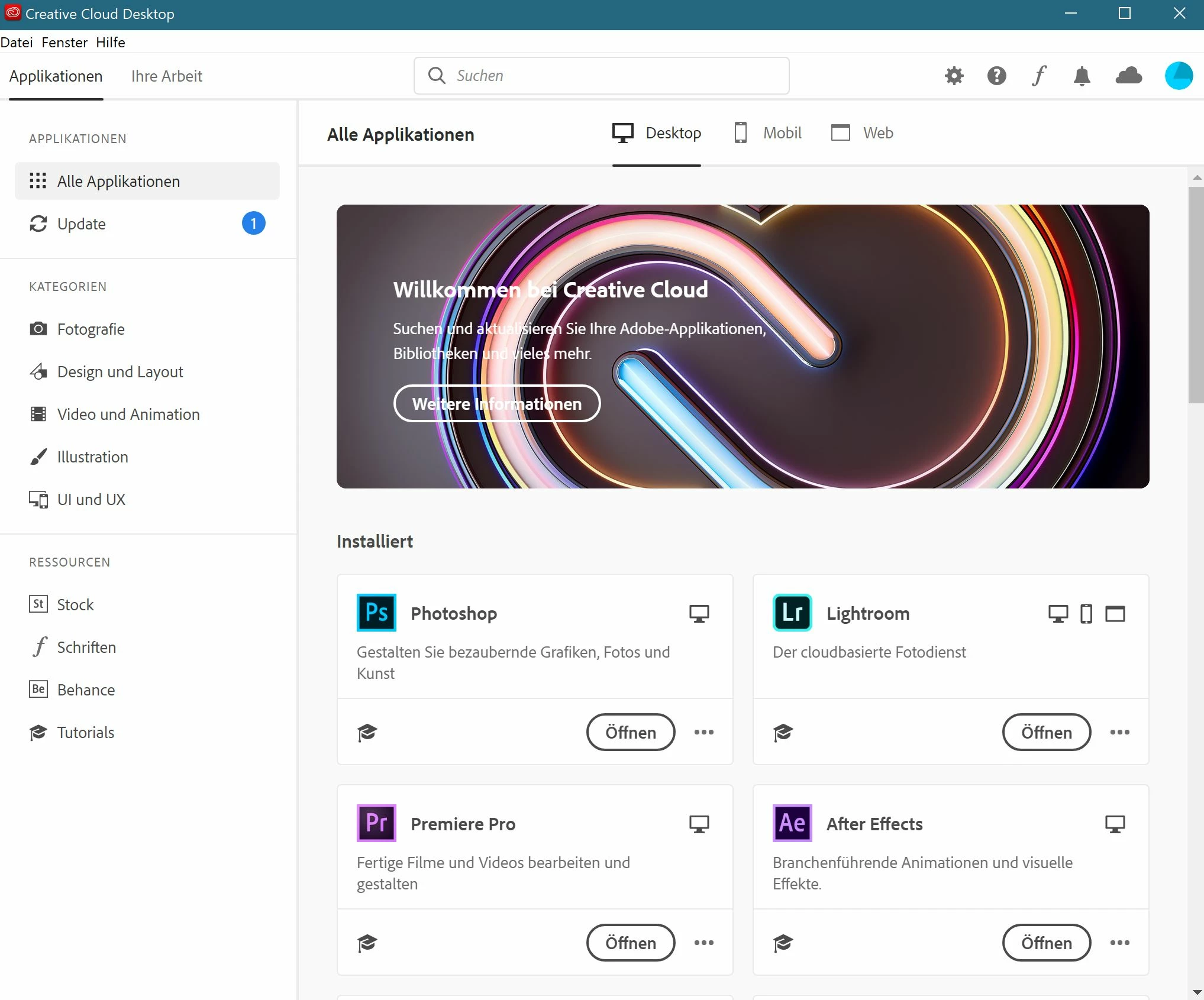
Since yesterday, the Creative Cloud App has appeared in a terribly large design, which brings no benefits and wastes space. In the middle of it a senseless huge picture. What for? The old view was tidy, lean, clear and perfect. How can I put back to the old slender app design?
Cheers Gerahrd
Unbenannt.JPG

412
Translate
Report
Community guidelines
Be kind and respectful, give credit to the original source of content, and search for duplicates before posting. Learn more
community guidelines
Participant ,
Oct 05, 2019 Oct 05, 2019

Everyone who agrees with me can vote in the Adobe Feedback section for my request to the Adobe development department, or give their own feedback.
Follow this link: -> https://creativecloud.uservoice.com/forums/923263-apps-section-app-catalog-install-updates/suggestio... to-much-space-p

Translate
Report
Community guidelines
Be kind and respectful, give credit to the original source of content, and search for duplicates before posting. Learn more
community guidelines
Community Expert ,
Oct 07, 2019 Oct 07, 2019

You can use the creative cloud client. It has not a large window.

Translate
Report
Community guidelines
Be kind and respectful, give credit to the original source of content, and search for duplicates before posting. Learn more
community guidelines
Participant ,
Oct 13, 2019 Oct 13, 2019
LATEST
Hallo Bernd, danke für die Antwort, genau um den Creative Cloud Client geht es hier. Das Fenster ist, wie am Screenshot sichtbar, nun doch etwa 5 mal größer als bisher.
Translate
Report
Community guidelines
Be kind and respectful, give credit to the original source of content, and search for duplicates before posting. Learn more
community guidelines