
Participant
October 29, 2016
Answered

Creative Cloud Desktop app not installing

  • October 29, 2016
  • 1 reply
  • 340 views

Hi,

I have a MacBook Pro (Retina, 13-inch, Mid 2014) and due to issues with Creative Cloud syncing, I had to uninstall all my Adobe apps including the desktop app. Now I am trying to reinstall them but when I try to reinstall the desktop app, the Initializing Installer box pops upand stays stuck at 2% for a while and then promptly disappears.
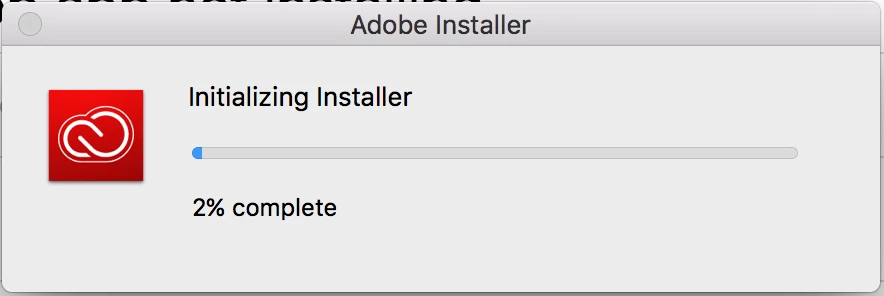
After I retried this a couple times, restarted my laptop, went into safe mode, went back to normal mode, and it still wasn't installing, I tried to download the Adobe Illustrator app separately. That worked until the Installation process actually started. Then it was stuck at 0% for over 4 hours. My internet connection is very strong so I know that's not the problem. I really need to get these apps back asap and I have no idea what to do.

Also, just FYI, my adobe account is an enterprise account, if it makes any difference.

This topic has been closed for replies.
Correct answer kglad

uninstall everything cc including lastly the cc desktop app, https://helpx.adobe.com/creative-cloud/help/uninstall-creative-cloud-desktop-app.html

clean your computer of cc files per http://www.adobe.com/support/contact/cscleanertool.html

restart your computer (don't skip this)

reinstall the cc desktop app, https://creative.adobe.com/products/creative-cloud using compatibility mode (https://technet.microsoft.com/en-us/library/bb456979.aspx?f=255&MSPPError=-2147217396)

use the desktop app to install your cc programs/trials

1 reply

kglad
Community Expert
kgladCommunity ExpertCorrect answer
Community Expert
October 29, 2016

uninstall everything cc including lastly the cc desktop app, https://helpx.adobe.com/creative-cloud/help/uninstall-creative-cloud-desktop-app.html

clean your computer of cc files per http://www.adobe.com/support/contact/cscleanertool.html

restart your computer (don't skip this)

reinstall the cc desktop app, https://creative.adobe.com/products/creative-cloud using compatibility mode (https://technet.microsoft.com/en-us/library/bb456979.aspx?f=255&MSPPError=-2147217396)

use the desktop app to install your cc programs/trials