
Exit
  • Global community
    • Language:
      • Deutsch
      • English
      • Español
      • Français
      • Português
  • 日本語コミュニティ
  • 한국 커뮤니티
0

Creative Cloud Desktop App Won't Load

New Here ,
Jan 13, 2016 Jan 13, 2016

Hi,

My creative cloud desktop app has looked liked this for the past few months:
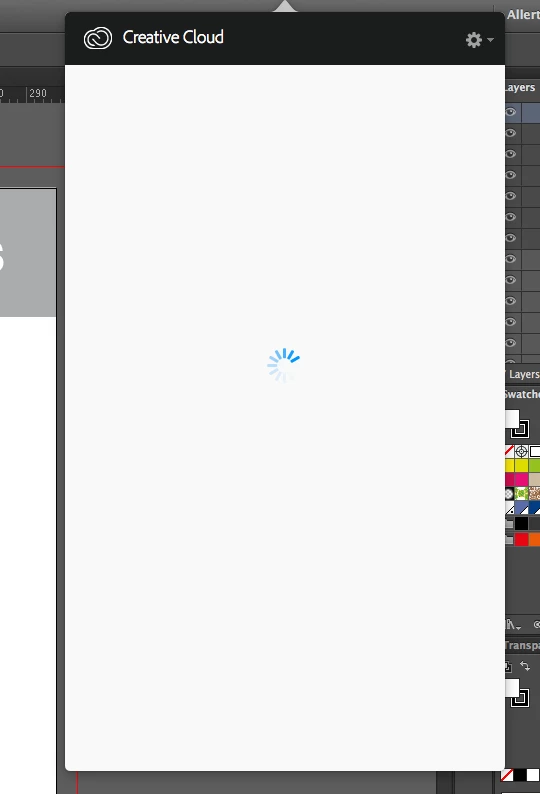
Screen Shot 2016-01-13 at 16.07.04.png

I have tried uninstalling all my programs and re-installing but it hasnt worked. I seem to be connected as I am able to download apps directly from the adobe website. However, I can't seem to sync my fonts from Typekit anymore!

Can someone please help me!

TOPICS
Creative Cloud
3.6K
Translate
Report
Community guidelines
Be kind and respectful, give credit to the original source of content, and search for duplicates before posting. Learn more
community guidelines

correct answers 1 Correct answer

Adobe Employee , Jan 14, 2016 Jan 14, 2016

Please try the steps below:

Translate
Adobe Employee ,
Jan 13, 2016 Jan 13, 2016

Hi,

I believe you are getting the spinning wheel on the Adobe CC app.

Please refer to the help document below:

App doesn't open | Progress wheel spins continually


You may also refer to the threads below where this issue has been addressed:

Adobe Creative Cloud / Desktop App / Home Screen: Constant Spinning Wheel

Creative Cloud Desktop App stuck on blue spinning wheel after update.

Regards,

Sheena

Translate
Report
Community guidelines
Be kind and respectful, give credit to the original source of content, and search for duplicates before posting. Learn more
community guidelines
New Here ,
Jan 14, 2016 Jan 14, 2016

Hi Sheena,

Thanks for your reply however I have tried all of these solutions numerous times and it still wont load! I tried solution 6 last night and I'm still getting the spinning wheel. What else can I do?!!

Thanks,

Jess

Translate
Report
Community guidelines
Be kind and respectful, give credit to the original source of content, and search for duplicates before posting. Learn more
community guidelines
Adobe Employee ,
Jan 14, 2016 Jan 14, 2016

Please try the steps below:

Translate
Report
Community guidelines
Be kind and respectful, give credit to the original source of content, and search for duplicates before posting. Learn more
community guidelines
New Here ,
Jan 14, 2016 Jan 14, 2016

Hi Sheena,

I tried that yesterday and it didn't work. I did get it to work for about 5 mins this morning, I renamed the opm.db file to opm_old.db, restarted the application and it seemed to work. Then a few minutes later I got the spinning wheel again!! What is going on?

Thanks

Jess

Translate
Report
Community guidelines
Be kind and respectful, give credit to the original source of content, and search for duplicates before posting. Learn more
community guidelines
Adobe Employee ,
Jan 14, 2016 Jan 14, 2016

I would advise you to Contact Customer Care as technical troubleshooting might be required.

Translate
Report
Community guidelines
Be kind and respectful, give credit to the original source of content, and search for duplicates before posting. Learn more
community guidelines
New Here ,
Jan 14, 2016 Jan 14, 2016

Hi Sheena,

I seem to have fixed it. I downloaded the installer again and it seems to be working. However, I'm still getting a spinning wheel when trying to sync fonts from Typekit:

Screen Shot 2016-01-14 at 12.04.09.png

Do you have any solutions for this?

Thanks,

Jess

Translate
Report
Community guidelines
Be kind and respectful, give credit to the original source of content, and search for duplicates before posting. Learn more
community guidelines
Adobe Employee ,
Jan 16, 2016 Jan 16, 2016
Translate
Report
Community guidelines
Be kind and respectful, give credit to the original source of content, and search for duplicates before posting. Learn more
community guidelines
Community Beginner ,
Jan 17, 2016 Jan 17, 2016

Hio Tony here fromLifemasters.co.za in South Africa - I have the same freeking issue for last 3 months as well.. Trying to build a business - but wasting DAYS on this.....

Translate
Report
Community guidelines
Be kind and respectful, give credit to the original source of content, and search for duplicates before posting. Learn more
community guidelines
New Here ,
Oct 21, 2020 Oct 21, 2020
LATEST

i want solv for this issue .. ( creative cloud is taking longer than usual to load )

Translate
Report
Community guidelines
Be kind and respectful, give credit to the original source of content, and search for duplicates before posting. Learn more
community guidelines