Answered
Creative Cloud help
If I open any CC app my Creative Cloud Libraries is not showing up (see image below) I have tried to uninstall the CC but I have to uninstall all apps to do it
Any thoughts
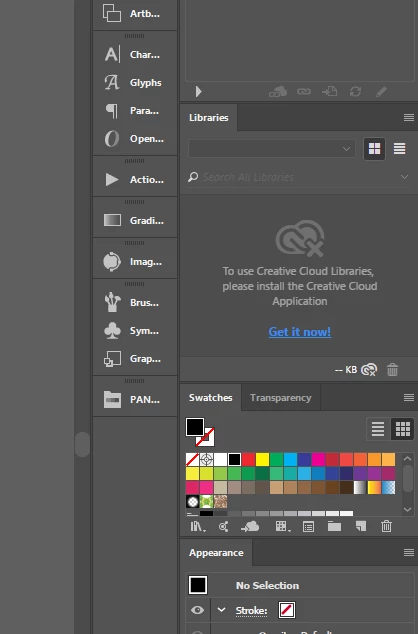

If I open any CC app my Creative Cloud Libraries is not showing up (see image below) I have tried to uninstall the CC but I have to uninstall all apps to do it
Any thoughts
Thanks, Yes I tried this, I have also uninstalled the whole lot of the apps and reinstalled with no luck, very frustrating as I have a lot of colours saved in the libraries that I use all the time...
Adobe has released a new solution for this issue :
https://helpx.adobe.com/creative-cloud/kb/libraries-panel-not-working.html
Already have an account? Login
Enter your E-mail address. We'll send you an e-mail with instructions to reset your password.
 AdChoices