Participating Frequently
February 14, 2019
Question

Creative Cloud Installer won't Install!
  • February 14, 2019
  • 1 reply
  • 777 views

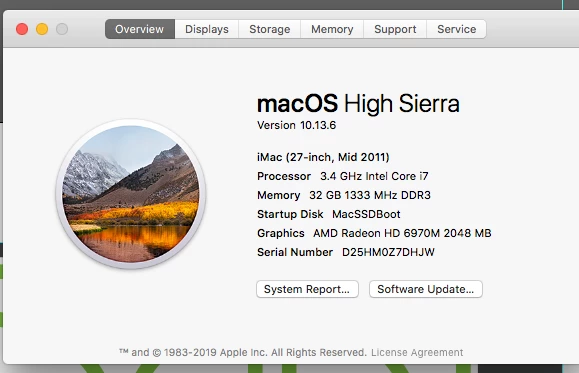
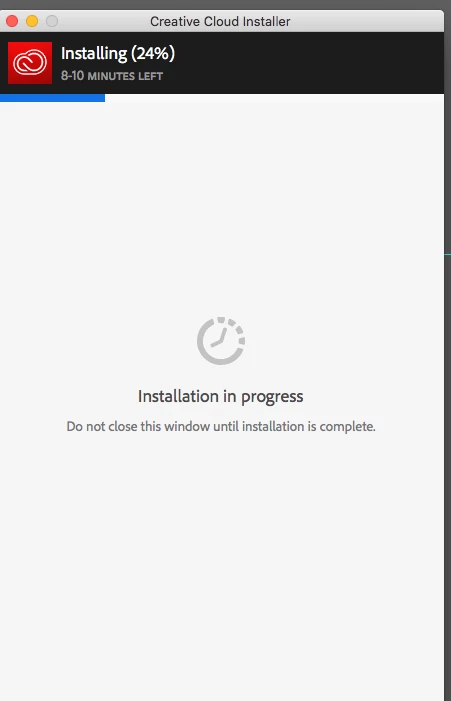
Hung up at 24 Percent. Is this machine too old to run the latest desktop app?  Thanks!

This topic has been closed for replies.

1 reply

Daniel E Lane
Inspiring
February 14, 2019

No, your computer specs are totally fine to run it. Have you checked to make sure how your internet connection is?

Troubleshoot Adobe Creative Cloud download and install issues

Also: Make sure you are logged in to the computer as an Administrator.

kglad
Community Expert
Community Expert
February 14, 2019

if the help in message 1 doesn't work for you, perform each step possible.  ie, the first two steps may not apply, but the others do.

uninstall everything cc including preferences, https://helpx.adobe.com/creative-cloud/help/uninstall-remove-app.html

then uninstall the cc desktop app, https://helpx.adobe.com/creative-cloud/help/uninstall-creative-cloud-desktop-app.html

clean your computer of cc files per http://www.adobe.com/support/contact/cscleanertool.html

restart your computer (don't skip this)

reinstall the cc desktop app, https://creative.adobe.com/products/creative-cloud.

if you're unable to install the cc desktop app at this stage, use an administrator account (solution 4 here, https://helpx.adobe.com/creative-cloud/kb/creative-cloud-missing-damaged.html)

use the desktop app to install your cc programs/trials