thisisedmund
Participant
April 24, 2019
Answered

Creative Cloud keeps popping up on desktop asking about Preferences

  • April 24, 2019
  • 1 reply
  • 23576 views

Hi Community,

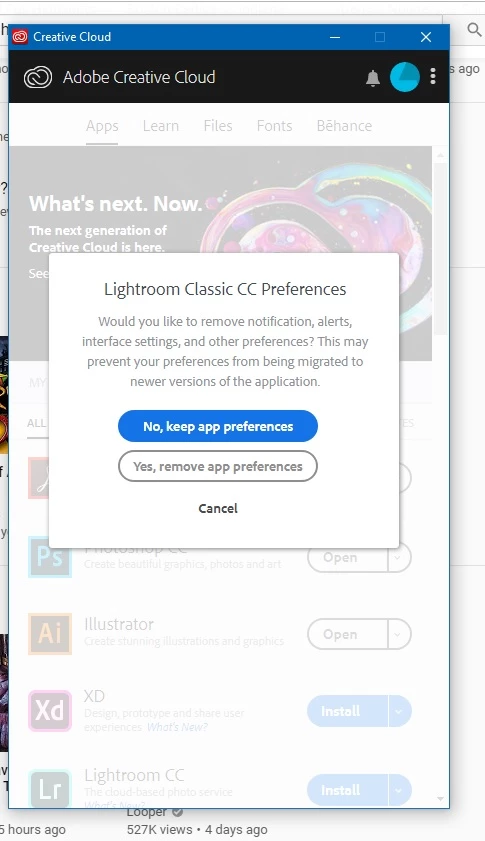
Is anyone facing this issue? (see screenshot below)

It keeps popping up randomly no matter which option I clicked, I even tried clicking on "cancel", quitting the app, nothing seems to work.

Pops up even when I am not using any Adobe softwares.

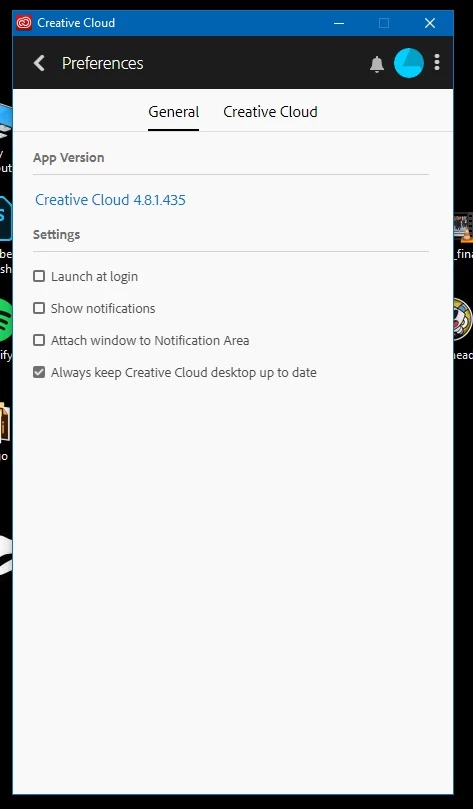
My settings screenshot below as well.

Some help will be greatly appreciated.

Thanks
This topic has been closed for replies.
Correct answer kglad

if you're going to uninstall, you should 'clean':

uninstall everything cc including preferences, https://helpx.adobe.com/creative-cloud/help/uninstall-remove-app.html

then uninstall the cc desktop app, https://helpx.adobe.com/creative-cloud/help/uninstall-creative-cloud-desktop-app.html

clean your computer of cc files per http://www.adobe.com/support/contact/cscleanertool.html

restart your computer (don't skip this)

reinstall the cc desktop app, https://creative.adobe.com/products/creative-cloud.

if you're unable to install the cc desktop app at this stage, use an administrator account (solution 4 here, https://helpx.adobe.com/creative-cloud/kb/creative-cloud-missing-damaged.html)

use the desktop app to install your cc programs/trials

1 reply

kglad
Community Expert
Community Expert
April 24, 2019

the cc desktop app is trying to install lr classic.  i'm not sure why that is occurring.

if it's not already installed, start the installation and then cancel it after the install percent passes 0%.

if it's already installed, uninstall it (Uninstall or remove Creative Cloud apps), restart your computer and then reinstall it.

Participant
July 2, 2019

I've recently been getting the same issue but with Premiere Pro. I have the latest Premiere installed (13.1.2) but Creative Cloud seems to try to keep installing version 12.1.1. I've uninstalled all apps, as well as removed Creative Cloud, then tried to reinstall, but the issue still persists for me. It's quite an annoying popup.

Participant
July 3, 2019

if you're going to uninstall, you should 'clean':

uninstall everything cc including preferences, https://helpx.adobe.com/creative-cloud/help/uninstall-remove-app.html

then uninstall the cc desktop app, https://helpx.adobe.com/creative-cloud/help/uninstall-creative-cloud-desktop-app.html

clean your computer of cc files per http://www.adobe.com/support/contact/cscleanertool.html

restart your computer (don't skip this)

reinstall the cc desktop app, https://creative.adobe.com/products/creative-cloud.

if you're unable to install the cc desktop app at this stage, use an administrator account (solution 4 here, https://helpx.adobe.com/creative-cloud/kb/creative-cloud-missing-damaged.html)

use the desktop app to install your cc programs/trials


Cleaning the files seemed to help end the Premiere Pop Ups. Thanks for the help!