66_Piers_99
Known Participant
January 3, 2016
Question

Creative Cloud, no longer being creative... Just keeps crashing

  • January 3, 2016
  • 5 replies
  • 1648 views

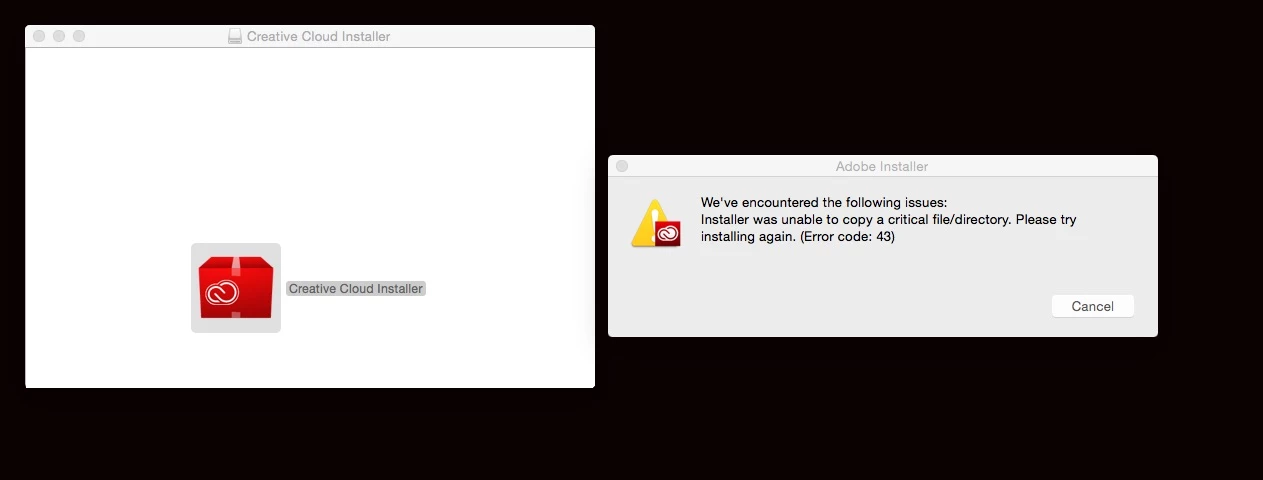
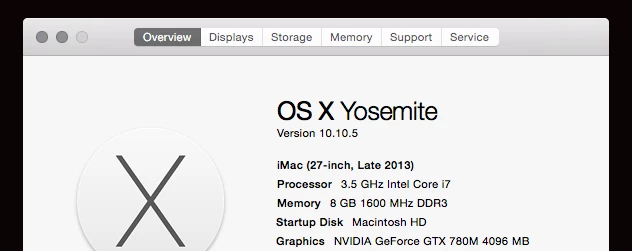
Dear anybody, I've tried several times to get the creative cloud to work, since it kept crashing on the latest update it was asking to do (or should i say, forcing to do)... This includes several file type corrections (from 2014), various other threads and workaround's etc. Nothing seems to work.

Could anyone give me an idea as to how to fix this? (and to any Adobe staff) it would be really helpful, if you could actually reply with a solution, rather than just links that I could find myself.

Thanks for your help (hopefully!)
This topic has been closed for replies.

5 replies

66_Piers_99
Known Participant
January 27, 2016

The person who went through the computer, changed so many file extensions, I can't honestly remember? I haven't done anything since, apart from try to download illustrator..

To be brutally honest (and with all due respect) I'd rather not have to dive into more links etc. It's 11.20pm here and I'm supposed to be finishing a project in the morning.

This could end up a long night, I fear!

Jeffrey_A_Wright
Community Manager
Community Manager
January 27, 2016

66 Piers 99 I will request that an individual from our support team reopen the case and contact you directly.  The case was closed after Premiere Pro was successfully installed.

66_Piers_99
Known Participant
January 27, 2016

I appreciate that. Thanks again Jeff.

(I didn't get time to install all of the other software, since we were on the phone) We just installed PP for the sake of time.

66_Piers_99
Known Participant
January 27, 2016

Well guys & girls..

After a lengthy phone call to Adobe technical support, the guy managed to remotely fix the issues. It took a long time, and I wasn't exactly comfortable with a total stranger using my computer from another country?! But he did at least solve the main problem... Now though, my Adobe illustrator won't install????? He had to un-install all of the software, to fix the original problem and I've just lost another half of a day's work.

Really happy about that (as you can imagine!)

I guess another phone call and more wasted time tomorrow then.

I pity others who had had this same problem. I really do.

Jeffrey_A_Wright
Community Manager
Community Manager
January 27, 2016

66 Piers 99 I am sorry you have been facing difficulties installing the Adobe Creative Cloud desktop application and Adobe Illustrator CC 2015.  Do you have a case number from your interaction with our support team that I can reference?

66_Piers_99
Known Participant
January 27, 2016

Hi Jeff, thanks for the reply. I'm afraid he just took my login details and went from there? I wasn't given a number (that I recall?)

<Removed by Moderator> was his email though..

Participating Frequently
January 27, 2016

I had issues on a client machine with a similar error. Fortunately, the client was ok with me billing for my time on the phone with Adobe technical support. After 2 hours (and lots of patience from everyone), we concluded that something got corrupted in the user account somehow. I created a new user account on that machine and everything installed and ran normally.

But that's just my experience.

Sheena Kaul
Legend
January 27, 2016
66_Piers_99
Known Participant
January 27, 2016

Thanks for that Sheena, maybe someone at Adobe has a solution for this problem? It's been going on a few moths now and the only way out for me (at this point) is to format the computer and reinstall everything..

I really don't want to have to do that!

Govardhan.V
Participating Frequently
January 27, 2016

You can also try providing full permissions to Adobe folder under both System as well as User Libraries.

~/Library/ Application Support/

/Library/Application Support/

or You can try installing from Root user account.

66_Piers_99
Known Participant
January 4, 2016

Nobody? Really?!! ;-)

Govardhan.V
Participating Frequently
January 27, 2016

Step 1)

Open CS 6 download page and simply keep it open , we are not download anything from CS 6 page.

https://helpx.adobe.com/x-productkb/policy-pricing/cs6-product-downloads.html

Once you had opened CS 6 page , click on link mentioned in step 2 to download CC desktop app direct installer file .

Step 2)


http://trials2.adobe.com/AdobeProducts/KCCC/1/osx10/ACCCx3_4_1_181.dmg


If we do not open CS 6 page first , it will give Access Denied error.


PS : Sorry for delayed response , I see that the post date is Jan 3.