Participant
May 2, 2018
Answered

creative cloud update failed error code 183

  • May 2, 2018
  • 4 replies
  • 21132 views

hey

help ?

This topic has been closed for replies.
Correct answer kglad

i run adobe creative cloud as administrator and its still the same .

the
changing the properties of all executables in the Adobe Sync folder and subfolders.

i didnt get.

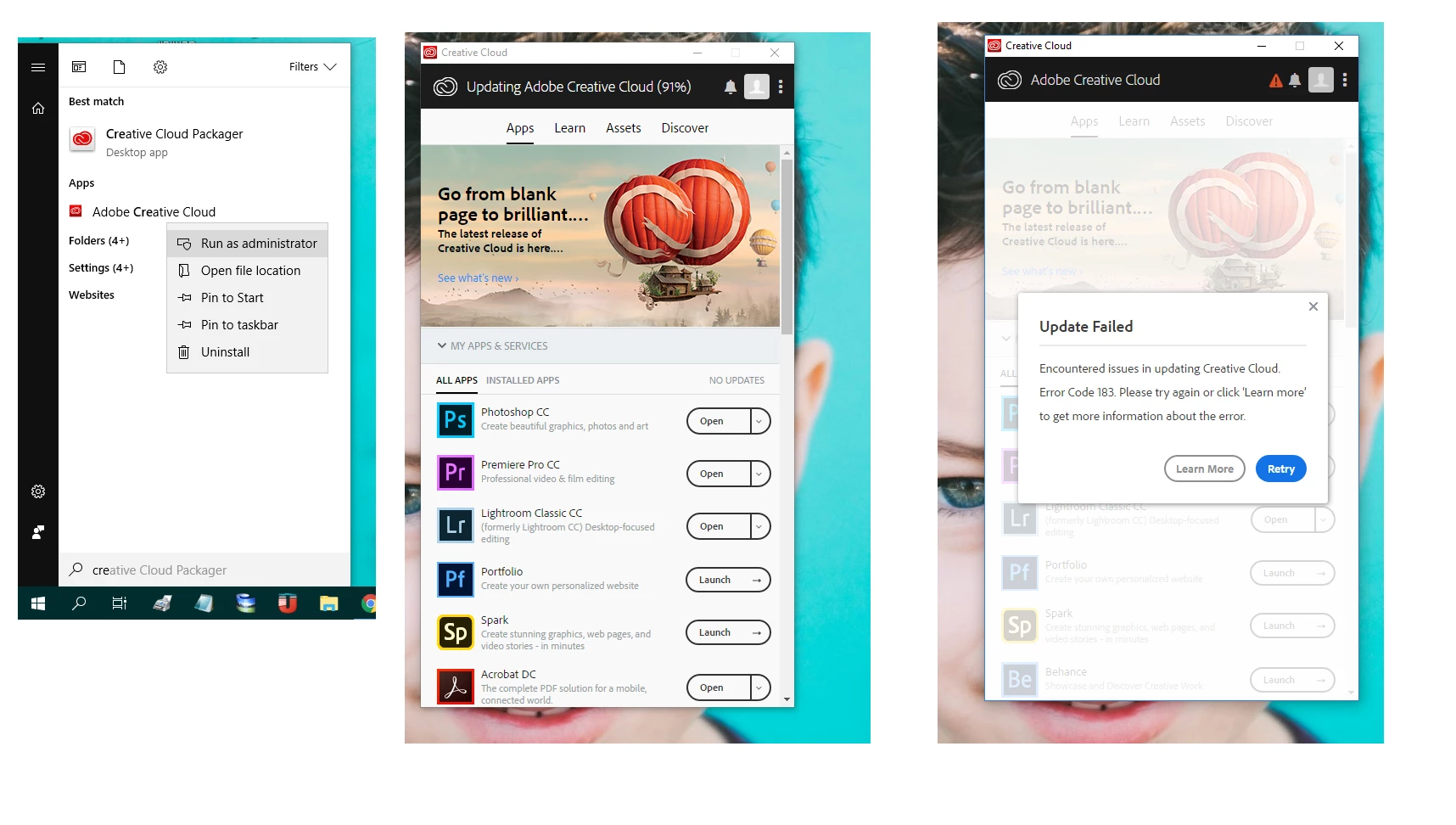
its keep getting stuck on 91% and give me this error

photos attached

check your version of the cc app.

if it's 4.5.0.331, using a browser that allows popups and cookies,  contact adobe support during pst business hours by clicking here and, when available, click 'chat', http://helpx.adobe.com/x-productkb/global/service-ccm.html

if it's not, update the cc app itself.

4 replies

Participant
February 28, 2020

Same here it's still not fixed

Inspiring
August 8, 2018

Hi,

To further discuss this issue, please join this thread in the Feedback forum :

Photoshop/Lightroom: Error 183 when updating CC Desktop from the Assets tab | Photoshop Family Customer Community

--Patrick
Kanikas
Community Manager
Community Manager
May 8, 2018
kglad
Community Expert
Community Expert
May 3, 2018
more67946467
Participant
May 6, 2018

OK. I have fixed the problem by changing the properties of all executables in the Adobe Sync folder and subfolders. I have enabled the "Run this program as an administrator" in the Compatibility tab. Problem gone.

how to do that...?

thanks

kglad
Community Expert
kgladCommunity ExpertCorrect answer
Community Expert
May 8, 2018

i run adobe creative cloud as administrator and its still the same .

the
changing the properties of all executables in the Adobe Sync folder and subfolders.

i didnt get.

its keep getting stuck on 91% and give me this error

photos attached


check your version of the cc app.

if it's 4.5.0.331, using a browser that allows popups and cookies,  contact adobe support during pst business hours by clicking here and, when available, click 'chat', http://helpx.adobe.com/x-productkb/global/service-ccm.html

if it's not, update the cc app itself.