
CS4 fails to install on new Mac Book Pro
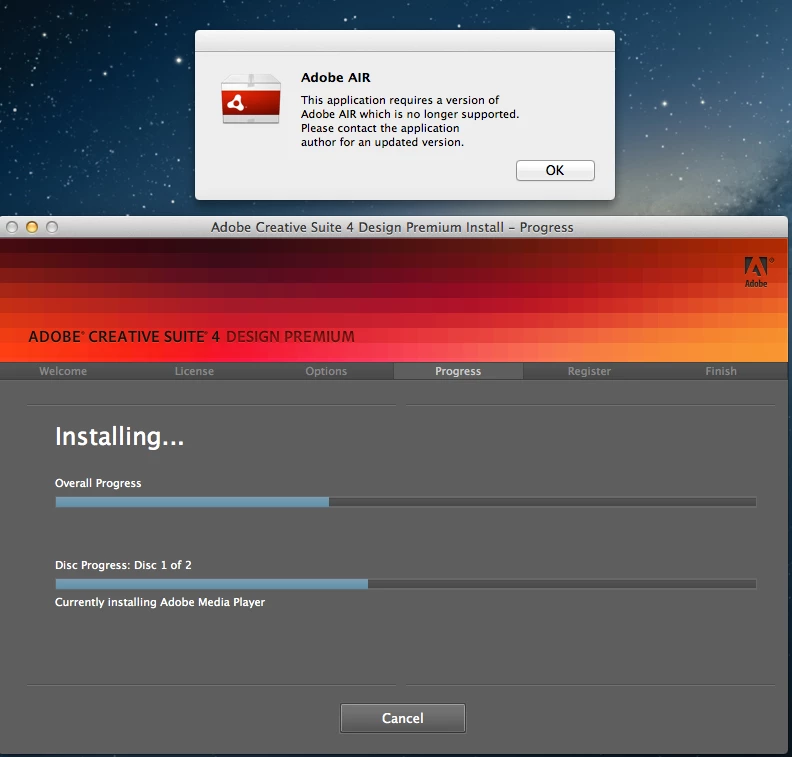
I recently got a new Mac Book Pro and tried to update my CS4 Design Premium on the new computer. When going through the install process, everything goes smoothly until half way through the first disc of the install. The installer stops its progress, the disc drive spins down and stops and nothing happens. I then force quit the installer, as there's no other way to get out of it (the Cancel button does seems to close the installer), and behind the install window is an error prompt that says I need to update my version of Adobe AIR. The first time I did this, by going to the URL in the error message (adobe.come/getair). I then uninstall what was install the first time, and tried to install all over again. This time the same thing happens, but the error message about AIR now says that the application I'm running requires a version of AIR that is no longer supported and to contact the application author. I have contacted Adobe's live chat support and was told to look to the Forums for help. I haven't really been able to find the answer though. So I'm asking this question in the hope of getting some help. Any advice/help/tips would be helpful. Thanks in advance
Here is a screenshot of the installer progress and the AIR error message:
 AdChoices