
CaroS
Participant
October 27, 2014
Answered

CS6 won't install on Mac OS 10.9.5, can anyone help?

  • October 27, 2014
  • 1 reply
  • 963 views

Hi, I have downloaded CS6 (academic package) and tried to install, but I got this error message:
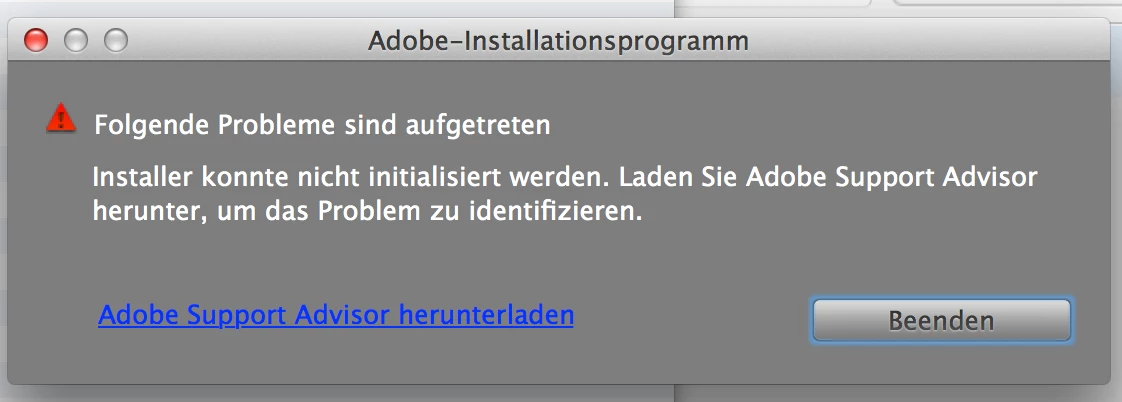
"Installer cannot be initialized".

Adobe Support Advisor (which I had to download from another source, as it's been discontinued) failed to identify the problem. I seem to have an intact version of CS6.

I did download Creative Cloud for a month (in the spring), but decided against subscribing, and deleted everything before the end of the trial month. Have tested with Adobe CS Cleaner Tool and checked that my version of Flash is current.

I have just paid for the academic version of CS6, have a serial number and would very much like to be able to use the programs!

Thanks for your help.

Caro

___________________________

Macbook Pro 15", end 2013 - OS X.9.5. - iPad mini

This topic has been closed for replies.
Correct answer CaroS

CaroS you will want to utilize the Finder to locate the log files.  The main installer logs are located at  /Library/Logs/Adobe/Installers/.

The log files you browsed to in Console was the Users/<Username>/Library/Logs.  This is indicated by the ~ symbol.


In the end, after checking that the installer was ok, I decided it must be something to do with detritus in my system. So I did the following, which may seem exaggerated, but it worked.

1. Backed up my data and programs manually.

2. Reset via Time Machine to sometime in the summer (which meant I was back in Mavericks, after having updated to Yosemite before this happened).

3. Ran the Adobe CC Cleaner tool to make sure nothing else was lurking. (Sure enough, there was something to erase.)

4. Reloaded the CS6 and started the installation.

5. Success; this time everything worked smoothly.

Thanks for your tips -- some things sort themselves out in the head, overnight...

1 reply

Jeffrey_A_Wright
Community Manager
Community Manager
October 27, 2014

Caro I would recommend reviewing the installation log files for the specific error which caused the installation to fail.  You can find details on how to locate and interpret the installation log files at Troubleshoot install issues with log files | CC - http://helpx.adobe.com/creative-cloud/kb/troubleshoot-install-logs-cc.html.  You are welcome to post any specific errors you discover to this discussion.

CaroS
CaroSAuthor
Participant
October 28, 2014

Jeff, there was nothing under logs/Adobe/installers. Instead, I had to scroll through "All reports" and find the log there. Under Adobe, I only found Reader updater and the CC Cleaner protocoll:

The protocoll for the installation attempt looks like this:

28.10.14 08:15:11,503 DiskImages UI Agent[2354]: *** WARNING: Method userSpaceScaleFactor in class NSWindow is deprecated on 10.7 and later. It should not be used in new applications. Use convertRectToBacking: instead.

28.10.14 08:15:11,000 kernel[0]: hfs: summary table not allowed on FS with block size of 2048

28.10.14 08:15:11,000 kernel[0]: hfs: could not initialize summary table for CS6 MstrColl

28.10.14 08:15:11,000 kernel[0]: hfs: mounted CS6 MstrColl on device disk1s2

28.10.14 08:15:11,571 mds[81]: (Normal) Volume: volume:0x7ff9a7027000 ********** Bootstrapped Creating a default store:1 SpotLoc:(null) SpotVerLoc:(null) occlude:0 /Volumes/CS6 MstrColl

28.10.14 08:15:12,781 DiskImages UI Agent[2354]: *** -[NSMachPort handlePortMessage:]: dropping incoming DO message because the connection is invalid

28.10.14 08:15:21,000 kernel[0]: hfs: mounted DWA on device disk2s2

28.10.14 08:15:24,000 kernel[0]: hfs: unmount initiated on DWA on device disk2s2

28.10.14 08:15:24,000 kernel[0]: hfs: mounted LWA on device disk2s2

28.10.14 08:15:28,000 kernel[0]: hfs: unmount initiated on LWA on device disk2s2

28.10.14 08:18:45,940 com.apple.appkit.xpc.openAndSavePanelService[2420]: Bogus event received by listener connection:

<error: 0x7fff7b11fb50> { count = 1, contents =

  "XPCErrorDescription" => <string: 0x7fff7b11fe60> { length = 18, contents = "Connection invalid" }

}

28.10.14 08:18:53,796 com.apple.appkit.xpc.openAndSavePanelService[2420]: CGSGetWindowTransformAtPlacement

28.10.14 08:18:53,796 com.apple.appkit.xpc.openAndSavePanelService[2420]: CGSTranslatePointForWindow

So I'm still at a loss. Is there another element I need to open the application in 10.9?

Jeffrey_A_Wright
Community Manager
Community Manager
October 29, 2014

CaroS you will want to utilize the Finder to locate the log files.  The main installer logs are located at  /Library/Logs/Adobe/Installers/.

The log files you browsed to in Console was the Users/<Username>/Library/Logs.  This is indicated by the ~ symbol.