You may refer below link :
https://helpx.adobe.com/x-productkb/policy-pricing/activate-deactivate-products.html
Basic steps :
Disable Firewall Temporarily.
Step 1 :
Open C:drive and navigate to C:\Program Files (x86)\ " Common Files" \Adobe.
Open Adobe folder and If present delete folders named Adobe Application Manager and OOBE.
Step 2:
Navigate to C:\Program Files (x86)\Adobe.
Open Adobe folder and if present delete Adobe Creative Cloud folder. [**important]
Unable to delete??? rename it to Adobe Creative Cloud-old.
Step 3 :
Press Windows button (located between Ctrl and Alt buttons) along with R button together at a time , you will get a run command window.
Type in below command and hit 'Enter' key.
appdata
Then navigate to Local>Adobe.
Open Adobe folder and If present delete folders named AAMUpdater and OOBE.
Step 4 :
Make sure Adobe Creative Cloud is not listed under Control Panel > Program and Features. list.
Then download and install Adobe Creative Cloud application and check.
https://ccmdls.adobe.com/AdobeProducts/KCCC/1/win32/CreativeCloudSet-Up.exe
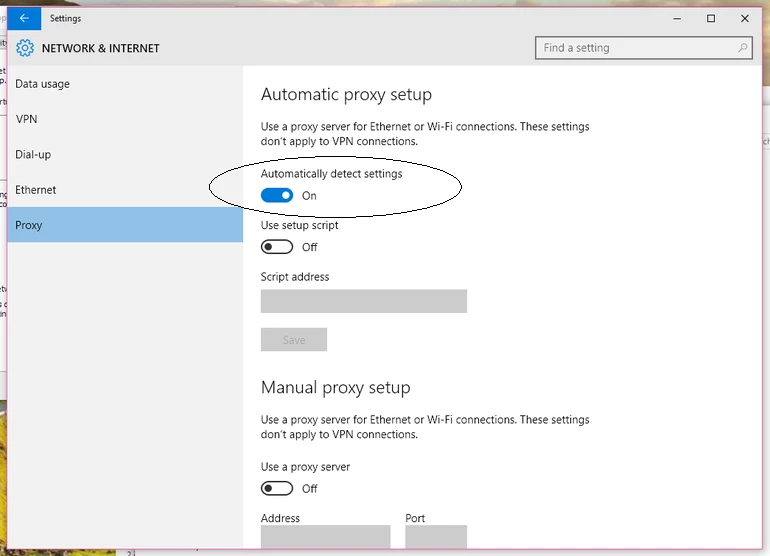
Also make sure , Automatic Proxy settings detect is ON>
--------------------------------------------------------------------------------------------------------------------------
If you still get same error ,Try downloading using Offline installer :
Step 1)
Click on the below link , Sign In and open CS 6 download link.
Do not close the page , simply keep it open.
Download Adobe Creative Suite 6 applications
Note: *If we do not keep the CS 6 page , we' may get Access Denied error message while downloading direct installer file.
Then click on below link and download direct Installer file mentioned in step 2.
It will directly starts installation process right away.
Step 2)
http://trials2.adobe.com/AdobeProducts/KCCC/1/win32/ACCCx3_5_1_209.zip
Extract Zip first, then run Setup.exe file.


 AdChoices