Answered
Dimiss Creative Cloud update notification
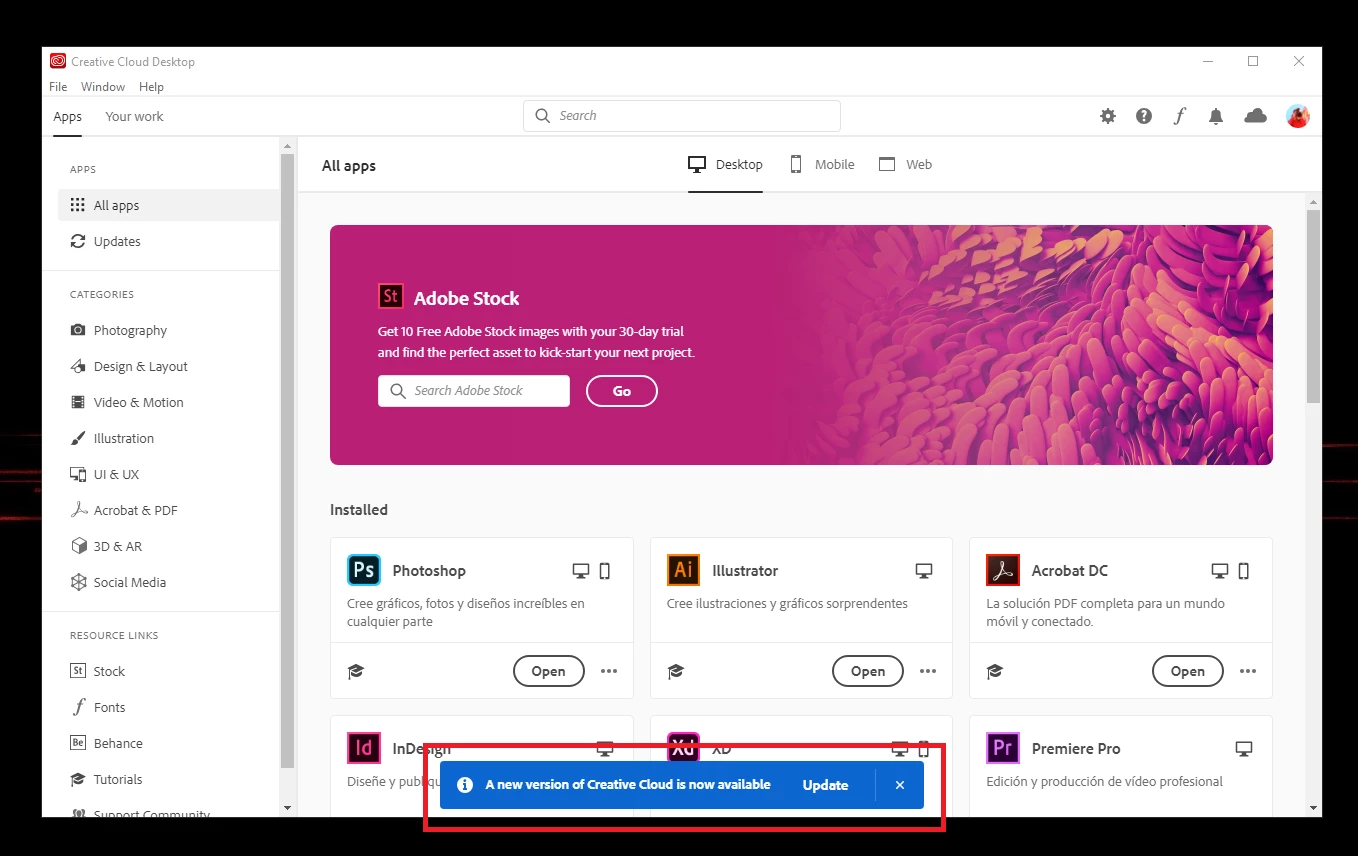
Hi, can anyone tell me how to disable that notification? I'm fine with the current version of Creative Cloud.
Thanks!

Hi, can anyone tell me how to disable that notification? I'm fine with the current version of Creative Cloud.
Thanks!
No matter what setting option you select and turn off those announcements always show. As above you can click the x but it will come back. It is just announcing an Update to the CC desktop app.
To completely kill it you have to Close, Quite, the CC desktop app and set it to NOT start with the system.
It is not needed to use any of the installed Adobe programs.
To adjust the options for the CC DTA open the CC DTA Preferecnes, the Gear Icon, then on the General tab turn off these options.
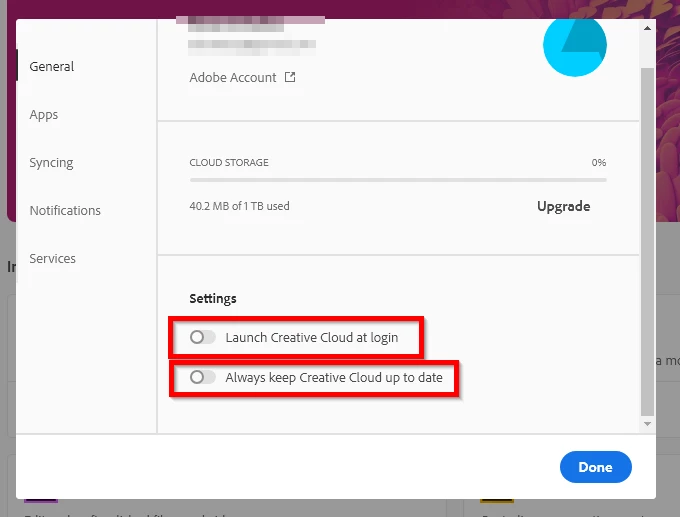
Then to turn off the Auto Update of the program go to the Apps tab and turn off this option.
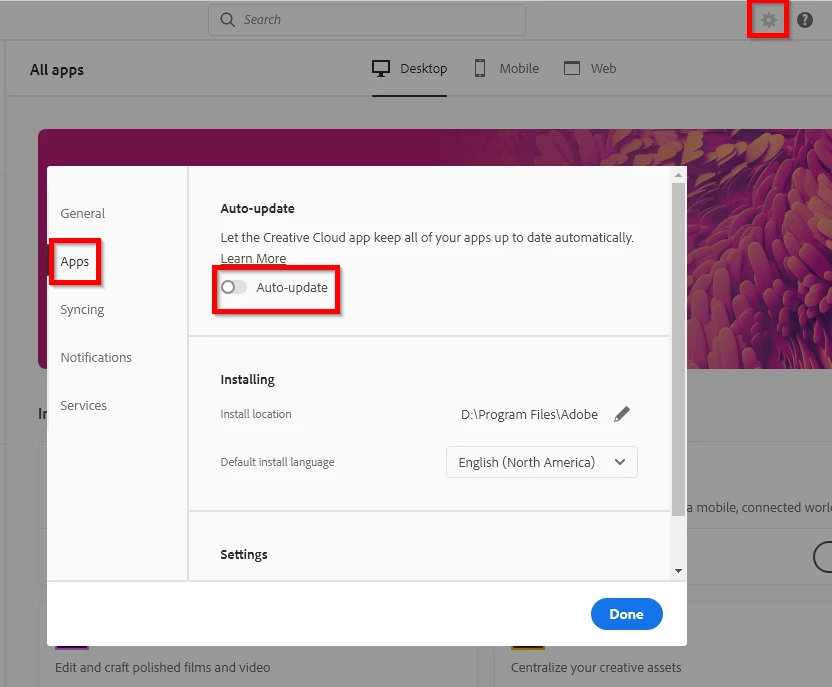
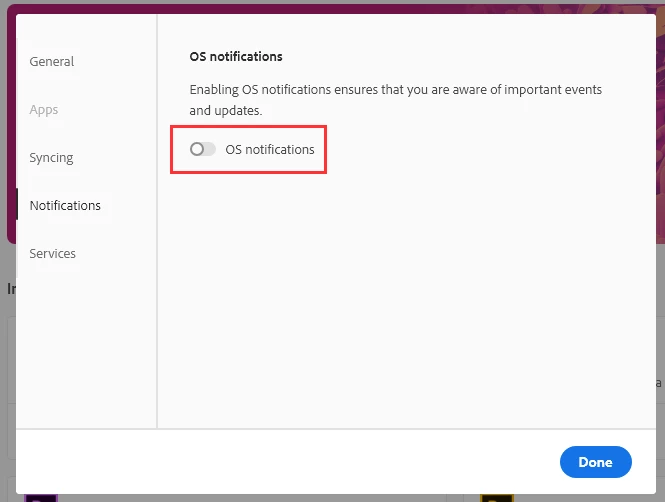
And if you want to stop OS Notifications go to the Notifications tab.
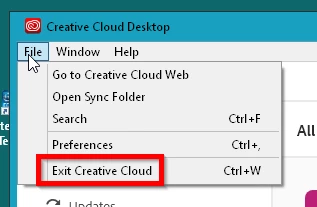
And to "Completely" shut down the CC DTA Go to File > Exit Ctreative Cloud, or keyboard shortcut Ctrl + w
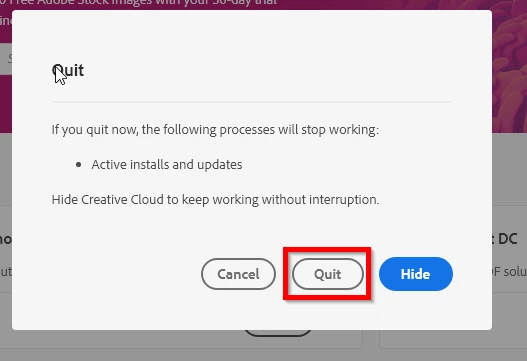
and then when the Quite dialog window comes up select the Quite button.
As said above the CC DTA does not need to be running to use all the other Adobe programs.
Already have an account? Login
Enter your E-mail address. We'll send you an e-mail with instructions to reset your password.
 AdChoices