Answered
doesn't install creative cloud on mojave "error code p22"
I I make a clean install macOS Mojave, and now when I try to install Adobe Creative Cloud error code P22 appears.

I I make a clean install macOS Mojave, and now when I try to install Adobe Creative Cloud error code P22 appears.
Hi, I have the same problem with Mojave (10.14), which main partition is APFS (Case-Sensitive, Encrypted). I made a special partition for Photoshop, which is 'just' APFS. But I assume it's not that easy. Do I need to reinstall my whole OS for Adobe-programs to work?
Btw, this is what happens now:
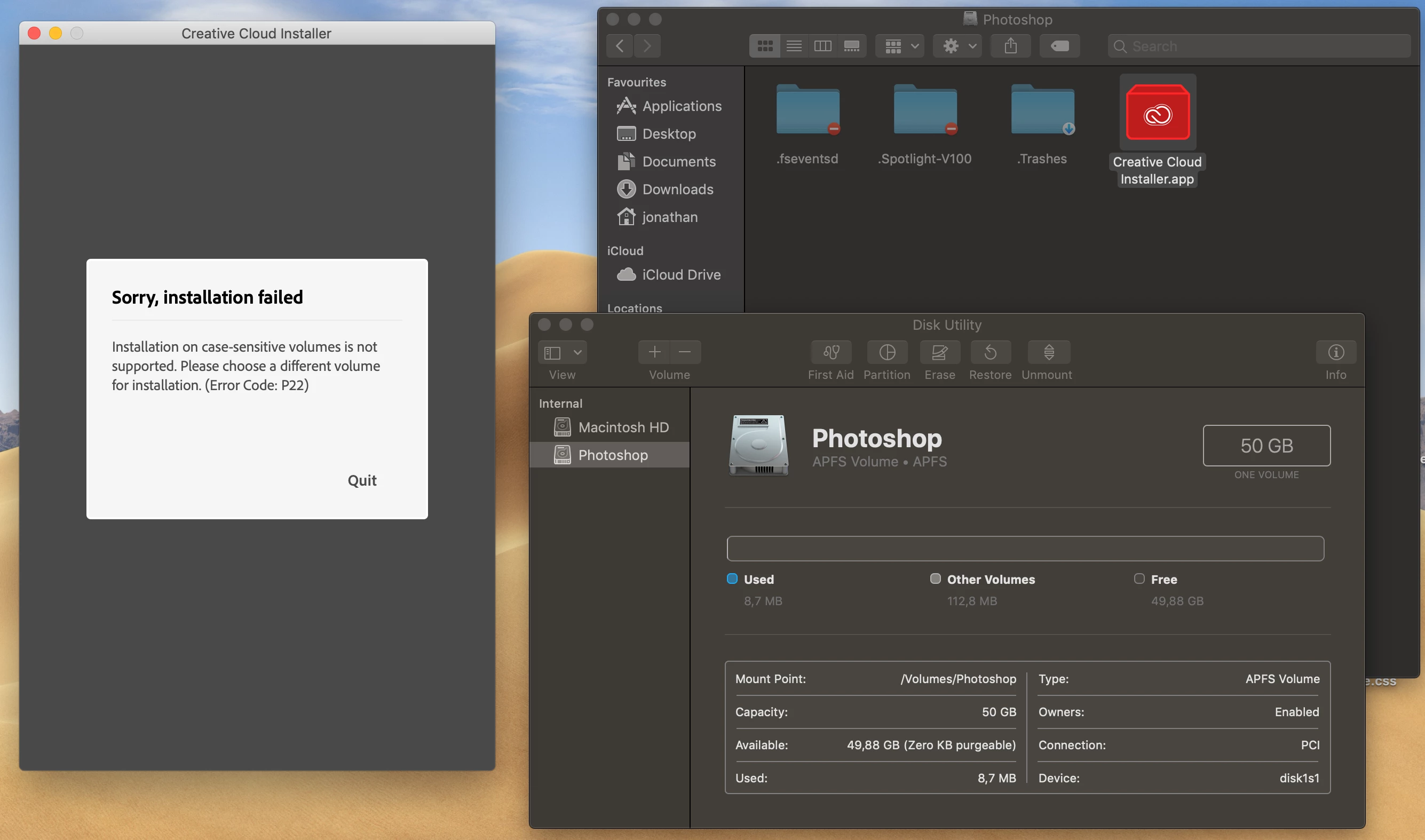
Jonathanv65223347, I am sorry, but both the Adobe Creative Cloud desktop application, the shared components, and Adobe CC applications will need to be installed on the APFS volume that is not formatted to be case-sensitive. I would recommend you make the partition large enough to contain space for the host OS, Adobe applications, and any swap files that may be needed while running Adobe applications.
For more information, please see the following documents:
You can utilize the system requirements documents for a rough estimate of the installation size of each application you wish to use on this Mac. If you use applications such as After Effects, Premiere Pro, and Photoshop CC, then I would recommend being very generous with the size of the partition to allow for any temporary swap files that may be used to run the applications.
Already have an account? Login
Enter your E-mail address. We'll send you an e-mail with instructions to reset your password.
 AdChoices