Participating Frequently
May 14, 2019
Answered

Error 190, Adobe CC, and Microsoft: This doesn't add up.

  • May 14, 2019
  • 2 replies
  • 1664 views

Since 2016, I've dealt with Error: 190.  My workaround has always been use a WIFI dongle in safe mode+networking - just for basic updating.

This has recently stopped working.

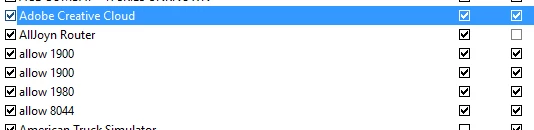
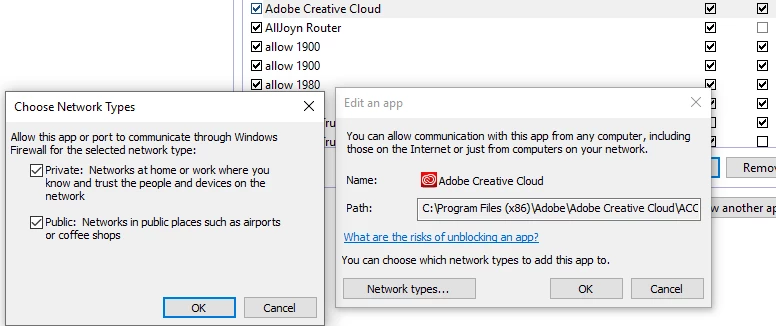
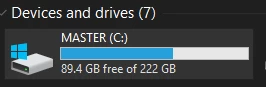
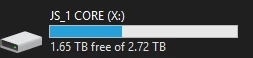
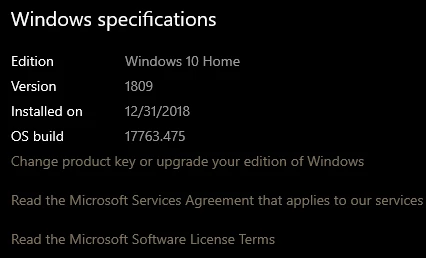
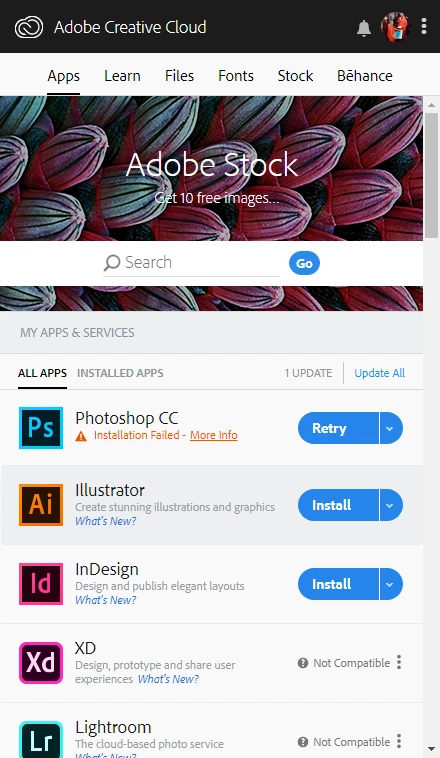
As you can see, my copy of Win10 is new, up-to-date and plays perfectly with every other software I have.  The only software that creates any download issue - is Adobe CC.

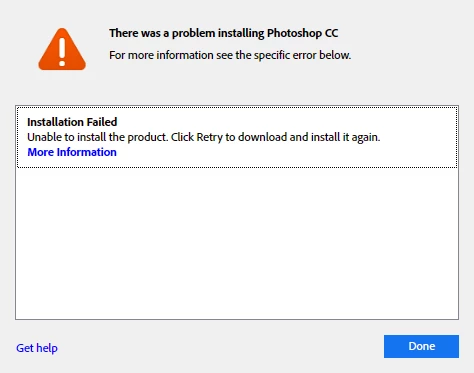
Using the pictures below, you can see the problem I am having.  Like most error 190's, Adobe will tell you it is not on their end, rather it is Microsoft.

However - Adobe plays just fine with 95% of every all computers I've edited on.  There has also never been a concise answer to this problem.

And since 2016 - I've tried the following recommendations from Adobe:

(original 2016 forum here Re: Premiere 2017 Update Error Code: 190 from existing CC 2015 )

  • Uninstall all versions of Adobe Softwares including BETAs
  • Use a separate Admin User Account
  • fresh install of CC
  • fresh install of all adobe drivers
  • fresh install of intel hd graphics
  • fresh install of nvidia
  • fresh install of flash
  • fresh install of gigabyte firmwares
  • use of safe mode+networking
  • use of alternative internet connection
  • contact customer care

Customer Care deduced to me, that this was a microsoft issue.  But I am here to get in contact until this is resolved.

Besides my asking why for a fix to ERROR 190 I am also asking - Why would Adobe CC work in an environment where no safety-protocol is available when reaching Adobe Servers? Weird. Also - Why hasn't there been a fix between Adobe and Microsoft - since 2016?

Please help me answer:

  • Why am I recieving Error 190
  • How do I fix error 190
  • Who can I contact within Adobe that will help me FIX error 190
  • Why hasn't there already been a fix - for a windows 10 DOWNLOAD ISSUE?
This topic has been closed for replies.
Correct answer kumar_rohit

As per summary details in your post, it looks like Creative Cloud is running in compatibility mode on your machine because current OS version detected by app is 6.0.6000 which is windows vista as per link: Comparison of Microsoft Windows versions - Wikipedia. Could you please follow this helpx page to remove compatibility mode setting for Creative Cloud: Not all apps displayed for download | Adobe Creative Cloud desktop app.​ Let me know if you still face this error.

2 replies

kumar_rohitCorrect answer
Adobe Employee
May 28, 2019

As per summary details in your post, it looks like Creative Cloud is running in compatibility mode on your machine because current OS version detected by app is 6.0.6000 which is windows vista as per link: Comparison of Microsoft Windows versions - Wikipedia. Could you please follow this helpx page to remove compatibility mode setting for Creative Cloud: Not all apps displayed for download | Adobe Creative Cloud desktop app.​ Let me know if you still face this error.

Jeffrey_A_Wright
Community Manager
Community Manager
May 14, 2019

Jonahs3215476, I am sorry that you continue to face Error 190 while installing Premiere Pro CC.  Error 190 indicates the current computer does not meet the minimum system requirements to install the application.  You can find more information on Error 190 at Creative Cloud download and install errors .

Please make sure you are installing Premiere Pro on a computer that meets, or exceeds, the system requirements listed in Adobe Premiere Pro System Requirements .  If you continue to encounter Error 190 then please install Premiere Pro on a different computer.

Participating Frequently
May 27, 2019

If you had taken the time to review the images above - you would have seen my Win 10 OS Build exceeding the minimum required build of 1703. My current build 1809+

I cannot download any apps through either cloud CC app or by a direct .exe download.  Both result in failure.