Beantwortet
Error 204
Hi everybody,
Adobe Cloud Client stopps to download a update to version 2.4.1.181 after 9% with an error 204. I don't find any solution to this error code at your website. I use Win10.
kindly regards
Maico Schulz

Hi everybody,
Adobe Cloud Client stopps to download a update to version 2.4.1.181 after 9% with an error 204. I don't find any solution to this error code at your website. I use Win10.
kindly regards
Maico Schulz
Quite nice, but even this (CC Client - desktop app) doesn't start, because it breaks to install a new update after 9% with a error code 204. Thats my problem. 
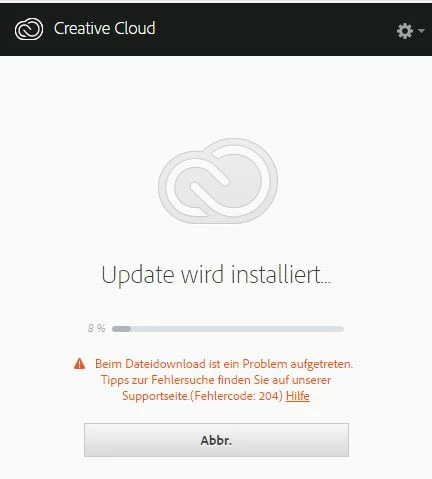
I couldn't start it.
kindly regards
Maico
The direct download link of Adobe Creative Cloud app is outdated , hence it is asking to update again.
Follow below steps.
Step 1)
Click on the below link , Sign In and open CS 6 download link.
Do not close the page , simply keep it open.
Download Creative Suite 6 applications
( We are not downloading CS 6.)
Note: *If we do not keep the CS 6 downloads page , we'll get Access Denied error message while downloading direct installer file.
Then click on below link and download direct Installer file mentioned in step 2.
It will directly starts installation process right away.
Step 2)
http://trials2.adobe.com/AdobeProducts/KCCC/1/win32/ACCCx3_4_1_181.zip
Extract Zip first, then run Setup.exe file.
Enter your E-mail address. We'll send you an e-mail with instructions to reset your password.
 AdChoices