
Participating Frequently
February 11, 2016
Question

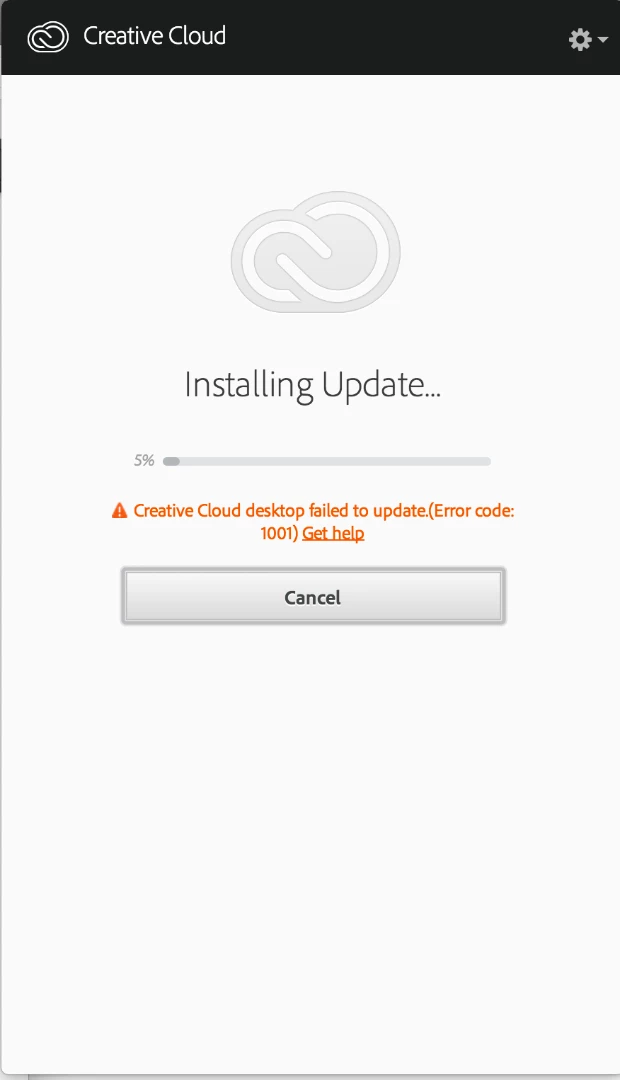
Error code:1001 when installing CC update.

  • February 11, 2016
  • 2 replies
  • 1390 views

Have seen exact situation (although in Swedish, not English) and tried solutions from that thread with no luck. I'm on late 2014 iMac, 10.10.5. tried to uninstall via Uninstall Adobe Creative Cloud app. Looked like nothing was happening, but did restart anyway. Downloaded Creative Cloud and reinstalled. Getting same message, Would appreciate any help.

Thanks,

L
This topic has been closed for replies.

2 replies

Sheena Kaul
Legend
February 16, 2016
AkanchhaS8194121
Legend
February 11, 2016

Hi,

Kindly uninstall creative cloud through cleaner tool-https://helpx.adobe.com/creative-cloud/kb/cc-cleaner-tool-installation-problems.html

If that doesn't help, please follow the steps mentioned below for the clean up of creative cloud-


Remove the OOBE and AAMUpdater folders.

Mac OS:

  1. Quit the Creative Cloud Desktop application
  2. Navigate to   \User\<UserName>\Library\Application Support\Adobe*

  And /Library/Application Support/Adobe*

          To access the hidden User Library folder, see Access hidden user             library files | Mac OS 10.7 and later.

  1. Locate and remove the AAMUpdater and OOBE folders
  2. 4. /Library/Application Support/Adobe   (rename Adobe Application Manager and Adobe desktop common)
  3. 5. Go> utilities> (Rename Adobe creative cloud and Application Manager)
  4. Re-download Creative cloud from -

https://helpx.adobe.com/creative-cloud/help/install-apps.html

let us know if this will help.

Participating Frequently
February 11, 2016

Problem: Nothing happens when I run Creative Cloud Uninstaller. Well, not nothing. First it asks for my system password. I type that in. Then, nothing happens. Creative Cloud stays where it is. The uninstaller disappears. No message, no error, no indication of anything whatsoever. So I can’t uninstall CC to get to these next steps. Can I just skip it and use Cleaner Tool? Or can I just dump CC app folder in Utilities?

AkanchhaS8194121
Legend
February 11, 2016

Yes, skip cleaner tool if its not responding.

please follow the steps and remove the files/folders mentioned in steps.