
instagrat
Participant
November 14, 2018
Answered

Fireworks CS6 installer failed to initialize

  • November 14, 2018
  • 2 replies
  • 992 views

I'm getting my brand new Macbook Air up and running and trying to get all my adobe products installed and am finding I need to separately install Fireworks CS6.

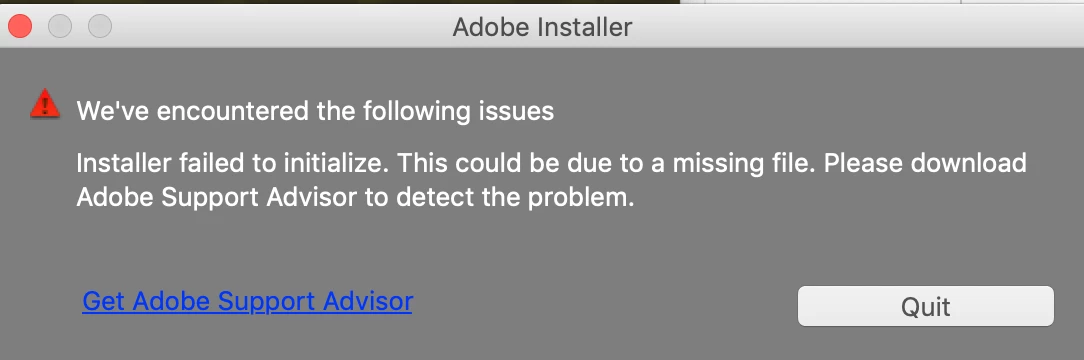
Upon downloading, mounting, and then clicking on the installer, I'm met with the attached error message: "Installer failed to initialize. This could be due to a missing file.  Please download Adobe Support Advisor to detect the problem."

But when I click the link to get the Adobe Support Advisor, the product isn't listed or available.

Can anyone help?  Thanks!
This topic has been closed for replies.
Correct answer John T Smith

CS6 and earlier programs HAVE NOT BEEN TESTED AND WILL NOT BE UPDATED for Mac El Capitan or newer operating systems

-which means that you try to use CS6 and earlier at YOUR risk of having problems due to Apple updates

-Apple did not maintain backward compatibility with old programs in El Capitan or newer operating systems

--Adobe has a workaround to Apple's problem of not maintaining backward compatibility

--READ HERE https://forums.adobe.com/thread/2301916 for an Adobe solution to installing old programs, including a link to installing the old Java runtime that is required

--Also read for more information https://forums.adobe.com/thread/2458382

--and https://helpx.adobe.com/x-productkb/global/install-or-run-applications-new.html

2 replies

Participating Frequently
November 14, 2018
John T Smith
Community Expert
John T SmithCommunity ExpertCorrect answer
Community Expert
November 14, 2018

CS6 and earlier programs HAVE NOT BEEN TESTED AND WILL NOT BE UPDATED for Mac El Capitan or newer operating systems

-which means that you try to use CS6 and earlier at YOUR risk of having problems due to Apple updates

-Apple did not maintain backward compatibility with old programs in El Capitan or newer operating systems

--Adobe has a workaround to Apple's problem of not maintaining backward compatibility

--READ HERE https://forums.adobe.com/thread/2301916 for an Adobe solution to installing old programs, including a link to installing the old Java runtime that is required

--Also read for more information https://forums.adobe.com/thread/2458382

--and https://helpx.adobe.com/x-productkb/global/install-or-run-applications-new.html