Exit
  • Global community
    • Language:
      • Deutsch
      • English
      • Español
      • Français
      • Português
  • 日本語コミュニティ
  • 한국 커뮤니티
0

Getting a download error under the Apps tab in the CC desktop App.

Community Beginner ,
Aug 05, 2016 Aug 05, 2016

I've scoured the internet, checked all the forums done everything I could find and yet still no solution. I've removed the temp adobe files, signed out, signed back in. Software and everything works but the CC App won't show me current status or updates of all the software. It is an Enterprise account and I found out our IT department was blocking all Adobe updates so I had them remove the block for me and still nothing.

I get a message that says

Download Error. Press Retry to Try Again Or Contact Customer Service Support (-7). I can't find any reference to error code -7. Please help!
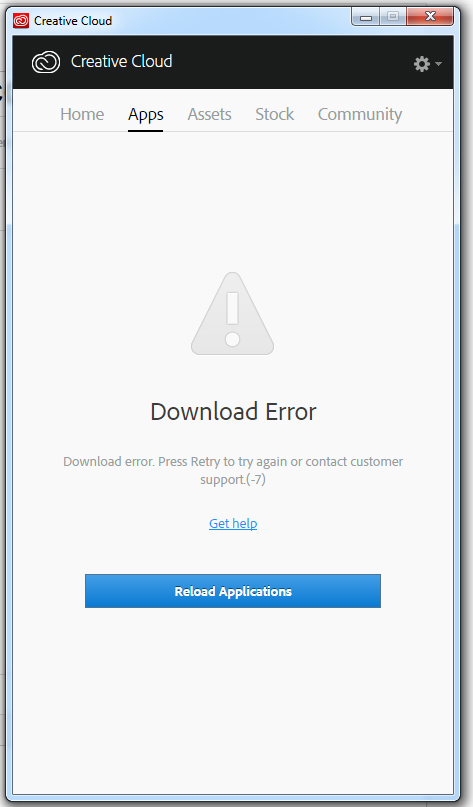
Download.jpg

TOPICS
Creative Cloud
538
Translate
Report
Community guidelines
Be kind and respectful, give credit to the original source of content, and search for duplicates before posting. Learn more
community guidelines

correct answers 1 Correct answer

Adobe Employee , Aug 09, 2016 Aug 09, 2016

I would request you to try the troubleshooting steps given in "Solution 2" in the following link and share the results: "Failed to install" error received when installing Adobe Creative Cloud desktop app.

Translate
Community Expert ,
Aug 05, 2016 Aug 05, 2016
Translate
Report
Community guidelines
Be kind and respectful, give credit to the original source of content, and search for duplicates before posting. Learn more
community guidelines
Community Beginner ,
Aug 08, 2016 Aug 08, 2016

No. None of these helped. I'm running Windows 7 BTW. Adobe CC App doesn't display any information. Thank you.

Translate
Report
Community guidelines
Be kind and respectful, give credit to the original source of content, and search for duplicates before posting. Learn more
community guidelines
Adobe Employee ,
Aug 08, 2016 Aug 08, 2016

Hi MetroJohn,

As you are getting "Download Error" on apps tab in the Adobe Creative Cloud desktop app, i would recommend you to follow the steps shared in the given link and share the results: Creative Cloud Help | Download Error in Apps tab of Creative Cloud Desktop Application

Awaiting your response.

Translate
Report
Community guidelines
Be kind and respectful, give credit to the original source of content, and search for duplicates before posting. Learn more
community guidelines
Community Beginner ,
Aug 08, 2016 Aug 08, 2016

I've tried that multiple times. Still nothing.

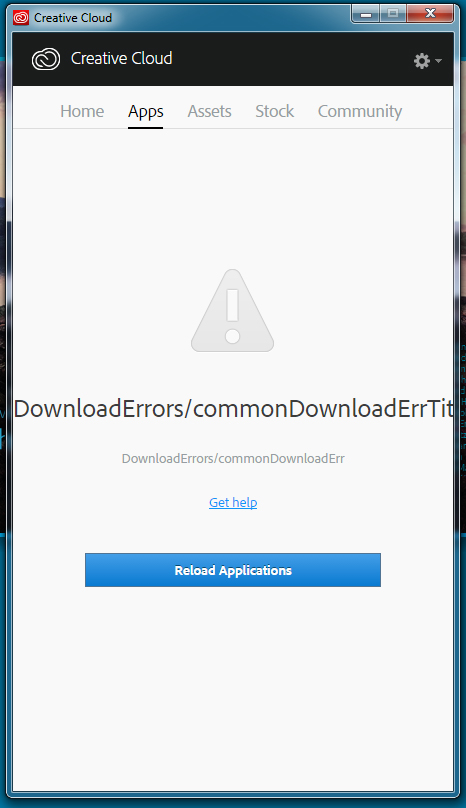
After sitting for the weekend I now get this message on my CC desktop App.Error.jpg

Translate
Report
Community guidelines
Be kind and respectful, give credit to the original source of content, and search for duplicates before posting. Learn more
community guidelines
Adobe Employee ,
Aug 09, 2016 Aug 09, 2016
LATEST

I would request you to try the troubleshooting steps given in "Solution 2" in the following link and share the results: "Failed to install" error received when installing Adobe Creative Cloud desktop app.

Translate
Report
Community guidelines
Be kind and respectful, give credit to the original source of content, and search for duplicates before posting. Learn more
community guidelines