


- Home
- Download & Install
- Discussions
- Re: How do I remove the Adobe updater from the Mac...
- Re: How do I remove the Adobe updater from the Mac...

Copy link to clipboard
Copied
I would like to remove the Adobe Updater from my menu bar for my Mac, I found a lot of instruction to remove it for other versions of the updater, but the I can't find that option in the new CS6 updater.
If there is a way to completely stop the updater from running, that would be useful too.
I also don't understand why the updater say "4" in the menu bar, I only have Photoshop installed, and there are no update avaiable.


 1 Correct answer


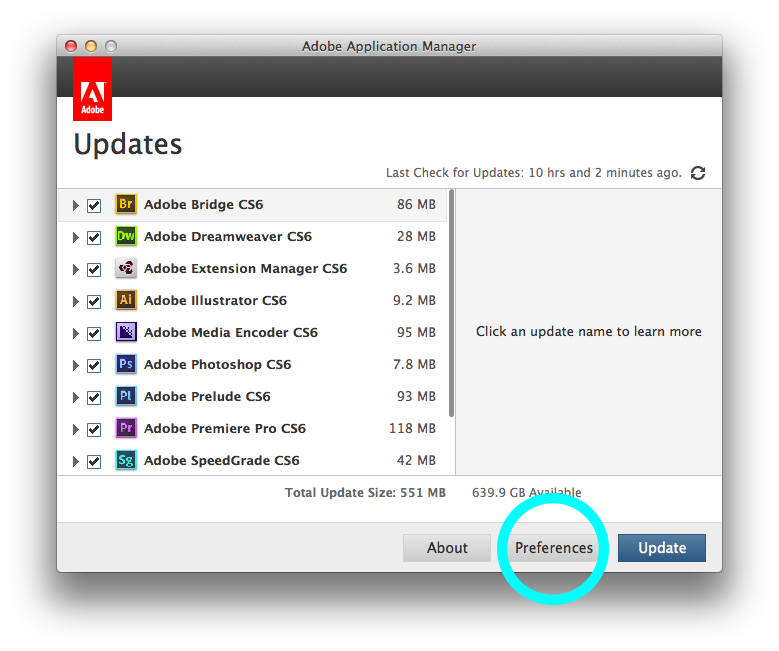
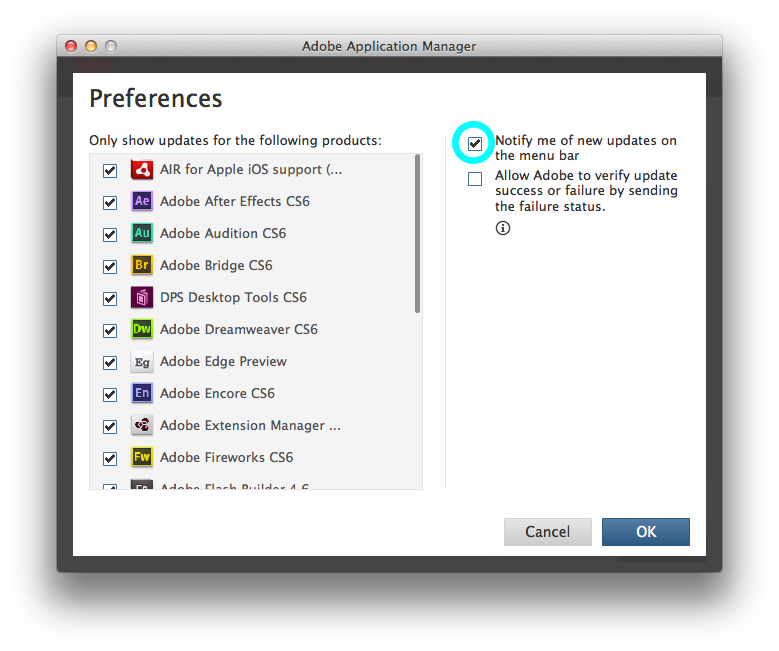
Have you tried adjusting your proferences from within the Application Manager?
If you open up the Application Manager and click the "Preferences" button at the bottom, there should be a check box labeled "Notify me of new updates on the menu bar". If you uncheck this, the Adobe icon should disappear from your Mac's top menu bar.

 17
Replies
17
17
Replies
17

Copy link to clipboard
Copied
Have you tried adjusting your proferences from within the Application Manager?
If you open up the Application Manager and click the "Preferences" button at the bottom, there should be a check box labeled "Notify me of new updates on the menu bar". If you uncheck this, the Adobe icon should disappear from your Mac's top menu bar.


Copy link to clipboard
Copied
What if my application manager look like this?
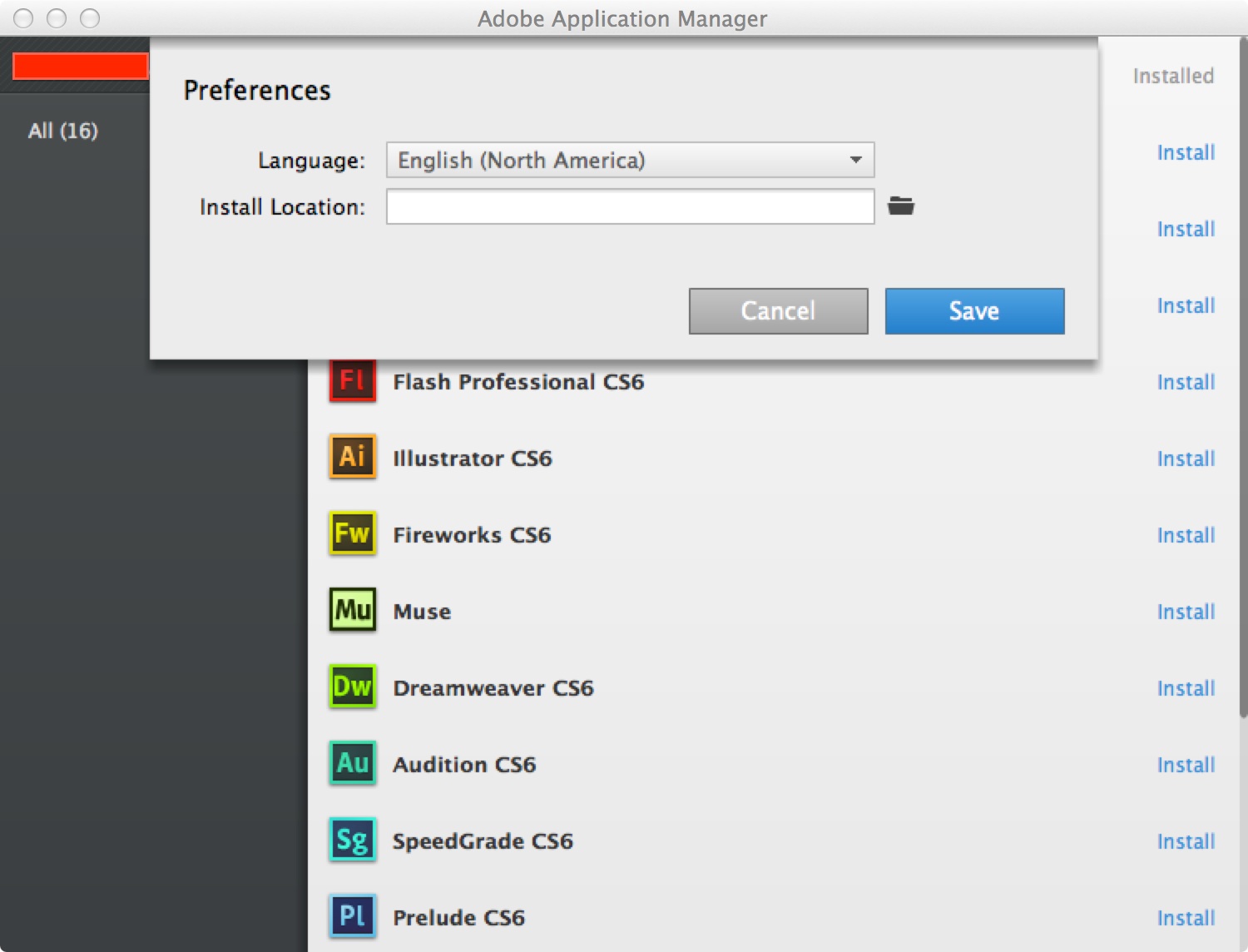
My name appear in the red box.
EDIT: Nevermind, I found the right manager..
Message was edited by: scyl
Copy link to clipboard
Copied
Looks like you had the Creative Cloud Client open instead of the Application Manager. Were you able to resolve the issue?
Copy link to clipboard
Copied
Yes, it is fixed now, thank you.
One suggestion, maybe they should have different name to reduce confusion.

Copy link to clipboard
Copied
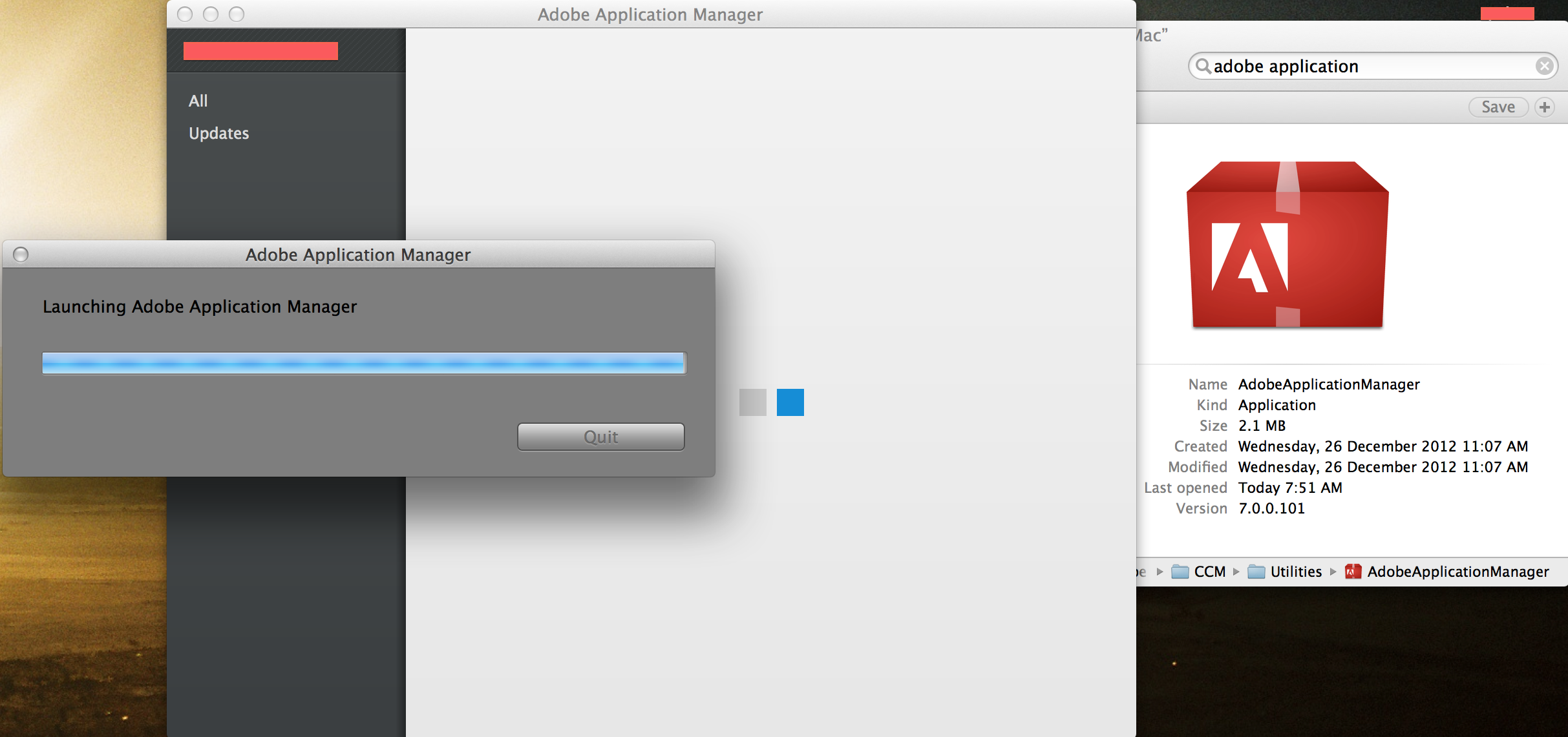
I have looked through my computer and I only seem to have the "Creative Cloud Client". Whenever i attempt to open the other application manager it launches the creative cloud client instead.

Copy link to clipboard
Copied
Same thing with me, charles. Opening Adobe Application Manager opens the Creative Cloud.

Copy link to clipboard
Copied
Yes, I can't remove the Application Manager which as a "1" on it, because when I attempt to open it, it shifts to creative cloud. So I cannot get to the preferences for Application Manager. Anyone?

Copy link to clipboard
Copied
d-katz, try to update inside Photoshop or Illustrator. Go to Help > Updates... and it'll probably open Application Manager instead of Creative Cloud.

Copy link to clipboard
Copied
This worked for me. Thanks!

Copy link to clipboard
Copied
thank's very much!

Copy link to clipboard
Copied
I have the same problem. When I open Adobe Application Manager, it looks like the image that scyl has posted above. I do not have any other programs named Adobe Application Manager.

Copy link to clipboard
Copied
I am one of the many for whom Application Manager just started to crash every time I tried to open it. I was also getting the 'trial' dialog box, then a request for a serial number, even though I subscribe to Creative Cloud.
After hours with Adobe Tech Support, I have gone the around-your-elbow-to-get-to-your-mouth method of creating a second user and installing CC apps there...hopefully this is temporary situation, but a girl has to work.
My question is this: how do I remove the updater notifications from the menu bar [original user] if I can't open Application Manager? It crashes every time...besides, Tech Support had me send it to the trash and delete it. I went to my other user ID, updated all, but I'm still showing the annoying update badge in my original menu bar. [Altho' Camera Raw failed to update...that's another issue]
Please advise. I had CS5.5 Design Premium...maybe it would be easier just to upgrade that to CS6 and ditch Creative Cloud!
Thanks in advance.

Copy link to clipboard
Copied
i had the same problem, but after i istalled adobe cc. now, in the menu bar i have the old updater icon and the new cc icon. a click no the old icon opens the new one. so no chance to get into the preferences menu as shown above.
solution:
1) rename the new adobe cc updater in /Applications/Utilities/Adobe Creative Cloud/ACC
2) now you can start the old one again
3) nename the new adobe cc updater app back to normal file name.
hope this helps someone.
Copy link to clipboard
Copied
Thanks. That worked like a charm.

Copy link to clipboard
Copied
Thanks @yesyesyesyesyesno,
This worked for me too. Great idea.

Copy link to clipboard
Copied
Excellent post, thx.

Copy link to clipboard
Copied
Great fix. Thank you for taking the time to share yesyesyes...


Find more inspiration, events, and resources on the new Adobe Community
Explore Now
 AdChoices