
Participating Frequently
February 28, 2019
Answered

How to create animated UML diagrams?

  • February 28, 2019
  • 2 replies
  • 4470 views

Hi, I'm very new to Adobe CC, but i'm loving it so far. I have a technical background so i'm loving Adobe Premiere especially and all of it's tools and widgets.

i am creating a video course that involves explaining some concepts via UML. It's a converted version of UML that we use at my company, similar to below.
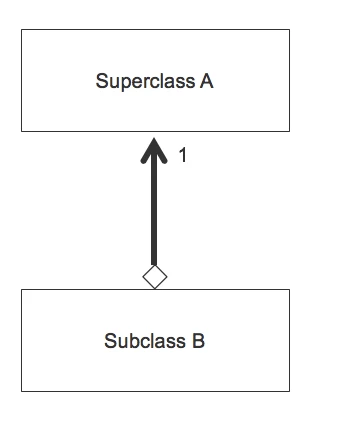
However, i need my stuff to be much more complex than this. I also realize now, that i'm going to need to do some fairly complex animation with it. I've used Adobe Premiere (which i love) so far, but i feel like to some extent I've reached the end of the road where this is concerned. Just drawing a simple arrow in Premiere is unnecessarily taxing and overcomplicated, IMHO. However, i need arrows that curve with multiple elbows, move from box to box, and change size and shape. I SO wish i could do this with keyframes in Premiere, but alas I think i'm out of luck there.

my next thought was to Adobe Flash, but that's going away. is Adobe Animate the answer? To give you a good idea of what i might need to do, imagine the class structure shown above, but with 3 Subclass boxes pointing up. Then, maybe i need to move something in one of the subclasses to superclass A, which means that box needs to increase in size to accommodate it. Also, then a new box appears and has a new arrow pointing to Superclass B, then that new box moves down to the bottom of the screen, all the while keeping it's arrow pointing at the superclass.... and on and on....

I would love some ideas. I REALLY want to do this in Adobe CC. I'd hate to have to use some 3rd party tool. Please help!

This topic has been closed for replies.
Correct answer kglad

adobe animate (with adobe media encoder) can export video.

i'm not a user of premiere so i don't know how difficult it is to create or import an arrow but both are easy with animate.

2 replies

Nancy OShea
Community Expert
Community Expert
February 28, 2019

Maybe what you're looking for is a Prezi presentation.

Presentation Software | Online Presentation Tools | Prezi

Example: The Ocean Time Story

Nancy O'Shea— Product User & Community Expert
kglad
Community Expert
Community Expert
February 28, 2019

adobe flash is now adobe animate and animate (and it's published file types - html5 and mobile apps) isn't going away.

the main question is what file format or what deployment is anticipated for your end product?

Participating Frequently
February 28, 2019

Ah! Excellent suggestion, I should’ve thought about that myself.

I am creating video learning, so my desired output is the ability to show these data model changes on screen while I’m talking. I don’t anticipate needing them in any other format at this time. I just need to put them in my videos

Participating Frequently
February 28, 2019

adobe animate (with adobe media encoder) can export video.

i'm not a user of premiere so i don't know how difficult it is to create or import an arrow but both are easy with animate.


Thank you! I will definitely look into Adobe animate. One last question, hopefully, does adobe animate have the same keyframes system? So, you can move things at certain points along the timeline? I assume it does, but I just want to confirm. Anyways, I really appreciate your time in responding to this

Edit: one more question actually… I just took a look at after effects, would it be better to do this in after effects, or anime? Thanks