Answered
How to download Photoshop 2021?
It was deleted by accident when it did the last update.
I look for "other versions" but it only shows lots of version 23. I need version 22 (2021).
Please help!

It was deleted by accident when it did the last update.
I look for "other versions" but it only shows lots of version 23. I need version 22 (2021).
Please help!
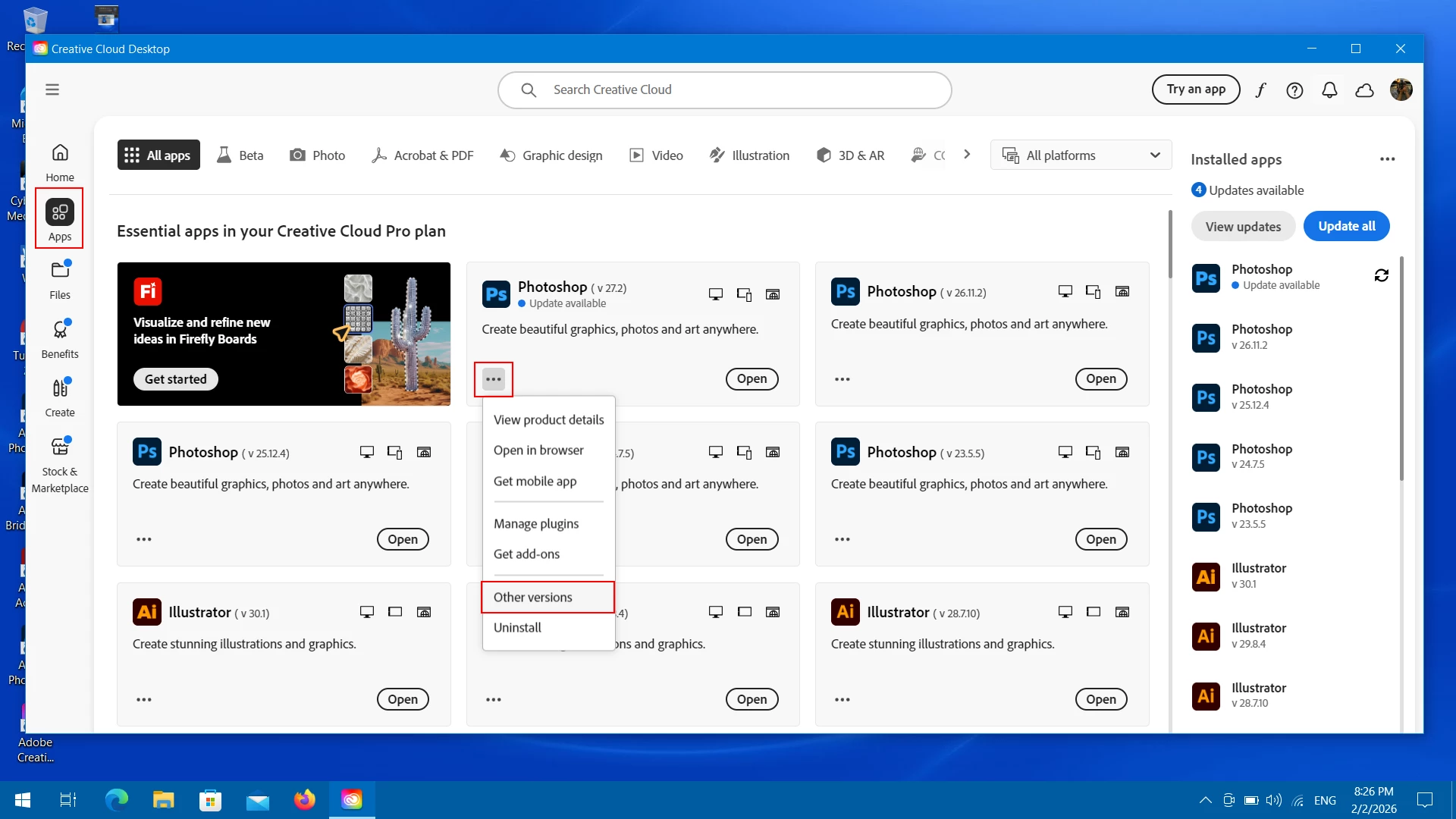
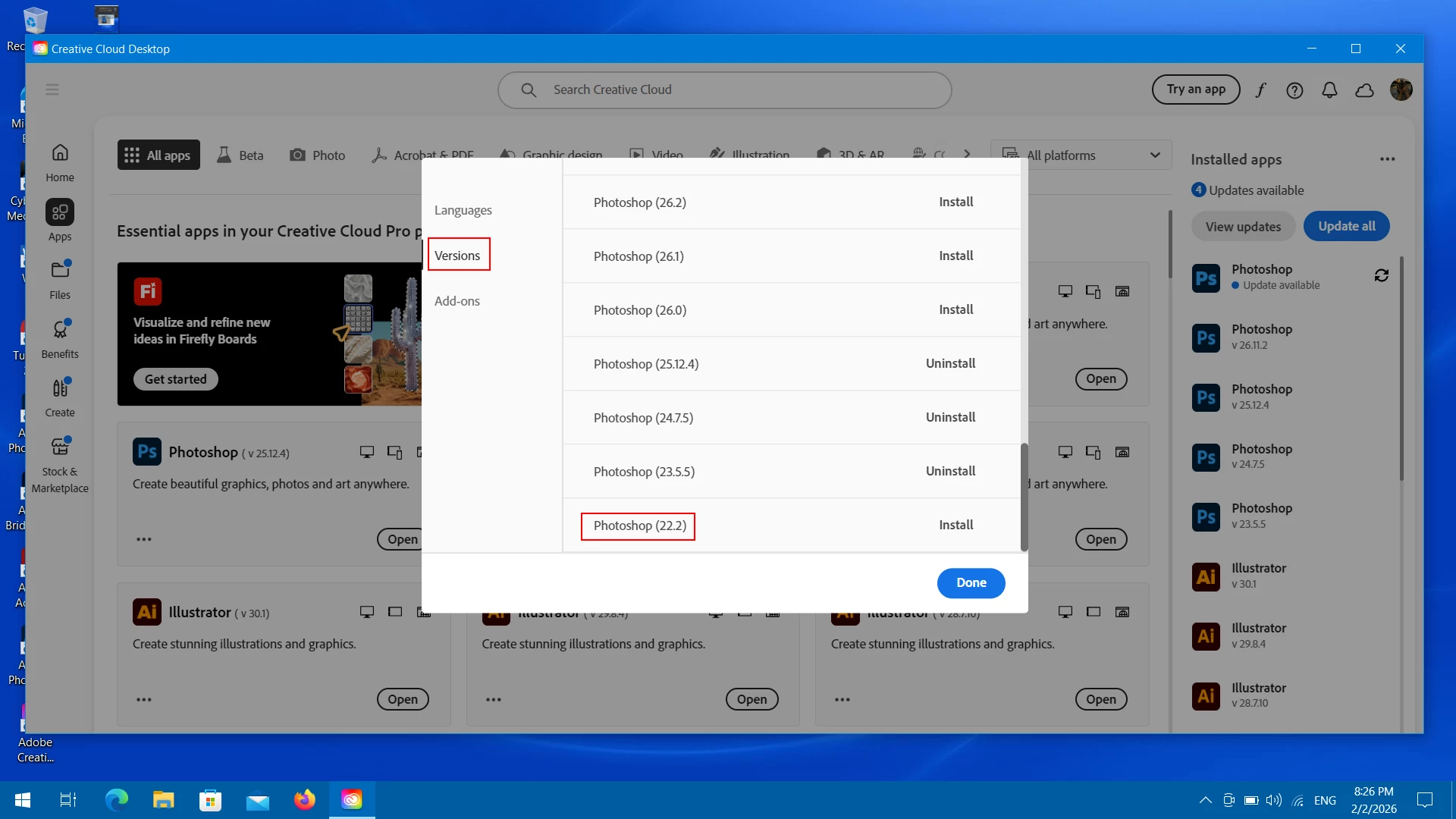
You should be able to install Photoshop 2021 (ps ver 22.2) from within the Adobe Creative Desktop Application by going to Apps, then in the Photoshop box click on the three little dots, click other versions, then in the dialog that comes up on the screen click versions and scroll to the bottom for 22.2 which is Photoshop 2021.
The reason that Photoshop 2021 (ps ver 22.2) is still available is for those users that still wish to use the now defunct 3D in Photoshop.
https://helpx.adobe.com/photoshop/kb/3d-faq.html
You need to use the Adobe Creative Desktop Application that is installed on your computer, not the web version, which doesn’t show older Adobe applications.
Windows: C:\Program Files\Adobe\Adobe Creative Cloud\ACC\Creative Cloud.exe
Mac: Applications/Adobe Creative Cloud/Adobe Creative Cloud
Already have an account? Login
Enter your E-mail address. We'll send you an e-mail with instructions to reset your password.
 AdChoices