


Participant
September 13, 2020
解決済み

How to uninstall Adobe Creative Cloud and the apps without an account?

  • September 13, 2020
  • 返信数 4.
  • 107299 ビュー

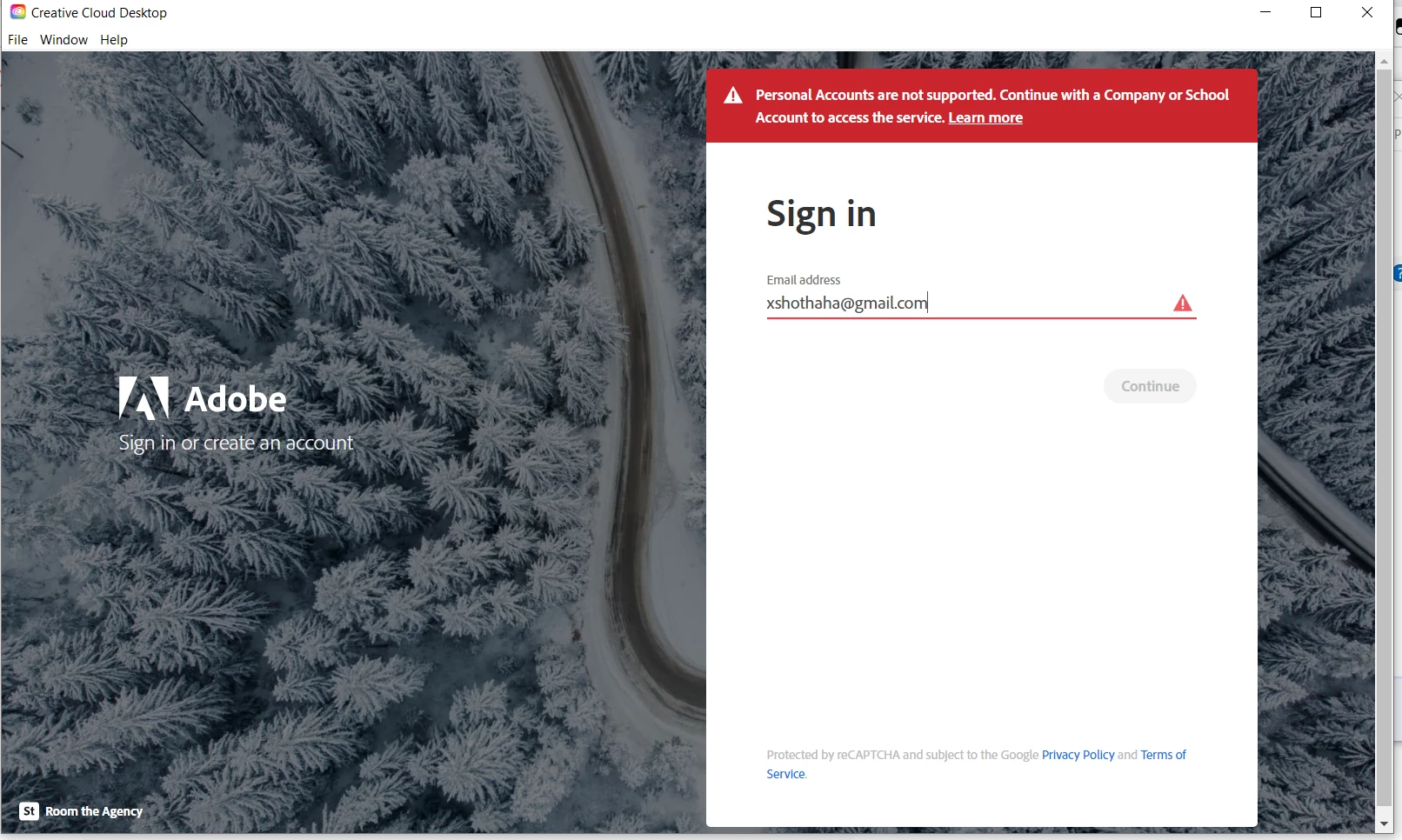
I used to have an account of Adobe Creative Cloud from using email of my university. And the Adobe Creative Cloud that I got are given by my university, which I think it's customized. And I have installed Photoshop 2020 with it. Now I have graduated from my university and my email of university got disabled now. So I want to uninstall my Adobe Creative Cloud out of my computer, but it said I need to uninstall all of my other Adobe apps first. So I tried to uninstall my Photoshop 2020, but it always sended me to login page of Adobe Creative Cloud without letting me forcibly uninstall it without logging in. I tried both the normal uninstall window, and the old Control Panel uninstall window, but it still sended me to the Adobe Creative Cloud login window. My old university account can't be used anymore, and my personal account doesn't have subscription to Adobe, and when I tried to login into CC with my personal account, it gave me a result "Personal Accounts are not supported. Continue with a Company or School Account to access the service." How can I uninstall it forcibly so I can install a personal Adobe Creative Cloud that I can use with my personal account?



このトピックへの返信は締め切られました。
解決に役立った回答 Jeffrey_A_Wright

Jerome, there is no need to log in if you use the CC Cleaner tool, as referenced by John T. Smith in the 2020 response to this discussion. You can download the CC Cleaner tool from https://adobe.ly/4aXBFDl.


If you have additional questions, please start a new discussion at https://adobe.ly/4bgb18g. ^JW

返信数 4

Participant
May 2, 2024

Unfortunately, none of the answers mentioned here work, they all require having a Creative Cloud account, so if you don't have one anymore, you can't uninstall anything.

kglad
Community Expert
Community Expert
May 2, 2024

you can always use the os uninstaller and adobe's cleaner.

Participant
May 2, 2024

What is it that you call the OS uninstaller? On Windows, the normal way to uninstall a software is to go to Control Panel > Programs > Programs and Features, then select the program and choose uninstall. But this is launching the Adobe uninstaller, which starts by opening Adobe Creative Cloud and requiring a login.

Participant
September 13, 2020

It's not that much difficult to uninstall Adobe Creative Cloud without account. You can visit the link below for detailed solution.

https://helpx.adobe.com/creative-cloud/help/uninstall-creative-cloud-desktop-app.html

John T Smith
Community Expert
Community Expert
September 13, 2020

https://helpx.adobe.com/creative-cloud/kb/cc-cleaner-tool-installation-problems.html to remove programs


HOWEVER - you may need to sign OUT of your old account before you will be allowed to install a new account

Legend
September 13, 2020

This computer - was it supplied by your school? They seem to have locked it down to stop you doing what you want to do.