Nath-media
Participant
October 2, 2020
Answered

I can't update my apps because after effects is endlessly cancelling

  • October 2, 2020
  • 2 replies
  • 364 views

I currently can't use the camera raw feature in photoshop to edit photos. My assumption is that because there is an update for it, I can't use it until it is updated but I can't update anything because I had to cancel the AE update and now it is endlessly cancelling. Because it is doing this, I cannot start a new update and I'm stuck and can't work. Please help. 
This topic has been closed for replies.
Correct answer Just Shoot Me

Have you Restarted your computer?

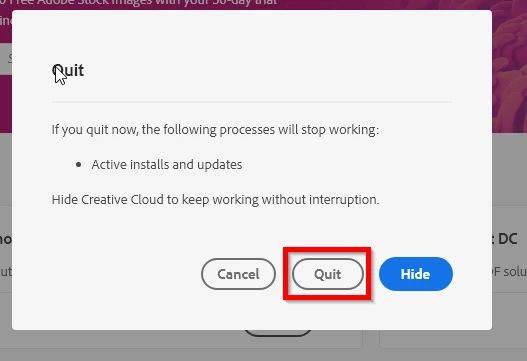
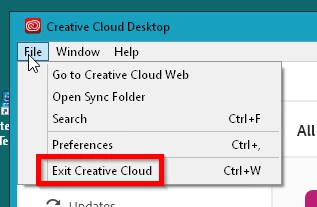
Then Shut the CC Desktop app down.


Do not Start ANy Adobe programs then restart the CC desktop app and let it do all the updates that show up.

2 replies

Just Shoot Me
Just Shoot MeCorrect answer
Legend
October 2, 2020

Have you Restarted your computer?

Then Shut the CC Desktop app down.


Do not Start ANy Adobe programs then restart the CC desktop app and let it do all the updates that show up.

Nath-media
Participant
October 2, 2020

Thankyou! This hs solved the issue, also cheers for the info on how to link images in with posts

Just Shoot Me
Legend
October 2, 2020

In the future, So people don't have to download the image you have attached, please use the Insert Photos icon found in the Tool Bar of the Post and Reply text entry dialog window as pictured below.
If you can please Edit your post to remove the Attached screen shot and Include it in the body of the text of your post.

You do that by Clicking the "More..." link at the bottom of your post, Selecting "Edit Message" and then use the "Insert Photos" icon in the tool bar at the top of the Post/Reply/Edit dialog box.
If you can't edit your post please include the screen shot you attached to a new reply to this conversation.
The Insert Photos icon is this one in the Tool Bar.


Thank you.