Participant
October 25, 2014
Question

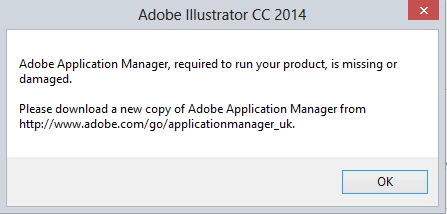
I get "Adobe Application Manager, required to run your product, is missing or damaged".
  • October 25, 2014
  • 2 replies
  • 943 views

I've followed the instructions three times and I now have four copies of CreativeCould-Setup.exe and I'm still getting the same error. Help!

This topic has been closed for replies.

2 replies

David__B
Legend
October 28, 2014

Hi Hooperman2

Usually renaming the OOBE folder (with the Creative Cloud app closed) resolves the browser plug-in error. It is covered in this doc AAM doesn't update to Creative Cloud desktop Application and is also in solution 2 after using the Cleaner tool in the doc Jeff recommended.

- Dave

Participant
October 26, 2014

I have been through all of these processes numerous times, always with the same outcome. That is why I now have four copies of CreativeCould-Setup.exe on my PC

Jeffrey_A_Wright
Legend
October 27, 2014

I have already tried option one, but I will try 2 and 3 and let you know how I get on.


Ok thank you and please if solution 3 does not resolve the current difficulties then continue through the document.  The solutions listed have resolved this error for other individuals.