
andrews82583127
Participant
January 11, 2018
Answered

Incomplete Uninstall of Adobe 2017

  • January 11, 2018
  • 2 replies
  • 1822 views

Greetings.  Last fall I made mistake, installing Adobe photoshop 2018 before uninstalling 2017.   After latently realizing the uninstall would not be automatic, I uninstalled 2018, then uninstalled the photoshop 2017.  The latter was incomplete.  I wasn't able to remove all of the 2017 version (see photo).
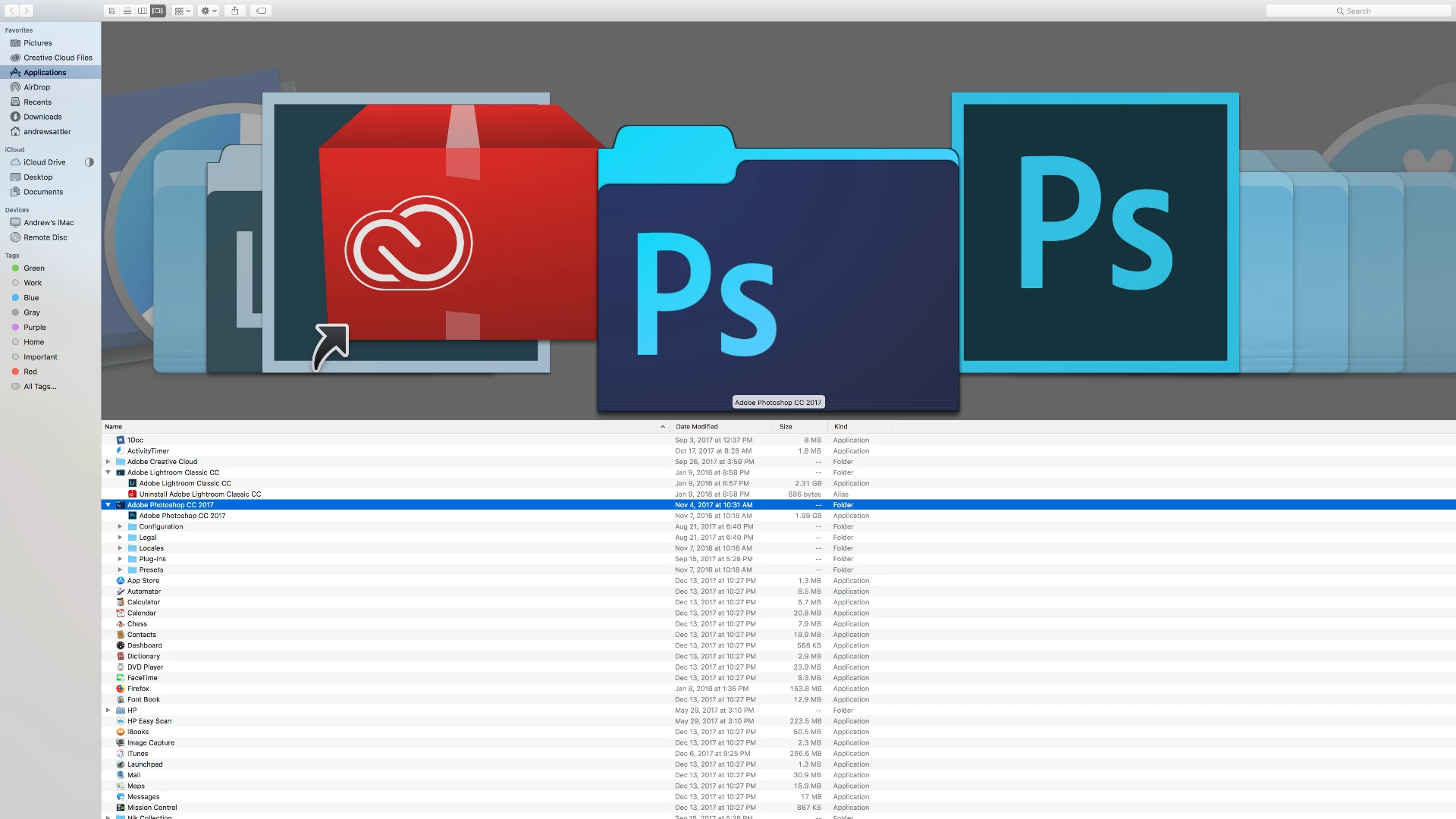
I then reinstalled the 2018 version of photoshop, yet would really like to remove all of the 2017 version.  Today I uninstalled Photoshop 2018 and Adobe Bridge.  Without an uninstall program for the 2017, I'm not sure how extricate the remaining portion of the 2017 program.  I use lightroom for filing my images, and hope it doesn't need to be removed to repair the problem.  Any suggestions?

This topic has been closed for replies.
Correct answer kglad

uninstall everything cc including preferences, https://helpx.adobe.com/creative-cloud/help/uninstall-remove-app.html

then uninstall the cc desktop app, https://helpx.adobe.com/creative-cloud/help/uninstall-creative-cloud-desktop-app.html

clean your computer of cc files per http://www.adobe.com/support/contact/cscleanertool.html

restart your computer (don't skip this)

reinstall the cc desktop app, https://creative.adobe.com/products/creative-cloud.

if you're unable to install the cc desktop app at this stage, use an administrator account (solution 3 here, https://helpx.adobe.com/creative-cloud/kb/creative-cloud-missing-damaged.html)

use the desktop app to install your cc programs/trials

2 replies

Kanikas
Community Manager
Community Manager
January 11, 2018
kglad
Community Expert
kgladCommunity ExpertCorrect answer
Community Expert
January 11, 2018

uninstall everything cc including preferences, https://helpx.adobe.com/creative-cloud/help/uninstall-remove-app.html

then uninstall the cc desktop app, https://helpx.adobe.com/creative-cloud/help/uninstall-creative-cloud-desktop-app.html

clean your computer of cc files per http://www.adobe.com/support/contact/cscleanertool.html

restart your computer (don't skip this)

reinstall the cc desktop app, https://creative.adobe.com/products/creative-cloud.

if you're unable to install the cc desktop app at this stage, use an administrator account (solution 3 here, https://helpx.adobe.com/creative-cloud/kb/creative-cloud-missing-damaged.html)

use the desktop app to install your cc programs/trials