
Participant
January 9, 2017
Answered

Install Creative Cloud Adobe

  • January 9, 2017
  • 2 replies
  • 262 views

Hello!

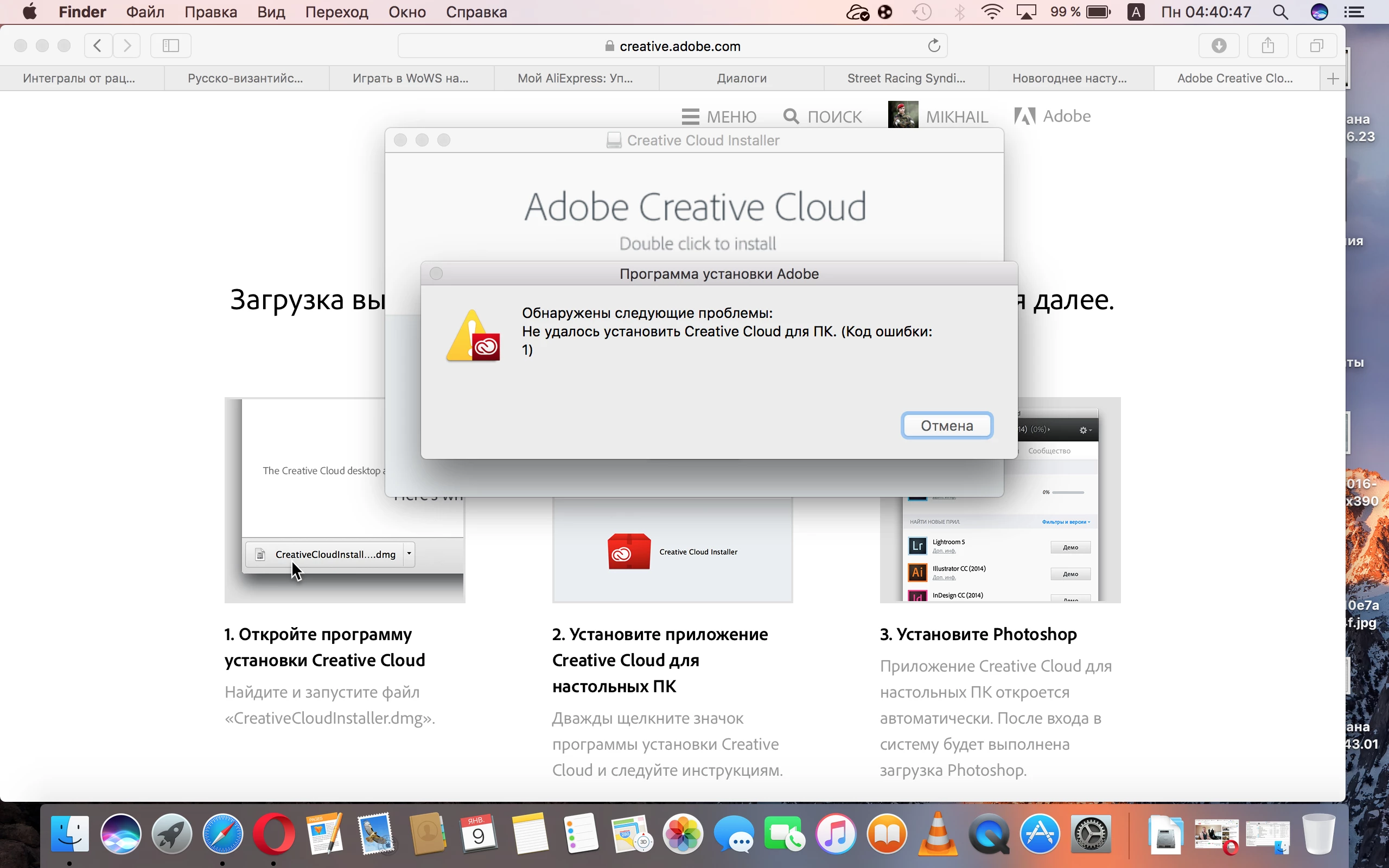
I'am have Apple MacBook Pro with macOS Sierra 10.12.2, & I want to install Creative Cloud. When I'am started dmg file, after double click for the icon started downloading, then before sometimes it's become error code No: 1

Can you help me?

Thanks. !
This topic has been closed for replies.
Correct answer kglad

apply as many steps (in the following order) as you are able:

uninstall everything cc including preferences, https://helpx.adobe.com/creative-cloud/help/uninstall-remove-app.html

then uninstall the cc desktop app, https://helpx.adobe.com/creative-cloud/help/uninstall-creative-cloud-desktop-app.html

clean your computer of cc files per http://www.adobe.com/support/contact/cscleanertool.html

restart your computer (don't skip this)

reinstall the cc desktop app, https://creative.adobe.com/products/creative-cloud.

use the desktop app to install your cc programs/trials

2 replies

Kanikas
Legend
January 10, 2017
kglad
Community Expert
kgladCommunity ExpertCorrect answer
Community Expert
January 9, 2017

apply as many steps (in the following order) as you are able:

uninstall everything cc including preferences, https://helpx.adobe.com/creative-cloud/help/uninstall-remove-app.html

then uninstall the cc desktop app, https://helpx.adobe.com/creative-cloud/help/uninstall-creative-cloud-desktop-app.html

clean your computer of cc files per http://www.adobe.com/support/contact/cscleanertool.html

restart your computer (don't skip this)

reinstall the cc desktop app, https://creative.adobe.com/products/creative-cloud.

use the desktop app to install your cc programs/trials