
Participant
August 7, 2020
Answered

Installs Only Available Mac and not Windows

  • August 7, 2020
  • 4 replies
  • 1278 views

So I have a school adobe account with ALL adobe products available. And when I login on my old macbook, I can in fact install whatever application I want, but last year I got into Windows desktops and trying to install anything results in trials only? I keep trying to refresh and reload, I reinstalled the cloud multiple times and made sure I was using my school account, but applications will only be "installed" on my Mac and not Windows?


Every application I view on windows tells me to "try" or "buy" but on my macbook I can install any application I want. I even tried this on our old iMac and it allowed me to install any application I needed, but adobe cloud still won't let me install anything on Windows?
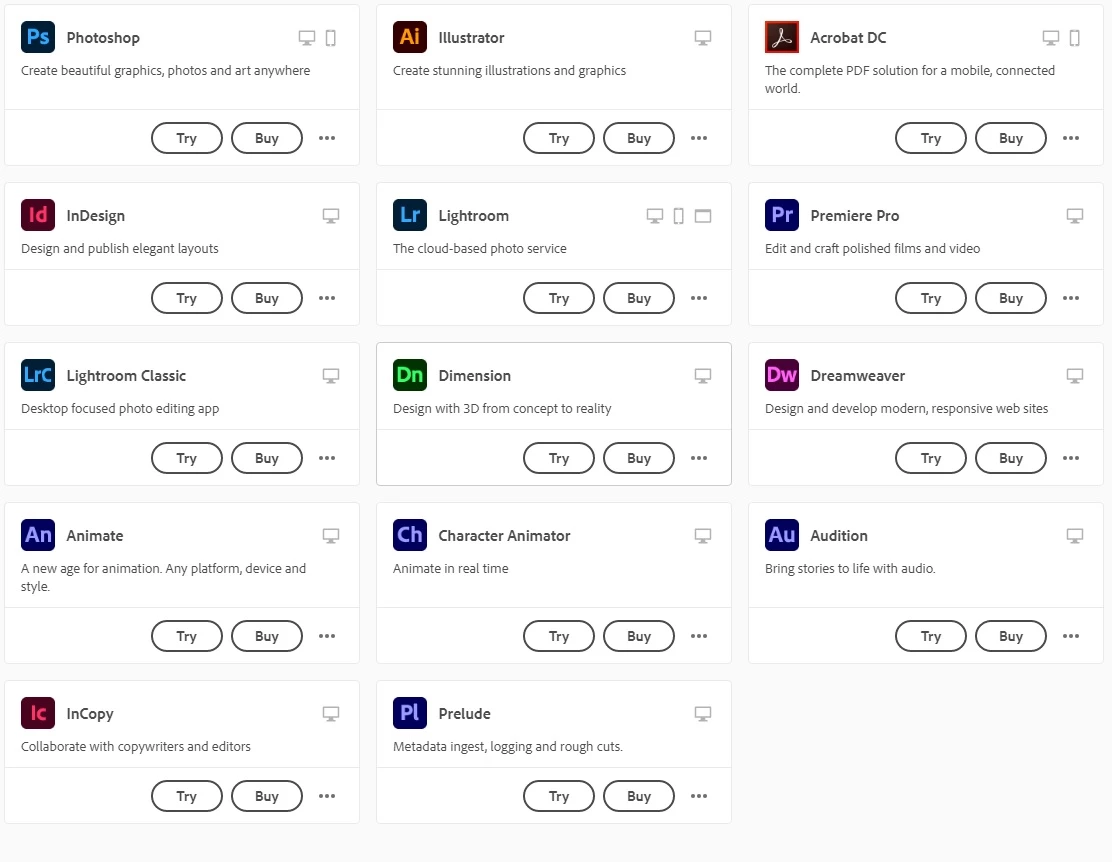
 

(My Computer is brand new with all the latest updates, drivers, RTX graphics card, and 9th gen i7, so power or "compatibility" is not my issue) especially when our 2009 iMac will load all my programs.

This topic has been closed for replies.
Correct answer Test Screen Name

Wondering whether you get offered a choice of personal and official account when you sign in...

https://helpx.adobe.com/uk/enterprise/kb/enterprise-id-faq.html#Choosebetweenpersonalandofficialaccount

4 replies

Test Screen NameCorrect answer
Legend
August 9, 2020

Wondering whether you get offered a choice of personal and official account when you sign in...

https://helpx.adobe.com/uk/enterprise/kb/enterprise-id-faq.html#Choosebetweenpersonalandofficialaccount

Participant
August 9, 2020

Wow I'm so sorry about that! I meant to login as a school account and must've accidentally hit personal! Thank you so much!

Just Shoot Me
Legend
August 9, 2020

Are You Absolutely Sure You Are Signed in using your Schools Adobe ID?

Since you only show the program section of the Creative Cloud Desktop App instead of the Full Screen for that program it is hard to tell.

Participant
August 9, 2020

Yeah, everything is fully logged into on my school account on this Windows Desktop, and it will show everything as "Try or Buy" - Here's a photo of what it currently says, with my tech school logged in.

Just Shoot Me
Legend
August 10, 2020

So you were NOT Signed in with your Schools Account.

Just Shoot Me
Legend
August 8, 2020

So people don't have to download the image you have attached to your post please Edit your post to remove the Attached screen shot and Include it in the body of the text of your post.

You do that by Clicking the "More..." link at the bottom of your post, Selecting "Edit Message" and then use the "Insert Photos" icon in the tool bar at the top of the Post/Reply/Edit dialog box like this.


Thank you.

Participant
August 8, 2020

Thanks, I wasn't too sure which photo format would be better

Legend
August 7, 2020

If you're definitely logged on with your school account (check this), then it may be a limitation put on by your school.

Participant
August 8, 2020

Not sure why there would be a limitation, why would only Macs be allowed? We did however strictly use iMacs when I was there, but that shouldn't force me to buy an iMac, I desperately need to edit videos and photos at my house and now I can't because of this?