cody.helscel
Participant
August 15, 2018
Answered

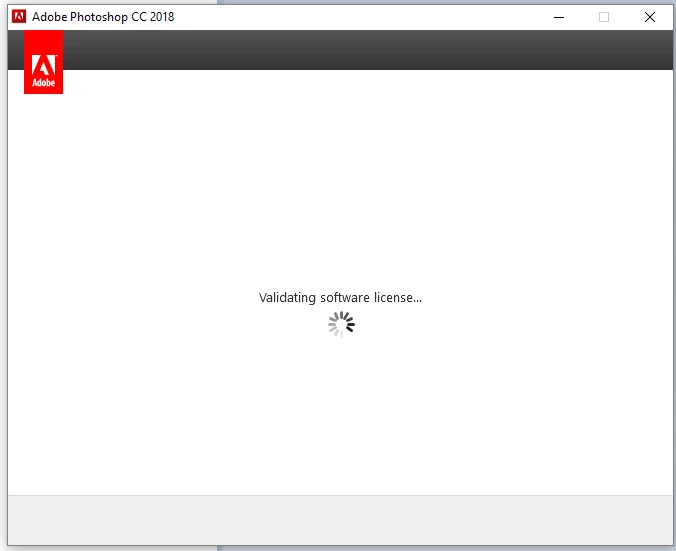
Keeps saying "Validating software license..."

  • August 15, 2018
  • 1 reply
  • 563 views

Since Adobe makes it nearly impossible to contact them, here I am...

This window comes up, goes away and comes up again.. over and over. I've tried uninstalling all things Adobe and reinstalling, etc.... Months now. I can't use Photoshop on my main computer.

This topic has been closed for replies.
Correct answer Jeffrey_A_Wright

Cody.helscel, sorry for any confusion.  You are posting in a public discussion forum, and V_serafimovski responded to your discussion.  V_serafimovski was the individual who I was previously referring too as having a successful activation request on August 12, 2018.

Cody.helscel, there has not been a successful activation request sent from the computer since June 20, 2018.  This is why you are unable to use your active membership on the current computer.  If you have already completed the steps listed in Resolve connection errors with Adobe Creative Cloud and Creative Suite applications then I would recommend you contact our support team for direct assistance at Contact Customer Care .

Please also be aware, Cody.helscel, that the same connection error preventing the computer from reaching our activation servers may also block your attempts to establish a chat session.  If you are unable to begin a chat session on the current computer, then please use an alternate computer, smartphone, or tablet to start the chat session.

1 reply

Bani Verma
Community Manager
Community Manager
August 15, 2018

Hi Cody,

As you have mentioned you are unable to use Adobe Photoshop CC 2018 on your main computer as it keeps giving you a loop of validating software license.

Is there any Anti-virus, system optimizer, system firewall, internet and browser security software installed on your machine? If yes, then please turn them off for the time being.

After this please try the solutions shared in the following help document to check and confirm that there are no connectivity issues between the CC app and the Adobe servers: Resolve connection errors with Adobe Creative Cloud and Creative Suite applications.

Also, make sure the 'Automatic Proxy Settings detection' is ON:

However, If it shows that there are no connectivity issues, then please perform the steps given under 'Solution 3' of the following help document to clean remove the CC Desktop app from your machine: "Failed to install" error received when installing Adobe Creative Cloud desktop app"

After this, use the direct download links given here: Download Creative Cloud desktop app, to download and install the app again and share the results.

Participant
August 15, 2018

I am having the same exact issue. I can't use Adobe Premiere CC that I pays $20 a month for on any computer besides 1. On 1 computer I will get the "Validating software license" looping over and over. On others it tells me my trial is up and that I need to purchase a plan? All my bills are up to date and Adobe is still charging me.

Jeffrey_A_Wright
Community Manager
Community Manager
August 15, 2018

V_serafimovski, please begin with the steps Bani offered on how to resolve connection errors.  I reviewed your activation history but there have been no successful activation requests received from the computer since August 12.  You may want to also look at any changes that were implemented to the computer on or around that date.  All requests from the computers appear to have been blocked since August 12, 2018,