Inspiring
July 19, 2017
Answered

Lightroom 6 standalone and licence number

  • July 19, 2017
  • 1 reply
  • 6646 views

Hello

I have been running Lightroom 6.8 standalone on Windows 10 for some time

I also dual boot Lightroom on the same machine using Win 7.

I did notice that in the about section

I was signed in

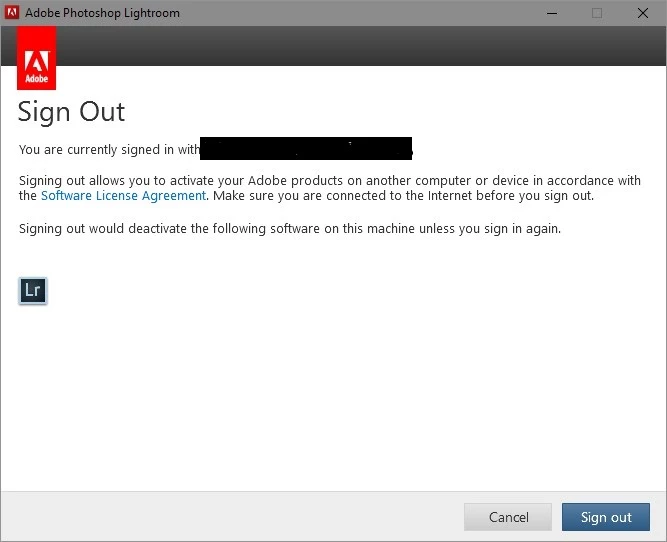
I signed out and got a messgae saying that if I signed out Lightroom would be disabled, so I signed out and closedLightroom.

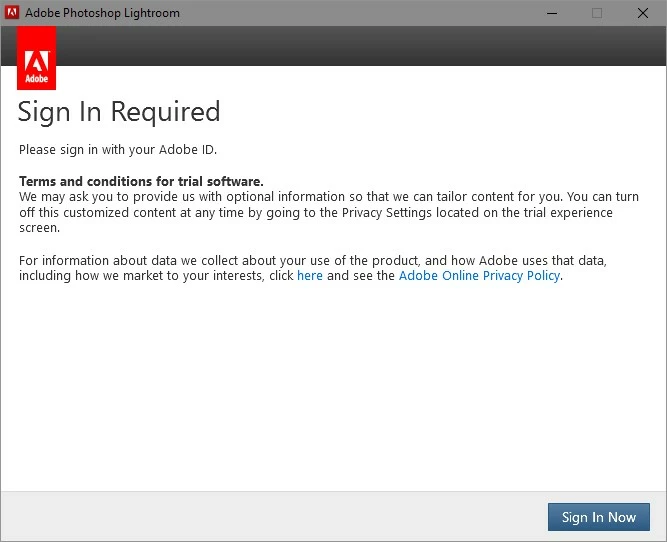
I restarted it and was asked to sign in.

Why I have a paid for serial number, which I keep putting in and it jusr gets ignored?

If I login in to my account I see my purchase history and the fact that I paid for Lightoom 6 with a serial number.

In spite of this I have to be PERMANENTLY signed in to use Lightroom

WHY?
THIS IS NOT TRIAL SOFTWARE

MDE

Message was edited by: Mike Engles

    This topic has been closed for replies.
    Correct answer mikeengles

    MDE you have provided conflicting information throughout the discussion which is why I recommend contacting our support team directly at Contact Customer Care​.

    You can install Lightroom 6 on two different computers.  When you boot into a different host operating system that is still considered a different computer and will count as an activation.  You can find complete information regarding the activation process for Lightroom 6 at Activate and deactivate Adobe products​.

    If the steps listed in How to convert a Lightroom CC trial to Lightroom 6  do not allow to utilize Lightroom 6 then please remove all installed Adobe creative software.  This includes your installation of Photoshop CS5.

    Once you have used the Programs and Features control panel to remove all installed Adobe software then download and run the CC Cleaner Tool.  The CC Cleaner Tool is available for download at Use the Creative Cloud Cleaner Tool to solve installation problems​.  It should only be run after you have completely removed all Adobe software using the uninstallers.

    To reinstall Lightroom 6 and Photoshop CS5 you can download the installation files from the following locations:

    Only a complete removal of all Adobe software, and the associated licensing system by the CC Cleaner Tool, will allow you to install the software successfully on the computer where you evaluated the Creative Cloud membership.


    Hello

    I am now accused of giving conflicting information which I deny.

    All I can see from this episode is that you really did not quite understand the problem and were only interested in finding out if I had a licenced copy of Lightroom 6.

    From your latest reply I can only conclude that Adobe's CC licencing and activation/deactivation methods are now so complex a standard uninstall is not sufficient, to remove the products from a computer. A user has to in effect, use a virus removal agent to clean a computer of all traces of Adobe products. That is why I use two OSES and backup and restore to achieve the same end, when I evaluate any Adobe software. It also  seems that using backup and restore which is really standard in the computing world, can also cause problems with licencing and activation of Adobe products. This why I am looking at other applications to replace Lightroom which is annoying and sad, because it is a very good application.

    There is no need to reply

    MDE

    1 reply

    Inspiring
    July 19, 2017

    Hello

    Further to this I have read

    How to convert a Lightroom CC trial to Lightroom 6

    The splash screen comes up as Lightroom 6.8.

    I have followed all the instructions, put in my serial number, but still loose Lightroom if I sign out

    I do not have a CC account, even though I once signed up for a trail, but never used it

    I have uninstalled Lightroom and deleted all reference in the registry, left the preferences,reinstalled to basic Lightroom 6, but the sign in problem persists

    Quote from above link

    "You can install your Creative Cloud apps on as many of your personal computers as you want. However, you can only sign in and activate Creative Cloud on two systems at a time. To switch to an alternate computer, simply sign out of one of your two previously activated computers. If you're unable to sign out of the other computers when you sign in, you are asked if you want to deactivate them remotely. You can start using the current system immediately. You can force an activation reset once every 48 hours; therefore, it’s preferable to sign out when possible."

    Could be a problem with the dual boot, but Lightroom can be used as a standalone on 2 different computers, right or wrong?

    From what I can see Lightroom standalone cannot be used unless you are permanently signed in and have an internet connection.

    Even CC is not supposed to work like this, or am I wrong.

    Is is very difficult to find a replacement for Lightroom, but I think that I have to start finding one.

    MDE

    Inspiring
    July 19, 2017

    Well post has been moved to a rather obscure place, pretty unlikely to get a useful reply

    Somewhat Orwellian

    MDE

    Jeffrey_A_Wright
    Community Manager
    Community Manager
    July 19, 2017

    MDE if you have already completed the steps listed in How to convert a Lightroom CC trial to Lightroom 6 then what other Adobe software do you currently have installed on the computer?

    Also to confirm are you using your registered serial number for Lightroom 6?  For information on how to locate your registered serial number on http://www.adobe.com/ see Find your serial number​.