
Participating Frequently
May 31, 2018
Answered

Multiple adobe_licutil, each using 92-100% CPU

  • May 31, 2018
  • 1 reply
  • 3014 views

I know this has been brought up before but I have been unable to use any previous discussion that I've found to come up with an effective solution so I'm trying again.

I fairly frequently have four CC applications running: InDesign, Muse, Acrobat and Photoshop. All are current versions.

I'm running on an iMac (2017, 27", 5K, retina display) running MacOS 10.13.4.

Generally I have one adobe_licutil for each app for a total of 4. At 92-100% CPU (most commonly around 98%), that accounts for 392% of CPU. Regardless of the mathematical meaningfulness of such a number, it means my fans are running constantly which is not healthy.

I've searched here and elsewhere and tried some of the suggestions. It's hard to remember exactly what because I've been dealing with it for a while and haven't kept good notes. But nothing has worked at all. I haven't tried anything involving massive deletion of files yet; it's hard to get motivated to do that unless I have reason to think it will work!

Force quitting adobe_licutils slows them down of course; but they don't stay away; I don't think deleting them accomplishes much more. Switching to the Guest User account seemed to solve the problem which suggests that there must be some way to deal with it. any help in finding it will be most appreciated!

Thanks in advance for any help,

Peter
This topic has been closed for replies.
Correct answer kglad

Hmm - that didn't go too well.

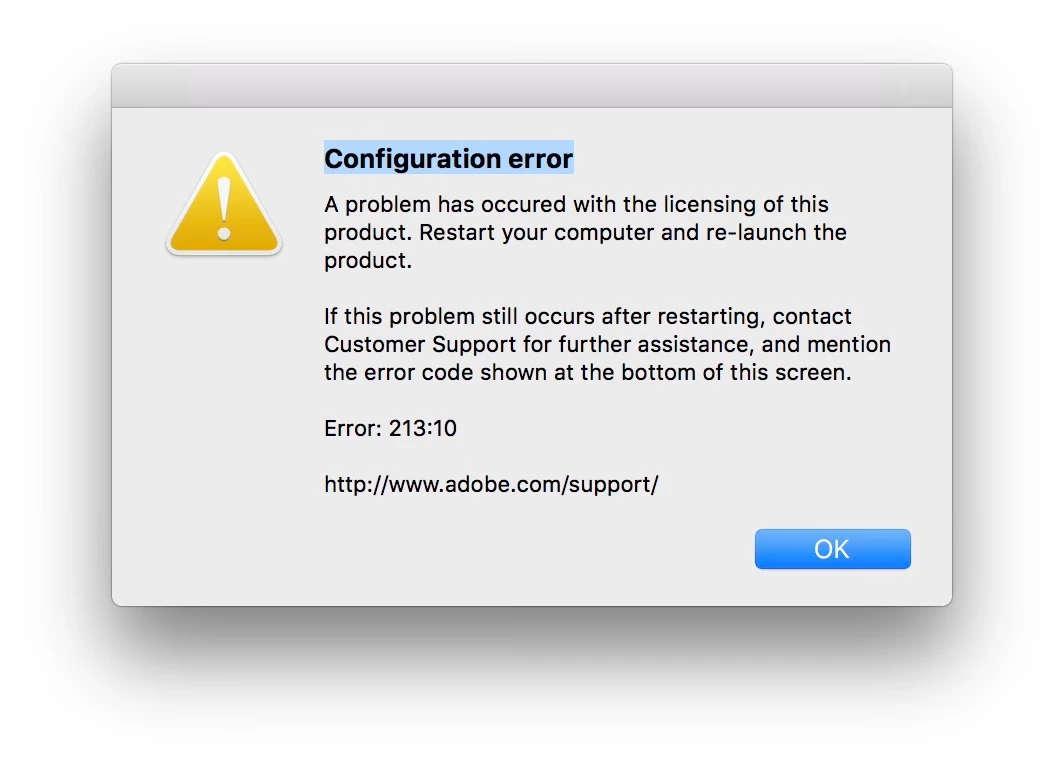
I found those folders in /Library/Application Support/Adobe — hopefully that's what you were referring to. I quit cc desktop, deleted the folders and restarted the cc desktop app. I got the following error message:

So I restarted the computer, and it crashed on startup. I restarted it with the same results. In Activity Monitor I found that Adobe Desktop Service was not responding and within a minute or two had accumulated 49 hangs. I force quit it and it came back.

Then I restarted with a safe boot, ran Time Machine and restored the two folders.  I restarted and I'm back to where I was.


uninstall everything cc including preferences, https://helpx.adobe.com/creative-cloud/help/uninstall-remove-app.html

then uninstall the cc desktop app, https://helpx.adobe.com/creative-cloud/help/uninstall-creative-cloud-desktop-app.html

clean your computer of cc files per http://www.adobe.com/support/contact/cscleanertool.html

delete the adobe pcd and slstore folders

restart your computer (don't skip this)

reinstall the cc desktop app, https://creative.adobe.com/products/creative-cloud.

if you're unable to install the cc desktop app at this stage, use an administrator account (solution 4 here, https://helpx.adobe.com/creative-cloud/kb/creative-cloud-missing-damaged.html)

use the desktop app to install your cc programs/trials

1 reply

kglad
Community Expert
Community Expert
June 1, 2018

uninstall everything cc including preferences, https://helpx.adobe.com/creative-cloud/help/uninstall-remove-app.html

then uninstall the cc desktop app, https://helpx.adobe.com/creative-cloud/help/uninstall-creative-cloud-desktop-app.html

clean your computer of cc files per http://www.adobe.com/support/contact/cscleanertool.html

restart your computer (don't skip this)

reinstall the cc desktop app, https://creative.adobe.com/products/creative-cloud.

if you're unable to install the cc desktop app at this stage, use an administrator account (solution 4 here, https://helpx.adobe.com/creative-cloud/kb/creative-cloud-missing-damaged.html)

use the desktop app to install your cc programs/trials

peterynhAuthor
Participating Frequently
June 1, 2018

I went through the whole process, being very careful to do everything correctly. I reinstalled a couple applications.

I opened Muse, and then opened Activity Monitor. Right at the top was adobe_licutil, 99.8% CPU.

I opened InDesign, and took another look at Activity Monitor: adobe_licutil, 99.8%.

They always seem to stick together: as one changes, the other does too. Occasionally there's a slight difference but not much.

So thank  you for your advice. It seems like it should work, but sadly the problem seems to be unchanged. Does adobe_licutil perhaps interact with some other application or something like that?

Any further advice will be much appreciated!

Peter

peterynhAuthor
Participating Frequently
June 1, 2018

I noticed after reinstalling that Muse still had at least the list of recent files. I don't think the other apps did. There were a couple other signs of stuff still being there.

So I repeated the whole process up to using the cleaner tool. There are still a number of signs of Adobe stuff that I wonder about. There are a number of folders although most are empty or contain empty subfolders. There are a few files though. Doing a search for "adobe" in /Users/peter/Library/Application Support, I found the following:

Adobe - many subfolders, some empty, some with files in them

Adobe Custom Dictionary - same, just a couple things

Adobe PDF - 1 empty folder

Adobe Photoshop CC 2018 same as first two

Adobe-Hub-App - empty folders

com.adobe.accmac.ACCFinderSync - empty

com.adobe.accmac.ACCFinderSync - same as first two

com.adobe.accmac.explinder - empty folders

com.adobe.ARMDCHelpe - empty

com.adobe.InDesign -  empty folders

com.adobe.Muse.application - empty folders

SaveAsAdobePDF DC 1 folder with 1 item in it

I'm no sure how concerned I should be about that.

OK, I'm installing InDesign from the CC app. I noticed that it said it was syncing something like 61 files. Is that a problem?

InDesign now loaded and running. There's one adobe_licutil running, for 99.9% of CPU. So, once again it didn't work I guess at this point I'll wait to see if anyone has any further advice for me.

Thanks,

Peter