
Roland_Rick
Known Participant
October 19, 2018
Question

New "Log out from other computer" does not work with Ps 2019

  • October 19, 2018
  • 1 reply
  • 1529 views

I installed macOS Mojave, before I updated to Adobes 2019 line.

Now I get a very lovely dialog box which should make it easier to log out from another computer if you are over the max limit - surprisingly good idea -
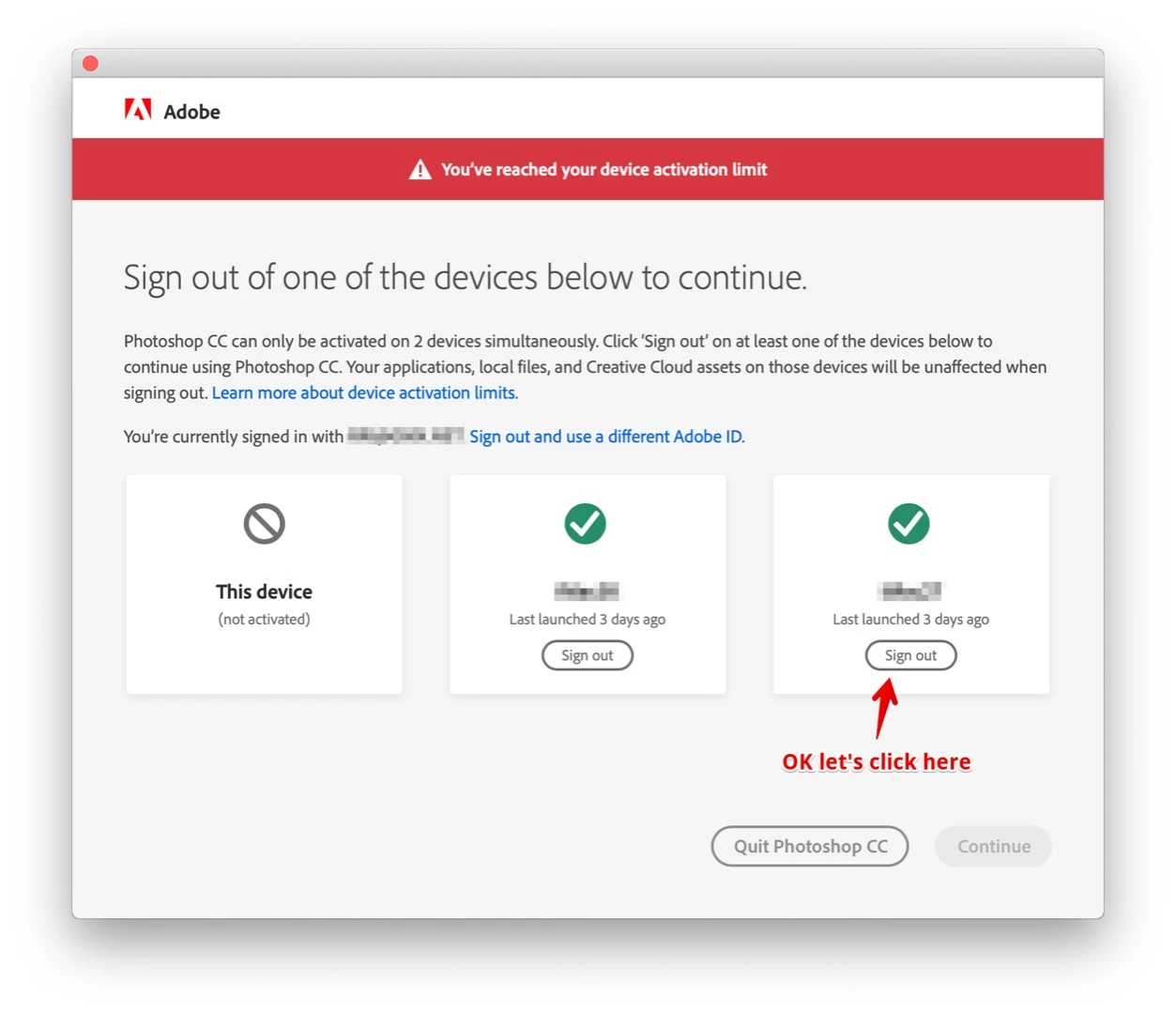
but after doing so, then clicking (Continue)
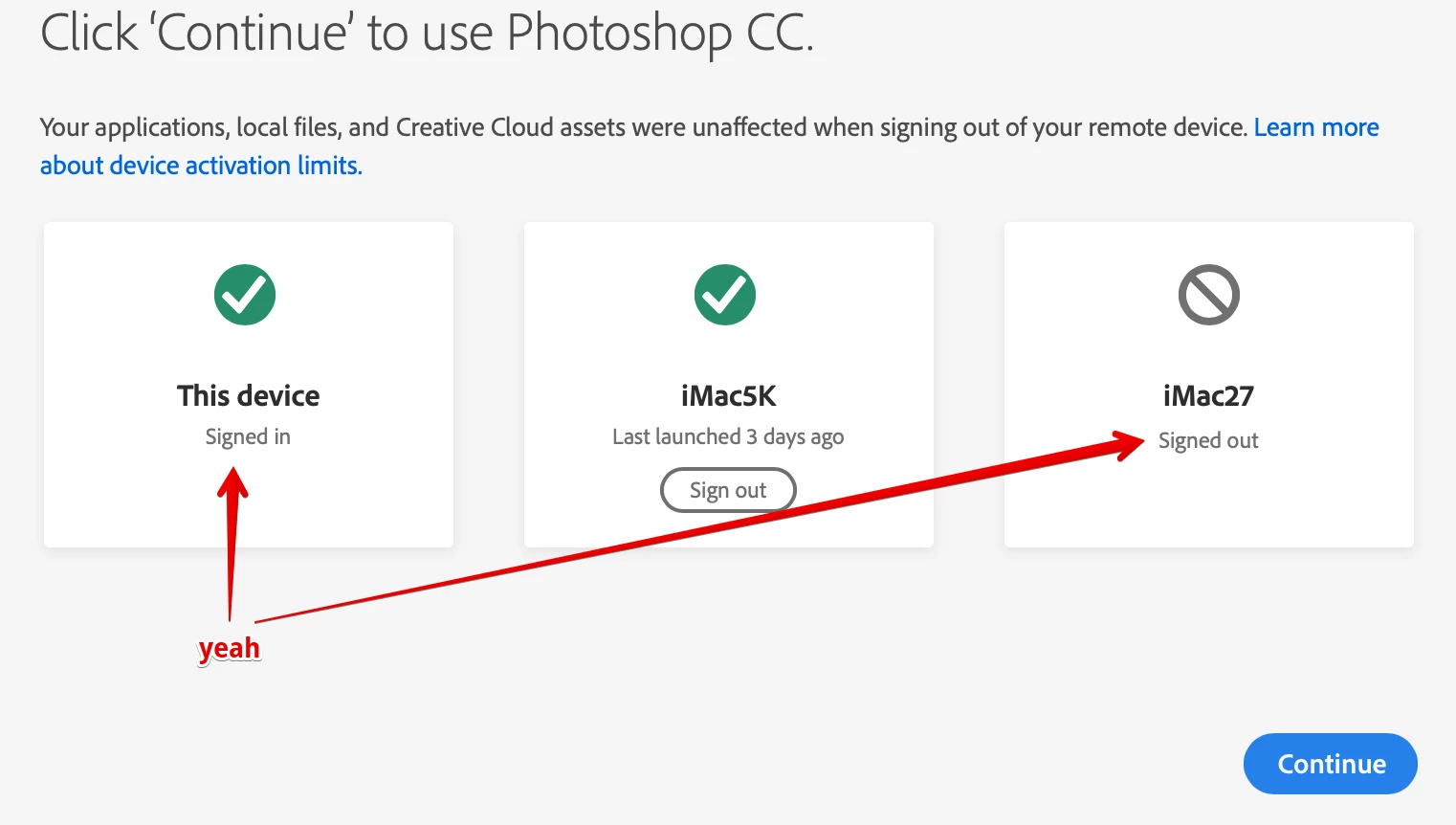
another dialog box pops up for the blink of an eye, impossible to read something in there, then, it disappears and Ps 2019 crashes.

FYC: The user account I am working with is a Standard user account without admin rights. And I will not change this. It is the best protection ever.

Interesting: this problem concerns only the 2019 labeled products. I can start Ps 2018.

Appreciate any help!

This topic has been closed for replies.

1 reply

Roland_Rick
Known Participant
October 19, 2018

It's getting worse: I deactivated the other computer by browser

a refresh of the page shows, the deactivation was successful:

I even powered the iMac27 OFF, now I try to start Ps 2019 from my MacBook Pro now running Mojave and I get:

ADOOOOOBEEEEEE….!!!!! Please stop raping your customers with non working authentication stuff. Unbelievable… This is so annoying…

Ergo: Can not start Ps 2019 from my MacBook Pro 

Trapped in some Groundhog Day effect / loop...

Kanikas
Community Manager
Community Manager
October 19, 2018

Hi there,

We're sorry for the trouble you are facing. Could you please deactivate the devices from the Account page and let us know if that helps?

Please use this link to get the steps: Creative Cloud "Activation limit reached" or "Sign-in failed" error

Also, we would like to inform you that our team is already aware of this issue and we are working to fix this as soon as possible.

Let us know if this helps! We will be waiting for your response!

Thanks

Kanika

Roland_Rick
Known Participant
October 21, 2018

Your first suggestion is mentioned in my 2nd additional post, that I already did that. You could read a little bit more precise, it is there documented even with screen shots.

This does not help.

There must be a problem with the Adobe Cache or so in the users Library folder or some other super hidden files CC creates, because if I create an new standard account (just for testing purposes and also without admin rights), I can log in without any problems.

But: the problem also occurs on HighSierra computers, not only on Mojave ones like mentioned in the original post.