
Participant
September 6, 2018
Answered

No App or Home tab in Adobe Creative cloud

  • September 6, 2018
  • 1 reply
  • 623 views

This is not a unfamiliar, but please dont just link to Apps tab missing from the Creative Cloud desktop app - I doesnt help!

I have followed the uninstall, adobe cleaner, re install many times. I have deleted the OOBE files. I DONT have a serviceconfig.xml file, and honestly not sure what else to try now?

My creatice cloud desktop app looks like this. I have no Home or more important App tab.
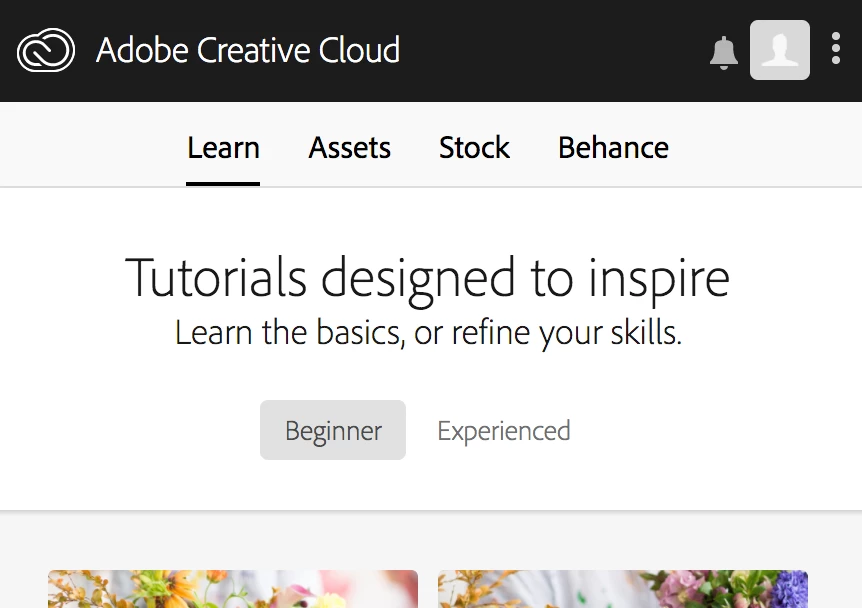
I have tried more or less any solution in here. I have no problem on my iMac using the same account. But i cant use it on my macbook. Its a huge problem. Im on a mac and using a team plan - specs here:
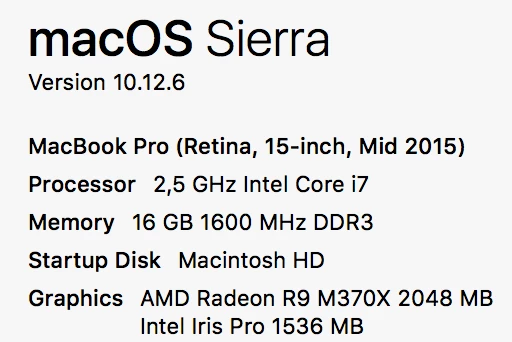
Adobe C'mon... i love the idea of using the creative cloud to manage apps, but please - make it possible to download manually. The amount of money i have wasted on this!!!

This topic has been closed for replies.
Correct answer John Waller

I DONT have a serviceconfig.xml file,

It should be there. Just need to ensure you've looked in the right Library folder. Yours may be hidden.

Try How to Show the User Library Folder in macOS Sierra - The Mac Observer

If it's still not there, post a screenshot at this location on your hard drive:

/Library/Application Support/Adobe/OOBE/Configs/

1 reply

John Waller
Community Expert
John WallerCommunity ExpertCorrect answer
Community Expert
September 6, 2018

I DONT have a serviceconfig.xml file,

It should be there. Just need to ensure you've looked in the right Library folder. Yours may be hidden.

Try How to Show the User Library Folder in macOS Sierra - The Mac Observer

If it's still not there, post a screenshot at this location on your hard drive:

/Library/Application Support/Adobe/OOBE/Configs/

Participant
September 6, 2018

Probelm - might - be solved. As my computer has had an IT dept. ADMIN profile before - there was two other librarys. And THERE i found the XML file.